Voice-to-Task Tools for ADHD Goal Setting
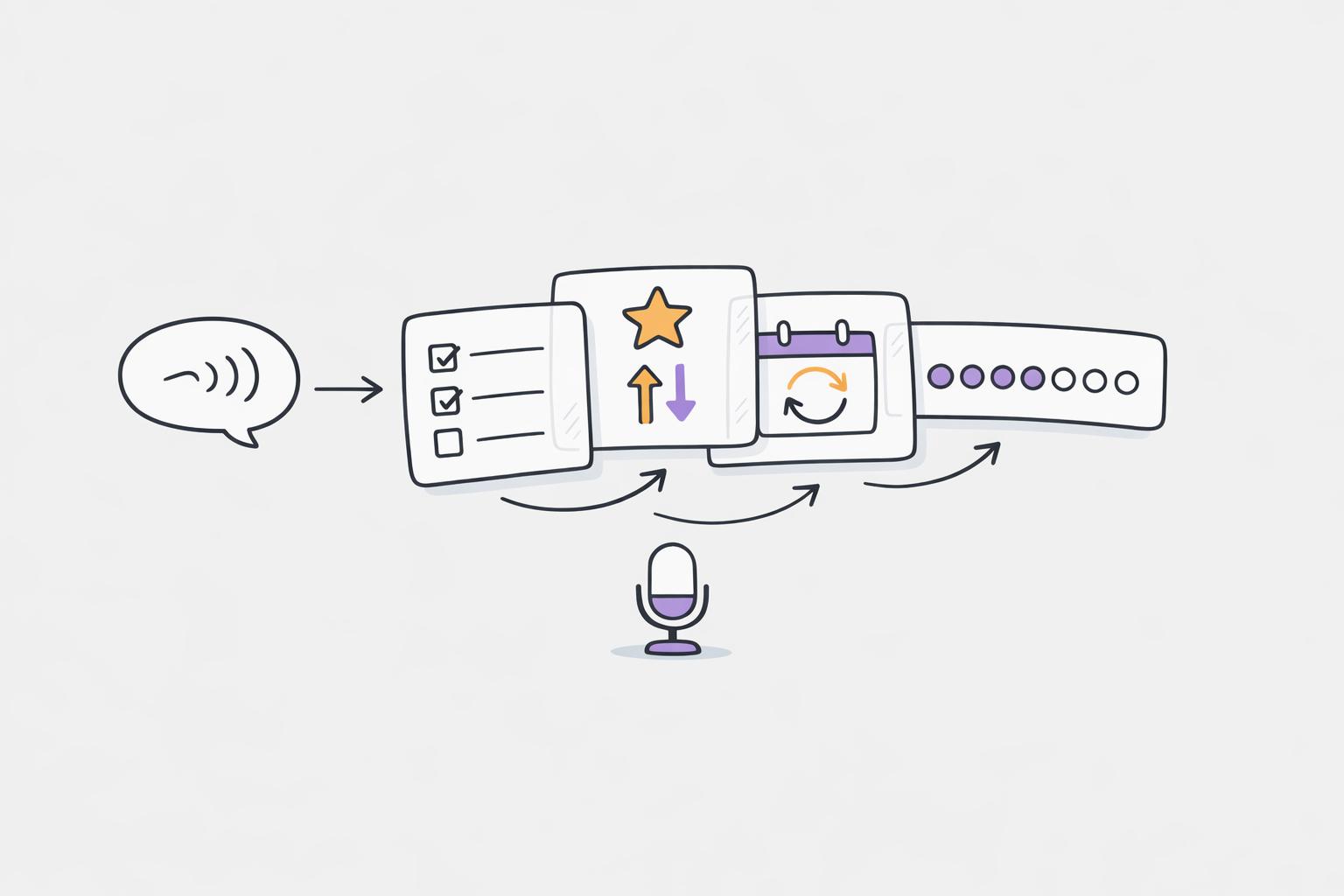
When you plan your day with ADHD, managing goals can be challenging, but voice-to-task tools make it easier. These apps turn spoken thoughts into organized tasks, helping users quickly log ideas and reduce mental strain with ADHD task management apps. They also prioritize tasks, track habits, and adapt to energy levels. Here's what you need to know:
- Calma: Transcribes voice inputs into tasks, tracks habits visually, and offers mood analysis. Costs $2/week or $39.99/year after a 7-day trial.
- Flow Copilot: Focuses on simplicity with a NOW/NEXT/LATER system for task prioritization. Best for straightforward task management.
- WhisperPlan: Allows longer voice recordings, auto-reschedules missed tasks, and integrates with calendars for time management. Free tier limits recordings to 20 seconds; Pro is €5.85/month.
Quick Comparison
| Tool | Key Features | Pricing | Best For |
|---|---|---|---|
| Calma | Habit tracking, mood analysis, voice-to-task | $2/week or $39.99/year | Habit-building and emotional tracking |
| Flow Copilot | NOW/NEXT/LATER system, simple interface | Free | Quick, simple task management |
| WhisperPlan | Long voice recordings, auto-rescheduling | €5.85/month (Pro) | Managing complex tasks over time |
Choose the tool that fits your needs - whether it's habit-building, simplicity, or managing detailed plans.
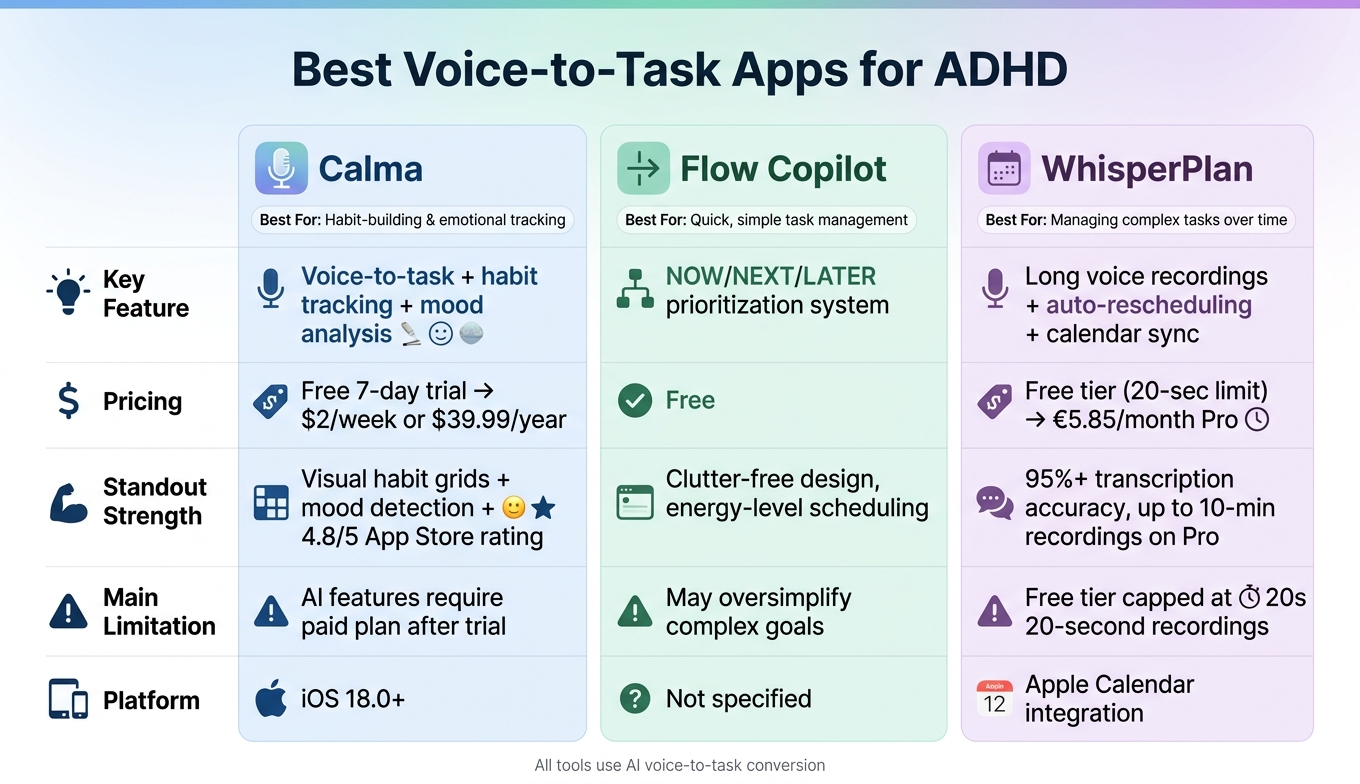
Best Voice-to-Task Apps for ADHD: Calma vs Flow Copilot vs WhisperPlan
8 ADHD Tools and Apps That Actually Work (From an NYC ADHD Therapist)
sbb-itb-1b3be24
1. Calma
Calma is an AI-driven ADHD productivity planner app tailored for individuals with ADHD. Its standout feature? You can speak your thoughts, and the app takes care of the rest - no typing needed.
Voice Capture and Task Conversion
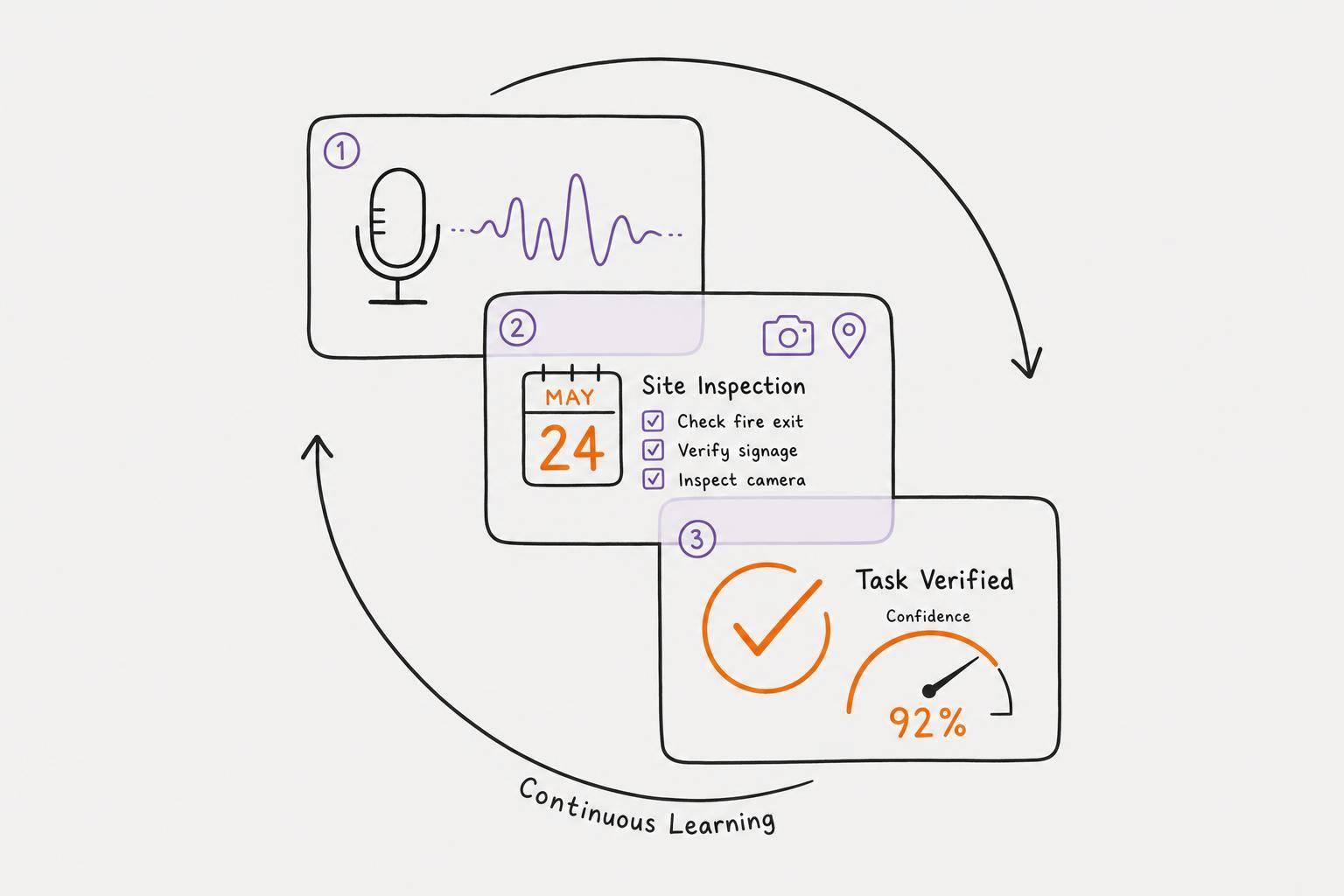
Calma starts with a simple "brain dump." Speak your thoughts into the app, and its AI transcribes them, identifies actionable tasks, and organizes everything into a structured list. This voice capture feature makes logging tasks incredibly quick - just 10–15 seconds on average - so you can capture ideas before they slip away.
"I love this because I basically use ChatGPT to voice dump at the beginning of the day... so this just makes the to-do list and voice dump all in one." - kenwshew, App Store User
This quick and easy method ensures you can focus on what matters without getting bogged down by the process.
Prioritization and Goal Setting
After your thoughts are recorded, Calma organizes them to help you focus on your day. Its AI assigns priority levels and due dates automatically, creating a clear plan. The "Today's Focus" view highlights your most important tasks, while a "Today's Progress" tracker updates as you complete them. This immediate feedback is especially helpful for those with ADHD who thrive on visual progress.
Planning Support and Habits
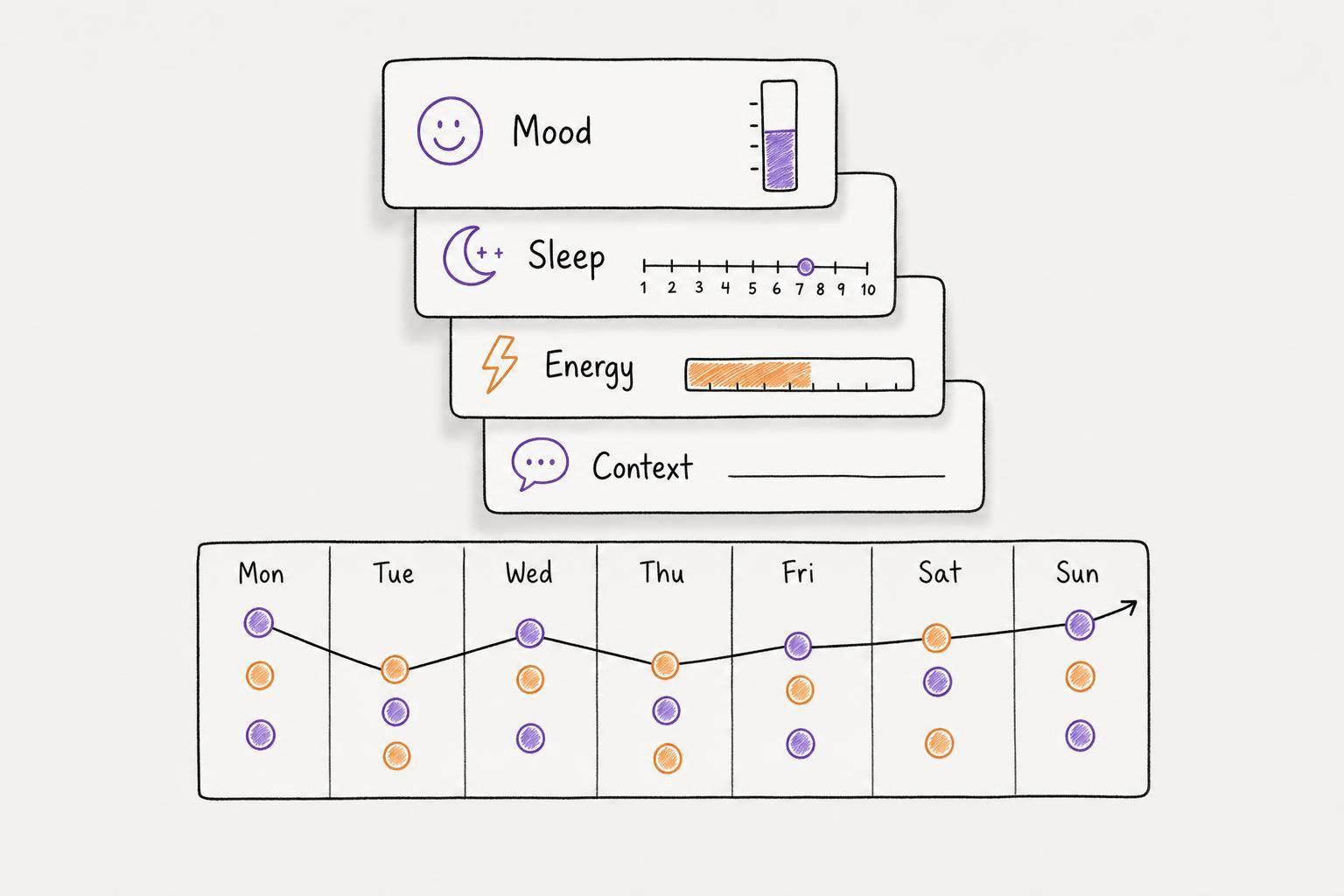
Calma goes beyond task management by helping users build habits and track moods. It uses pixel grids to visually map habit streaks, encouraging consistency. Plus, the app can analyze your voice recordings to detect emotions, logging mood patterns so you can see how stress or anxiety might be affecting your productivity. Home screen widgets keep your tasks front and center, making it easier to stay on track throughout the day.
The app is free to use for the first 7 days, giving you access to all its AI features. After that, you can upgrade to Pro for $2.00 per week or $39.99 annually. Calma requires iOS 18.0 or later and boasts an impressive 4.8/5 rating on the Apple App Store.
2. Tool B
Flow Copilot is another voice-to-task solution that helps reduce mental strain for individuals with ADHD. It stands out with its voice-first approach, catering to those who think in a non-linear way.
Voice Capture and Task Conversion
With Flow Copilot, you can record a single, unstructured voice note, and the AI takes care of the rest. Forget about filling out forms or manually entering data - this design decision helps avoid the "planning paralysis" that often accompanies ADHD. The AI processes your "brain dump", breaking it down into clear tasks, habits, and calendar events automatically. This makes organizing your thoughts and plans a lot easier.
Prioritization and Goal Setting
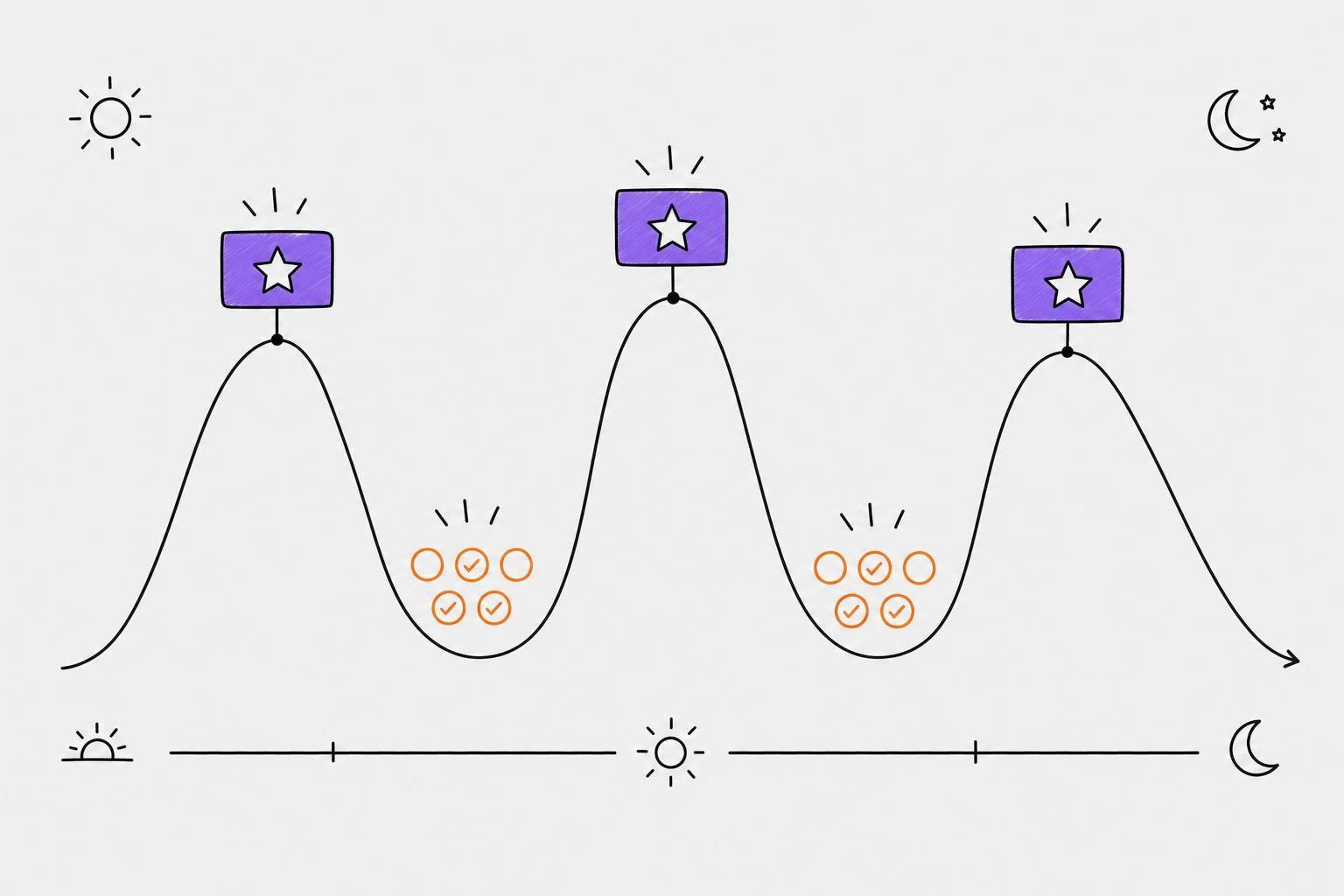
Flow Copilot uses a NOW/NEXT/LATER system, which organizes tasks based on urgency. It even creates a daily schedule for you, factoring in your energy levels to help you stay on track.
3. Tool C
WhisperPlan takes a voice-first approach to tackle common challenges like setup paralysis, context switching, and task abandonment - issues often faced by individuals with ADHD. With this tool, all you need to do is speak, and the AI transforms your words into tasks. WhisperPlan not only simplifies task capture but also introduces a standout feature: project auto-detection.
Voice Capture and Task Conversion
WhisperPlan leverages OpenAI Whisper for transcription and Gemini AI to turn spoken words into structured tasks. One of its clever features is Project Auto-Detection, which groups recurring themes. For example, if you frequently mention "website" in your recordings, the AI automatically clusters those tasks into a dedicated project.
Prioritization and Goal Setting
To ease the mental load, WhisperPlan assigns priorities and due dates to tasks automatically, even adapting them to your energy levels. And instead of letting overdue tasks accumulate, the system quietly reschedules them based on the current date. This thoughtful approach helps reduce the stress and anxiety that often come with missed deadlines.
"Missed a deadline? AI reschedules automatically. No guilt - just adjusted priorities." - WhisperPlan
Planning Support and Habits
WhisperPlan’s calendar integration anchors tasks to real-time schedules, easing cognitive strain. It syncs seamlessly with Apple Calendar, turning voice-captured tasks with specific times into calendar events. This feature provides time cues, which can be particularly helpful for managing ADHD-related time blindness. While habit tracking isn't its primary focus, WhisperPlan excels at transforming simple voice notes into a structured, prioritized task list.
"I've abandoned every task manager I've tried. WhisperPlan is the first one I've stuck with for months." - Marcus, software developer with ADHD
Pros and Cons of Each Tool
Here’s a breakdown of each tool’s main strengths and limitations to help you decide which fits your needs best.
| Tool | Strengths | Weaknesses |
|---|---|---|
| Calma | Combines AI journaling with habit tracking; visual habit progress grids; highly rated (4.8/5 on the App Store); on-device transcription ensures privacy | Lacks detailed task breakdown capabilities; voice AI features are only available with a paid plan after a 7-day trial |
| Flow Copilot | Focuses on fast, voice-first task management with NOW/NEXT/LATER scheduling; clean, clutter-free design | Limited in advanced features; may oversimplify tasks for users with more complex needs |
| WhisperPlan | Uses OpenAI Whisper for highly accurate transcription (95%+); matches tasks to energy levels; auto-reschedules missed deadlines; allows up to 10-minute recordings on Pro | Free tier is highly restrictive - recordings capped at 20 seconds; Pro plan priced in euros (€5.85/month), which may feel inconsistent for U.S. users |
Calma is ideal for users who want a planner that goes beyond task management. Its emotion tracking and visual habit grids make it a great tool for building routines while staying mindful of emotional well-being. The app’s minimalist design is a big plus for those with ADHD, as it avoids the overwhelm of cluttered interfaces. However, its standout features require upgrading to the Pro plan, which costs $2 per week or $39.99 annually after a 7-day trial.
Flow Copilot is perfect for those who value simplicity and speed. Its voice-first approach and NOW/NEXT/LATER system make it easy to prioritize daily tasks without overcomplicating things. That said, it might not be the best fit for users managing complex, multi-layered goals.
WhisperPlan excels at long-form voice capture and intelligent task rescheduling. Its ability to record up to 10 minutes on the Pro plan is especially helpful for organizing thoughts during hyperfocus sessions or tackling detailed plans. However, the free tier’s 20-second recording limit is a major drawback, making it impractical for ADHD users who often need more time to articulate their ideas.
The bottom line? If you’re focused on habit-building and emotional awareness, Calma is a standout choice. For extended voice recording and smart rescheduling, WhisperPlan shines - though you’ll need the Pro plan for it to be truly effective.
Conclusion
There’s no one-size-fits-all solution when it comes to managing ADHD. The best tool for you will depend entirely on the specific challenges you face. Throughout this review, it’s clear that each platform has its strengths, and the right choice hinges on your personal needs.
Take Calma, for instance. It goes beyond being just another task list. Its features are designed to help create steady routines while minimizing mental strain, making it a great option for those prioritizing habit-building and emotional regulation.
On the other hand, WhisperPlan shines when capturing thoughts or ideas through voice is a priority. Its ability to match energy levels and offer flexible rescheduling options addresses common ADHD struggles, such as missed deadlines, in a way that feels forgiving and manageable.
At the end of the day, the key is to pick a tool that directly addresses the hurdles you encounter - whether that’s starting tasks, maintaining habits, or holding onto fleeting ideas before they slip away.
FAQs
How do voice-to-task apps help with ADHD overwhelm?
Voice-to-task apps are a game-changer for managing ADHD-related overwhelm. They eliminate the hassle of manual data entry, which often poses a big challenge for executive functioning. Apps like Calma let you simply speak your thoughts, and they’ll automatically turn those into organized tasks - complete with priorities and deadlines. This approach lightens the mental load, captures ideas on the spot, and allows you to concentrate on getting things done instead of wrestling with task management.
What should I look for in a voice-to-task tool if I struggle with time blindness?
If managing your time feels like an uphill battle, consider using a tool that handles scheduling automatically and offers a clear, visual layout of your day. Features like timeboxing - which lets you assign tasks to specific calendar blocks - and AI-powered insights to create realistic time estimates can make a big difference. These tools can slot tasks into your schedule for you, cutting down on planning effort, helping you avoid taking on too much, and easing mental strain.
How can I turn a daily voice “brain dump” into realistic goals?
With Calma, turning your daily voice notes into clear, achievable goals is a breeze. Just talk naturally about your tasks, ideas, or plans, and Calma’s AI will transcribe and organize everything into actionable steps. It even prioritizes tasks based on urgency, deadlines, and how you're feeling, making sure your goals stay realistic and within reach. You can tweak the plan as needed and track your progress with tools like habit grids - all without overwhelming your mind.