ADHD Task Management Apps: Your Guide to Brain-First Planning

Your brain doesn't work like a filing cabinet. It works like a browser with a hundred tabs open, each one screaming for attention at 3 AM. This is what every person with ADHD faces daily—not laziness or poor discipline, but a neurological reality that traditional task management apps completely ignore.
According to data from the Centers for Disease Control and Prevention (CDC), an estimated 7 million (11.4%) U.S. children aged 3-17 years have ever been diagnosed with ADHD. But here's the plot twist: the number of adults with ADHD is staggering. As of 2023, 15.5 million U.S. adults (6.0%) have a current diagnosis of ADHD—nearly double the 2018 estimate of 8.7 million. That's millions of people struggling with the same problem: how to actually get things done when your executive function doesn't cooperate.
The good news? ADHD task management apps have become the fastest-growing segment in digital wellness. The global ADHD Apps Market size was USD 1.79 billion in 2025 and is projected to reach USD 4.4 billion by 2034, exhibiting a CAGR of 11.9%, which means the tools are getting smarter, more specialized, and actually built with ADHD brains in mind.
This guide breaks down everything you need to know about finding an ADHD task management app that actually works—one that doesn't demand perfect structure, doesn't mock you for having 47 open projects, and actually helps you translate chaos into action.
Quick Answer: ADHD task management apps are designed for how ADHD brains actually work: voice input replaces typing friction, AI handles executive function tasks you'd normally struggle with, and design prioritizes dopamine-friendly feedback over rigid structure. The market is booming with 11 million American users regularly engaging with ADHD apps, with 46% being adults managing professional productivity and 33% being parents helping children organize tasks. The best ADHD task management apps combine voice capture, minimal cognitive load, visual progress tracking, and flexible workflows—not rigid templates.
Key Takeaways:
- Traditional apps fail ADHD brains: Blank pages, endless categories, and typing barriers create friction that makes ADHD worse, not better
- Voice-first design removes the biggest barrier: Speaking thoughts takes 30 seconds; typing and organizing takes 10 minutes—ADHD apps bridge this gap
- AI does the executive function work: Your app should organize, prioritize, and even nag—so your brain doesn't have to
- Market growth signals innovation: As $4.4 billion investment flows into ADHD apps by 2034, better features and specialization keep emerging
- People with ADHD lose 22-27 days of annual productivity without proper support—the right app can reclaim that time
Table of Contents
- Why Standard Task Managers Fail ADHD Brains
- The Neuroscience Behind ADHD Task Management
- Core Features That Actually Work
- Voice-First Design: The ADHD Game Changer
- Beyond Tasks: Mood Tracking & Habit Streaks
- Top ADHD Task Management Approaches
- How ADHD Apps Compare
- Real Impact: What Studies Show
- Choosing Your ADHD Task Management App
- FAQ
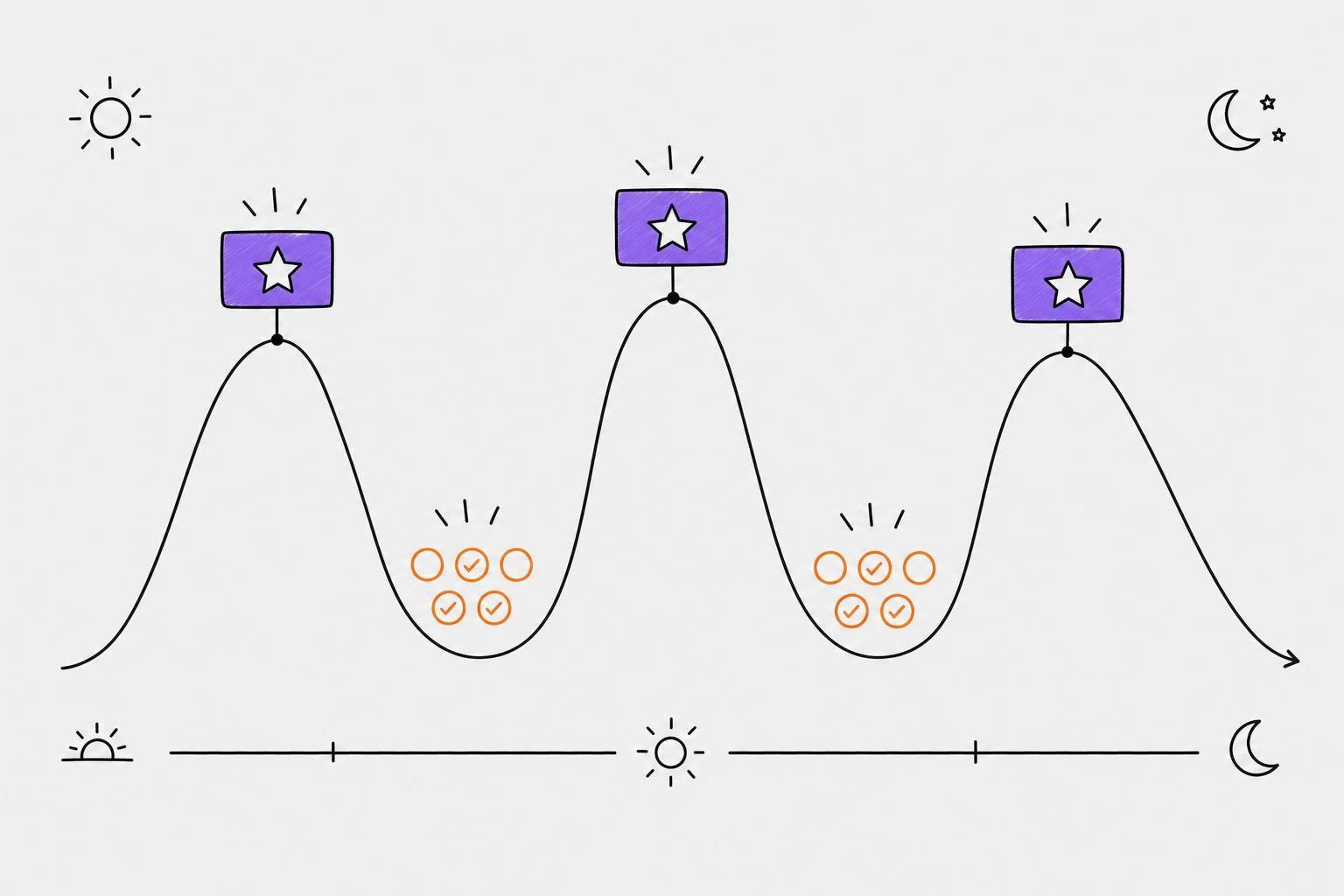
 ADHD task management transforms scattered thoughts into actionable daily plans
Why Standard Task Managers Fail ADHD Brains
You've probably tried Todoist. Or Asana. Or that fancy notion setup your organized friend swears by. And yeah, maybe you used it for three days before it became yet another source of shame—another app full of abandoned projects, empty categories, and that crushing feeling of "I'm failing at this too."
This isn't a character flaw. It's a design problem.
Traditional task management apps were built for neurotypical brains. They assume you'll enjoy the blank slate. They expect you'll spend 10 minutes categorizing a task into the right folder before adding it to a project, assigning it a tag, and setting a due date. They reward perfectionistic setup over action. For most ADHD brains, this workflow is paralyzing. The cognitive load of organizing thoughts—before you even begin executing them—burns through your limited executive function faster than opening the app takes.
The real issue is friction. An ADHD brain can have a thought at 2 PM ("Buy coffee beans, email Jason about the Tuesday meeting, research dog grooming prices, organize receipts, call mom, finally build that shelf"). Most people can filter these into priority levels. ADHD brains just see an undifferentiated pile of urgent things. If capturing that thought requires typing it out, finding the right project, adding tags, and setting a due date—you've lost momentum by step two. The thought evaporates. You forget. By evening, you've added three more tasks mentally but completed zero because the friction was too high.
This is why adults with ADHD lose about 22 to 27 days of productivity each year due to ADHD symptoms. Not from laziness or procrastination (though those can compound the problem), but from the architectural mismatch between how their brains work and how tools expect them to work.
ADHD task management apps solve this by starting with a radical assumption: your brain is already doing the work of thinking. The app just needs to catch those thoughts without adding friction.
The Neuroscience Behind ADHD Task Management
Understanding why ADHD task management apps work differently requires understanding how ADHD brains prioritize and process information.
People with ADHD typically have lower dopamine production in the prefrontal cortex—the part of the brain responsible for executive function, working memory, and task initiation. This isn't hype; it's well-documented neurology. The consequences are real: difficulty sustaining attention on unstimulating tasks, trouble organizing complex workflows, difficulty distinguishing important from urgent, and that famous ADHD trait of hyperfocus on interesting things while completely zoning out on boring maintenance tasks.
Here's what this means for task management: traditional apps that reward perfectionistic organization are fighting against biology. They're asking a brain with compromised executive function to do MORE executive function work before execution even begins. It's like asking someone with a broken leg to run a marathon before being allowed to walk.
Effective ADHD task management apps work with this neurology instead of against it. They use dopamine hits (visual progress, habit streaks, satisfying checkmarks) to fuel motivation. They remove the organizational barrier by using AI to categorize and prioritize automatically. They enable hyperfocus by letting you voice-dump everything without friction. They design for the ADHD brain's actual constraints, not the neurotypical brain's preferred workflow.
This is precisely why research backs what ADHD users have been saying for years. A 2024 meta-analysis of 25 RCTs involving 1,780 participants found that digital interventions significantly improved overall ADHD symptoms, inattention symptoms, and hyperactivity/impulsivity symptoms. When apps are designed for how ADHD brains actually work, they don't just help with task management—they help with the condition itself.
Core Features That Actually Work
Not all ADHD task management apps include these features, but the ones that do stand apart. Understanding what matters will help you evaluate any app you're considering.
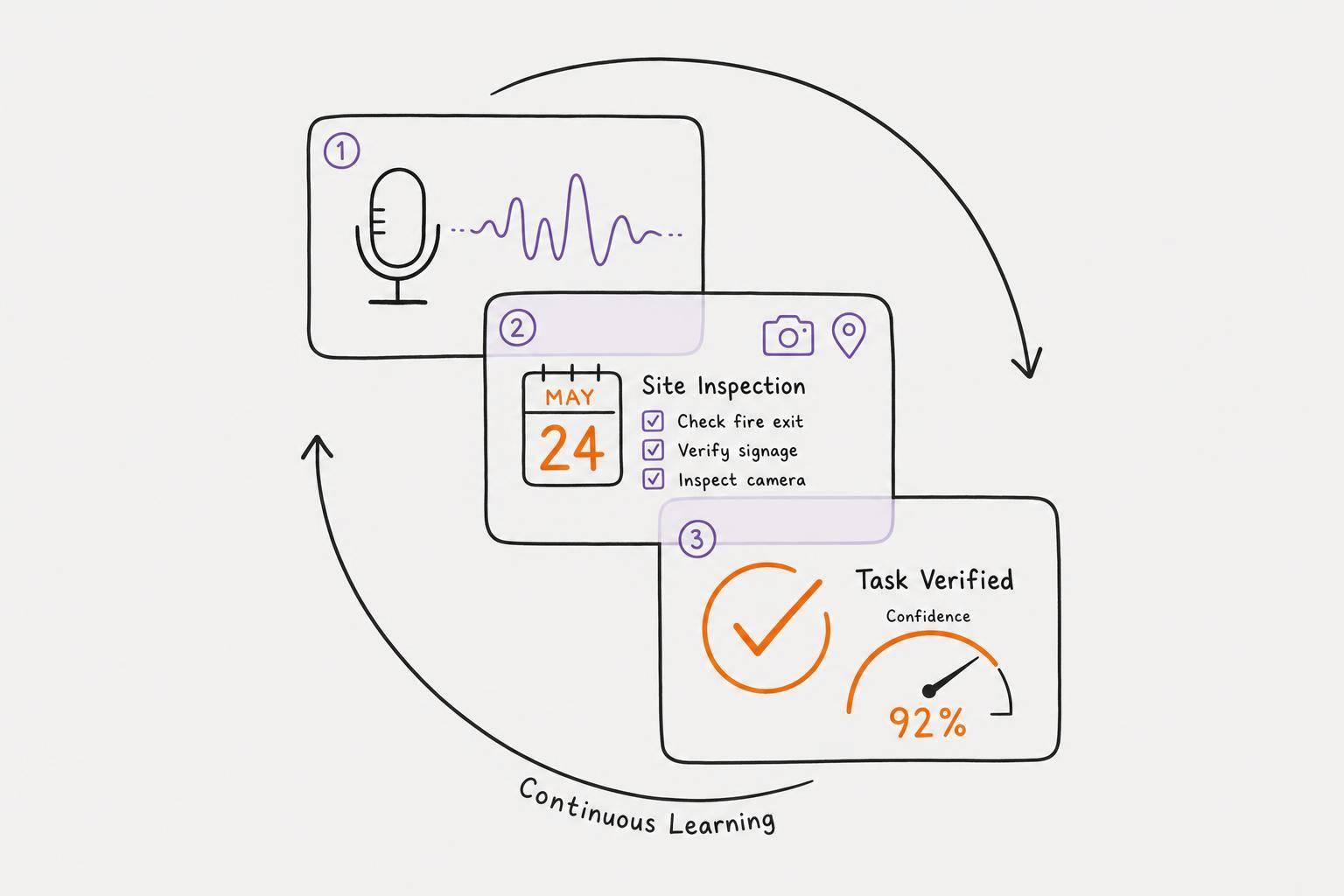
Voice Capture (The Non-Negotiable): The single biggest barrier to task management with ADHD is friction during capture. Voice input changes everything. You talk for 30 seconds, your thought is recorded, and an AI extracts the actual tasks. This removes three friction points: the blank page paralysis, the typing effort, and the organizational decision-making. Apps like Calma prove this: voice capture turns "ugh, I have so many things" into an actual task list in less time than it takes to open a traditional to-do app and add one item manually.
AI-Powered Prioritization: Your ADHD brain is excellent at identifying what matters in the moment, but terrible at distinguishing important from urgent when everything feels urgent. Apps that use AI to parse priorities—extracting "this needs to happen today" vs. "this is a someday project"—remove the executive function burden of triage. The AI looks at due dates, complexity, and context to create a realistic daily focus list rather than an overwhelming dump of 47 tasks.
Visual Progress Feedback: Dopamine is your ADHD brain's fuel, and gamification isn't childish—it's neuroscience. Habit-tracking apps that show pixel grids, streak counts, and completion percentages provide the constant feedback your executive function is naturally depleted in. Seeing a 30-day meditation streak visually represented is more motivating than knowing abstractly that "you've been consistent." This is why habit trackers are bundled into many ADHD task management apps—they serve a neurological function.
Minimal Cognitive Load Design: Clean, low-stimulation interfaces matter. Too many colors, animations, notifications, and visual elements can trigger decision paralysis or sensory overwhelm. The best ADHD apps use dark interfaces, simple layouts, and reduced notifications. They respect that your attention is already scattered without the app adding visual noise.
Flexibility Over Rigidity: ADHD brains rebel against structure that doesn't match reality. A task management app that forces you into fixed categories, requires project assignment before adding tasks, or punishes incomplete daily goals will create shame, not productivity. Apps that let you capture without categorizing, don't penalize incomplete work, and adapt to your actual (messy, non-linear) workflow are the ones that stick.
 Voice input is the critical feature that removes friction from ADHD task capture
Voice-First Design: The ADHD Game Changer
If traditional task management apps are the problem, voice-first apps are the revolution. And this isn't hype—it's addressing a fundamental ADHD reality: thinking is fast, typing is slow, and organizing is excruciating.
A neurotypical person can think, type, and organize in one coherent flow. An ADHD brain thinks in fragmentary bursts—ideas don't arrive in order, complete with all context neatly labeled. You get: "coffee / email Jason / dog thing / receipts / mom / shelf" all at once, with no clear hierarchy. Typing this out requires holding all these fragments in working memory while also making organizational decisions. By the time you've captured three items, you've forgotten the other four.
Voice solves this by capturing speed. You can brain-dump in 30 seconds what would take 5 minutes to type. The friction is gone. No blank page staring you down. No "where does this go" decisions slowing you down. Just talk.
Then—and this is crucial—the app does the work. AI listens to your rambling, extracts tasks, prioritizes them, assigns due dates based on urgency, and presents a clean list. You go from "ugh, my brain is a mess" to "today I'm doing X, Y, and Z" in under two minutes. The executive function work (organizing, prioritizing, sequencing) that would normally drain your ADHD brain is handled by AI.
This is why voice-first ADHD apps are growing faster than other categories. Research shows 11 million American users are actively engaged with ADHD applications, with 46% being adults managing professional productivity. These aren't people who love apps—they're people who found that voice-first design finally made task management feel possible rather than shameful.
The design pattern also matches how ADHD brains naturally think. Non-linear thinkers are actually excellent at seeing connections and big-picture patterns. Voice capture lets that thinking happen naturally—you're not forced into linear typing. Your app records the whole thought cloud, then organizes it for you.
Beyond Tasks: Mood Tracking & Habit Streaks
The best ADHD task management apps aren't just task managers. They're systems that understand ADHD is a total-life experience, not just a productivity problem.
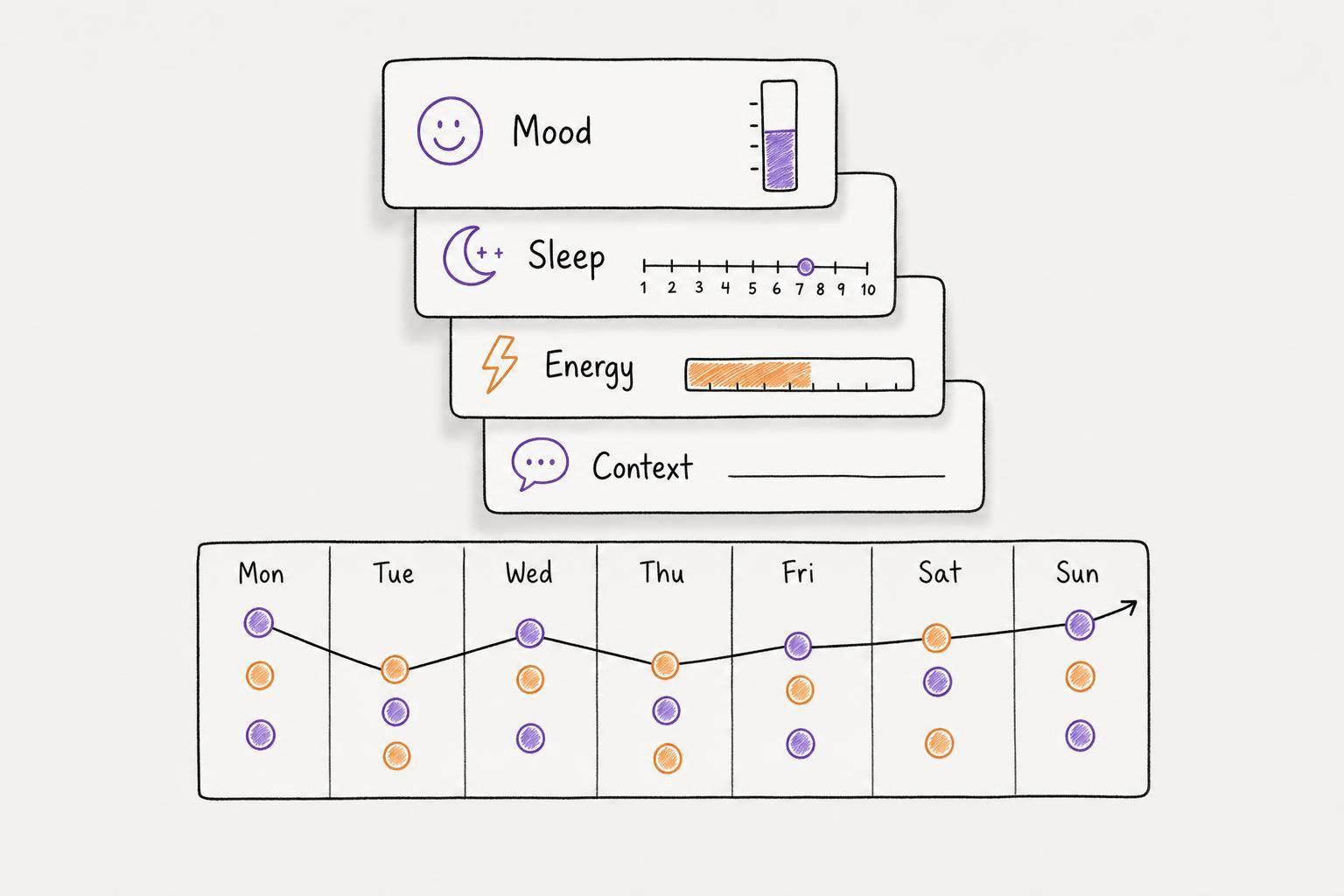
Mood tracking matters because ADHD and emotional regulation go hand in hand. Many people with ADHD also experience anxiety or depression—conditions that make task management even harder. An app that lets you voice-record how your day felt, then automatically detects emotional patterns ("you mention stress 4x this week vs. 2x last week"), becomes a tool for self-awareness. You can notice patterns: "I'm always anxious on Mondays" or "my focus improves after exercise." This data helps you adjust your task load and schedule strategically.
Habit tracking serves a different neurological function. ADHD brains struggle with the "boring but important" habits—meditation, exercise, sleep, healthy eating. These aren't exciting. They don't trigger hyperfocus. They're maintenance tasks your brain actively resists. But habit-tracking visual feedback (pixel grids showing your meditation streak, or a calendar showing 25 consecutive days of morning walks) provides dopamine hits that your executive function naturally lacks. The visual representation is more powerful than the abstract knowledge that you've been consistent.
This is why apps that combine task management, mood tracking, and habit tracking are more effective than apps that do one thing well. They're addressing the full ADHD experience—not just getting tasks done, but managing energy, mood, and progress toward sustainable habits.
Top ADHD Task Management Approaches
There are several proven approaches to ADHD task management, each with different strengths depending on your specific ADHD profile.
The Voice-Dump Model prioritizes immediate capture with minimal friction. You talk, the app organizes. This works best for people whose main struggle is capturing thoughts before they disappear. It's excellent for chaotic brains that think in fragments. Examples include voice-first apps like Calma, which specifically targets ADHD brains and uses on-device AI to avoid privacy concerns while instantly transforming rambling voice notes into structured task lists.
The Gamified Progress Model emphasizes visual feedback, streaks, and dopamine hits. These apps make productivity feel like a game—complete tasks to maintain streaks, unlock achievements, watch habit pixels fill in. This appeals to ADHD brains that respond to immediate reward. Apps using this model recognize that standard task completion isn't rewarding enough for ADHD brains; you need constant visual feedback.
The Minimal-Friction Model removes everything that could create barriers. No categories, no projects, no complex setup. Just tasks and a daily focus list. These apps assume that simplicity beats power, and they're often right for ADHD brains. The fewer decisions your app requires, the more likely you'll actually use it.
The Accountability Model adds external structure through body doubling, accountability partners, or even AI coaches that check in on your progress. This works because ADHD brains often need external motivation to initiate tasks. Even knowing someone (human or AI) will ask "did you do that?" tomorrow can shift motivation today.
Most effective ADHD task management apps blend these approaches. They combine voice capture (reduce friction) with visual progress tracking (dopamine), minimal interface design (reduce overwhelm), and flexible workflows (respect messiness).
 Different ADHD task management approaches vary in complexity and feature focus
How ADHD Apps Compare
Different ADHD task management apps prioritize different features. Here's how the major approaches stack up:
| Approach | Best For | Key Features | Learning Curve | Price |
|---|---|---|---|---|
| Voice-First (e.g., Calma) | Fast thinkers; capturing chaos | Voice capture, AI organization, mood tracking, habit grids, privacy-first | Very low—just talk | Freemium or monthly |
| Visual Gamification (e.g., Habitica) | Dopamine-driven motivation | Habit streaks, pixel grids, visual rewards, game mechanics | Low—simple interface | Free + premium |
| Minimal Task Managers | Executive function overwhelm | Clean daily list, no categories, focus on today | Minimal—almost no setup | Usually free |
| Comprehensive Tools (e.g., Todoist) | Complex multi-project workflows | Projects, labels, advanced filtering, integrations | High—lots to configure | Free + premium |
| Specialized ADHD Tools (e.g., Tiimo) | ADHD-specific workflows | ADHD-friendly design, time blocking, break reminders, community | Medium—designed intuitively | Subscription |
The critical insight: you don't need "the best" app. You need the app that matches your specific ADHD profile and the problem you're actually trying to solve. If your main barrier is capturing thoughts, voice-first wins. If you lack motivation without visual reward, gamification wins. If you're overwhelmed by too many options, minimal design wins.
Most people with ADHD benefit from a primary app (the one they use daily) plus a secondary tool for a specific need. For example: Calma for daily task capture and mood tracking, plus a habit tracker for specific streaks you want to maintain.
Real Impact: What Studies Show
The effectiveness of ADHD task management apps isn't theoretical. Digital interventions for ADHD have been rigorously studied, with a 2024 meta-analysis of 25 RCTs involving 1,780 participants finding that digital interventions significantly improved overall ADHD symptoms, inattention symptoms, and hyperactivity/impulsivity symptoms.
What this means in plain terms: using the right app actually helps with ADHD itself, not just task management. It's not just that you're getting more done (though you are). The structure, the dopamine hits, the reduced friction, and the external organization actually improve attention and executive function over time.
In practice, this translates to concrete gains. Users report:
Finding a single app that works for their brain reduces "app fatigue"—the exhausting practice of trying five different systems, configuring each one, then abandoning each one. Fewer apps means less decision paralysis. One good app beats three mediocre apps every time.
Capturing thoughts immediately (especially with voice) recovers lost ideas. Most ADHD brains have experienced the crushing loss of "I had a great idea but forgot it." Voice capture means you almost never lose a thought again. That single change eliminates one major source of ADHD frustration.
Visual progress tracking (habit grids, completion streaks) provides the dopamine feedback that makes mundane habits feel worth doing. Suddenly, those habits stick because your brain gets its reward signal. Six months of meditation feels impossible in theory but entirely doable when you're maintaining a visible 180-day streak.
Reduced setup friction means higher actual usage. Apps that let you start in 10 seconds rather than spending 30 minutes configuring categories actually get used. And consistency matters more than perfection with ADHD—even a mediocre system you use daily beats a perfect system you abandoned.
 Studies show significant improvement in ADHD symptoms and productivity with digital interventions
Choosing Your ADHD Task Management App
With so many options available, picking the right app can feel overwhelming. Use this framework to narrow down.
Start With Your Core Problem. Are you struggling to capture chaotic thoughts? Then voice-first design is non-negotiable. Are you failing to maintain habits because they feel boring? Then gamification matters most. Are you drowning in organizational options? Then minimal design beats comprehensive power. Name the one problem the app must solve first.
Assess Your ADHD Profile. Not all ADHD is the same. Some people are hyperactive and struggle with starting. Others are primarily inattentive and forget what they decided five minutes ago. Some are slow to hyperfocus on interesting things and completely tune out everything else. An app that works for hyperfocus-prone ADHD might frustrate someone with primarily inattentive ADHD. Look for features that address your specific challenges—not hypothetical ADHD problems.
Test Before Committing. Most good ADHD task management apps have free versions. Use an app for at least two weeks before deciding it doesn't work. Your brain needs time to build habits around new tools. One week isn't enough to know if something truly works for you or if you just haven't adapted yet.
Prioritize Privacy. Your ADHD app will contain sensitive information: your struggles, your mood data, your failures and successes, your medical information if you're tracking it. An app that processes your voice recordings on-device (rather than sending them to servers) protects your privacy. This matters more for ADHD tools than for generic productivity apps because they're inherently more personal.
Avoid the "Feature Perfection" Trap. The app with the most features is almost never the best ADHD app. Your brain doesn't have the executive function to keep up with massive feature sets. Five powerful features used consistently beats fifty features you never figure out how to use.
The single best framework: start with voice capture (if that's your main friction point), combined with visual progress tracking (to fuel dopamine). Add mood tracking if you struggle with emotional regulation. Avoid anything requiring complex category setup. Choose an app you can start using in under five minutes. Stick with it for three weeks. If it's helping, keep going. If it's not, switch—and accept that finding the right tool is itself part of managing ADHD.
Conclusion: From Chaos to Clarity
ADHD task management apps represent a genuine shift in how we think about productivity. They're not about forcing ADHD brains into neurotypical systems. They're about building systems that work with ADHD neurology instead of against it.
Your brain isn't broken. The apps were. But that's changing fast. Apps designed with voice-first input, AI organization, minimal friction, and dopamine-friendly feedback are proving that ADHD productivity is possible when we stop asking ADHD brains to work like neurotypical brains.
The real power isn't in any single feature. It's in the shift from "I'm bad at productivity" to "standard productivity apps are bad for my brain, but this one actually works for how I think." That shift alone changes everything—not just your task list, but your relationship with your own neurology.
If you've tried five productivity apps and abandoned them all, that's not because you lack discipline. It's because they weren't designed for you. Find an app that meets you where your brain actually is, and suddenly task management stops feeling like shame and starts feeling like clarity.
 The right ADHD task management app transforms your relationship with productivity
FAQ
What is the difference between an ADHD task management app and a regular to-do app?
ADHD task management apps are specifically designed for how ADHD brains work—with voice capture to reduce friction, AI to handle organization and prioritization, visual feedback to provide dopamine motivation, and minimal-friction interfaces. Regular to-do apps assume you have executive function capacity for typing, categorizing, and organizing. ADHD apps remove those barriers.
Is voice-to-task conversion accurate?
Modern AI is quite good at extracting actionable tasks from voice rambling, even when your thoughts are fragmented or stream-of-consciousness. The AI listens for action items, deadlines, and context. Accuracy improves the more you use the app because it learns your patterns. If the AI misses something, you can always edit or add tasks manually—but voice conversion typically catches 85-95% of what matters.
Can I use an ADHD task management app without sharing my voice data?
Yes—many apps process voice on-device, meaning your recordings stay on your phone and aren't sent to servers. This is preferable for privacy-sensitive ADHD tool use. Always check an app's privacy policy. Look for phrases like "on-device processing" or "no cloud storage" to protect your data.
Should I use one app or multiple apps for different functions?
One powerful app beats multiple mediocre apps. Your ADHD brain doesn't have the executive function to maintain five different systems. Find one app that does voice capture and task management well, and if you want habit tracking, add a second specialized tool only if the first app doesn't include it. Resist the urge to optimize by using six different apps.
How long does it take for an ADHD task management app to actually help?
Most people notice some immediate reduction in friction when they start using a voice-first app—capturing thoughts is suddenly easier. However, habit formation takes 2-3 weeks. Full effectiveness (where the app becomes your autopilot system) takes 6-8 weeks of consistent use. Give any app at least three weeks before deciding it doesn't work.
What if an ADHD task management app isn't working for me?
Either you haven't used it long enough (try three full weeks before abandoning it), or it doesn't match your specific ADHD profile. Some people respond better to gamification; others respond better to minimalism. Some need accountability; others need autonomy. Don't assume you're broken—assume the app doesn't match your ADHD type. Try a different approach (voice-first vs. gamified vs. minimal) before giving up.
Can an ADHD task management app replace medication or therapy?
No. Apps are complementary tools, not replacements. A good ADHD app can significantly improve productivity and reduce the friction of daily management, but it doesn't treat the underlying neurological condition. If you're not on medication and think you might benefit from it, talk to a healthcare provider. Therapy for ADHD (especially CBT) is valuable. Apps amplify these treatments' effectiveness but don't replace them.
Is it normal to switch between different ADHD apps?
Somewhat, yes. Your ADHD needs evolve. You might start with a gamified app that feels fun and motivating, then switch to voice-first design when your life gets more chaotic. Or you might discover that minimal design actually works better for you than comprehensive features. Switching is fine, but try to give each app at least two weeks before concluding it's not right for you.
How do I avoid the "app graveyard" problem where I collect apps and use none consistently?
Commit to one primary app for 30 days before trying anything else. Don't research alternatives during that month—just use it. Most ADHD app-switching happens because people expect immediate perfection and switch before giving their brain time to adapt. The first app that works is almost always the one you stick with if you give it the full 30-day commitment.
What makes an ADHD task management app better than just using voice notes?
Voice notes capture, but they don't organize. An ADHD task management app takes the voice, extracts actionable tasks, prioritizes them, integrates them into your daily plan, and provides visual feedback. A voice memo sits in a pile with 47 other voice memos that you never listen to. A real ADHD app transforms that voice dump into a daily focus list—that's the difference between capturing thoughts and actually acting on them.
Should I use habit tracking in the same app as task management?
Ideally, yes. Habit tracking in the same app means one interface, one notification system, and one login. You're less likely to abandon habits if they're visible every time you check your tasks. That said, if a task management app's habit feature is weak, it's worth using a dedicated habit tracker (like a pixel grid app) alongside your task app rather than compromising on core functionality.
Is there a difference between ADHD apps for adults vs. children?
Yes. Kids' apps often emphasize parental controls and gentler motivation (encouragement vs. dopamine hits). Adult apps assume more autonomy and often include professional productivity features. Some apps work for both groups, but carefully check if an app marketed for kids has the features adults need (work integration, advanced scheduling, etc.), and vice versa.