How to Stay Organized With ADHD: The Productivity App Guide

Your brain moves at 100 mph. You've got seventeen tabs open, three unfinished thoughts, and a to-do list that feels like it was written by someone who's never actually experienced ADHD. Traditional planners? They're a graveyard of abandoned systems and guilt. The real problem isn't that you can't focus—it's that conventional productivity tools weren't designed for how your mind actually works.
According to research from the CDC, an estimated 7 million (11.4%) U.S. children aged 3-17 years have ever been diagnosed with ADHD, and the numbers are even higher for adults. In fact, 15.5 million U.S. adults (6.0 percent) now have a current diagnosis of ADHD as of 2023, nearly double the 2018 estimate of 8.7 million. That's not just a statistic—that's millions of people who think differently, and who desperately need better tools to match their cognitive style.
If you're reading this, you've probably noticed something: the moment you try to sit down and "organize your life," your attention splinters. You can't slow down enough to type everything out. You forget half of what you meant to do by the time you open your planner. Or worse, you build an elaborate system that looks beautiful for exactly three days before collapsing into chaos.
The solution isn't better willpower. It's a different approach entirely. ADHD productivity planner apps—specifically those designed with your brain's actual wiring in mind—are changing how millions of people capture, organize, and execute on their ideas. This guide will show you exactly how to use one effectively, from your first voice brain dump to building a system that actually sticks.
Quick Answer: ADHD-friendly productivity apps work by removing the friction of traditional task management. Instead of typing and organizing, you voice-record your thoughts, and the app's AI converts your brain dump into structured, prioritized tasks. The best apps for ADHD include voice input, visual habit tracking, and minimal cognitive overhead—meaning you're not spending mental energy on the tool itself. Most people see results within 2-3 days of consistent use.
Key Takeaways:
- Voice input is the game-changer — Tasks created by speaking take 1/5 the mental energy of typing
- The setup takes less than 5 minutes — No complex onboarding or system architecture required
- Habit tracking provides dopamine feedback — Visual pixel grids make progress visible without effort
- Privacy matters — Look for apps that process data on-device, not in the cloud
Table of Contents
- Why Traditional Planners Fail ADHD Brains
- The Science of Voice-Based Task Capture
- Step-by-Step: Setting Up Your ADHD Planner App
- App Features That Actually Matter
- Comparison: ADHD App vs. Traditional Methods
- Real Example: From Scattered to Strategic
- Common Mistakes and How to Avoid Them
- Which Features Should You Prioritize?
- FAQ
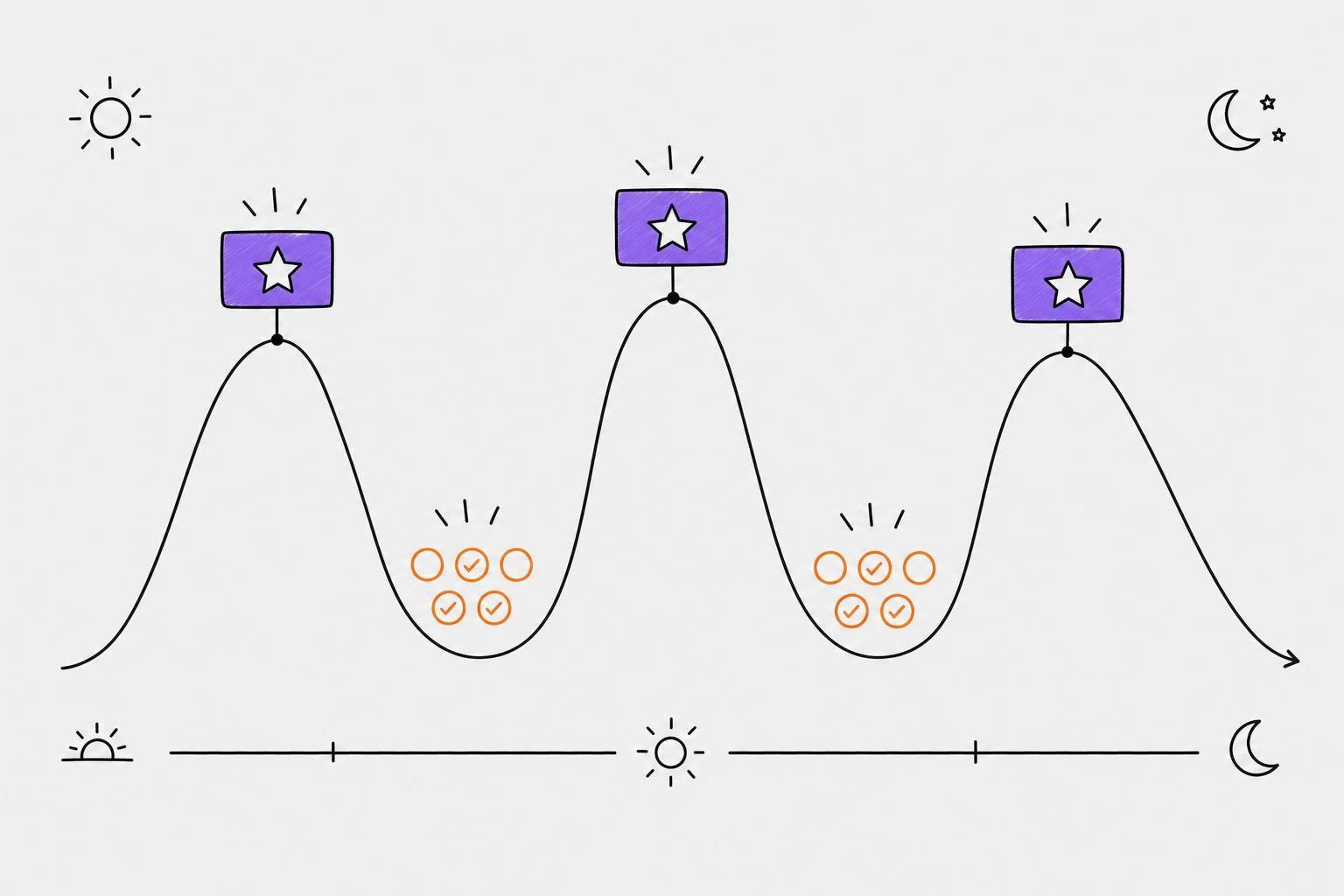
 The contrast between scattered note-taking and a structured digital system shows why ADHD brains need different tools
Why Traditional Planners Fail ADHD Brains
Let's be honest: when you opened that beautiful leather-bound planner, you had the best intentions. A blank page, a fresh pen, the fantasy that this would be the system that finally changed everything. Then reality hit.
The problem isn't the planner. It's not you, either. It's a fundamental mismatch between how ADHD brains work and how traditional planners are designed.
Think about what a paper planner demands: you have to slow down, translate your rapid-fire thoughts into written words, organize them by category, prioritize manually, and then remember to look at the thing regularly. For an ADHD brain, that's like asking someone with dyslexia to enjoy reading. The friction isn't a feature—it's a barrier.
According to research from Akiflow, adults with ADHD are 3 times more likely to struggle with completing tasks on time and nearly 78% report challenges with organization and prioritization. But here's the crucial part: that statistic isn't about inability. It's about effort required. A person with ADHD can organize their life perfectly well—if the tool requires the least amount of cognitive overhead possible.
Consider the productivity hit. Adults with ADHD lose an average of 22 days of productivity per year when left untreated, according to the Attention Deficit Disorder Association. Twenty-two days. That's nearly a month of lost work, missed deadlines, forgotten commitments, and the mental exhaustion of trying to keep up with yourself.
Most traditional planners assume a linear workflow: you write the task, you do the task, you check it off. But ADHD brains don't work linearly. You have thoughts that branch, priorities that shift, ideas that need capturing in the moment or they're gone forever. By the time you've written everything down neatly, you've already lost your momentum.
This is where app-based systems change everything.
The Science of Voice-Based Task Capture
The turning point comes when you realize: you don't need a better planner. You need a better interface between your brain and your tasks.
Voice input is that interface. And the research backs this up in a big way.
When you speak instead of type, something neurologically different happens. You're not fighting against the executive function barriers that come with writing—no decision paralysis about where to put it, how to format it, whether it's important enough to write down. You just talk. Your mind can stay in the generative phase, still creating, still thinking, not switching into the analytical mode that drains your mental energy.
Most traditional task managers require active organization. You're supposed to create projects, assign categories, set priority levels manually. For someone with ADHD, this is asking for abstract decision-making in the wrong moment. You're not in capture mode anymore—you're in organization mode. And organization requires sustained executive function, which ADHD brains don't have unlimited access to.
Voice-based systems flip this: capture first (low friction), organize second (automated). The AI does the executive function work for you. You've spent your limited willpower on creating tasks, not organizing them.
Here's what changes when you use a voice-based ADHD productivity app:
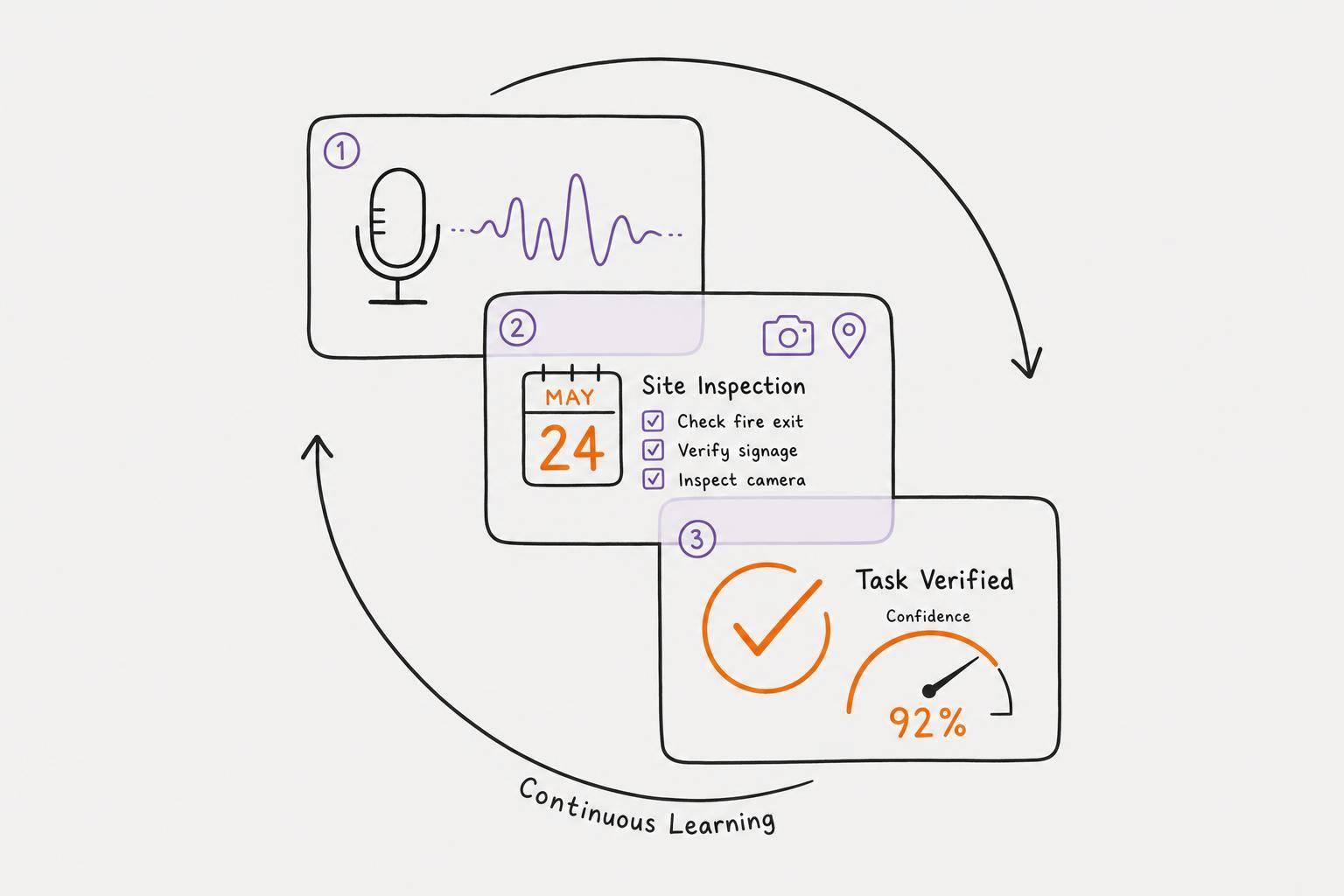
The cognitive load drops dramatically. Instead of typing "Need to update client spreadsheet and send to marketing team before Friday meeting," you say it naturally: "Hey, I need to get that spreadsheet to marketing. Friday meeting. Don't forget to update the numbers first." The app extracts the task, deadline, and priority without you having to structure it perfectly.
Speed matters too. Voice capture takes about 10-15 seconds per thought. Manual typing takes 45-60 seconds. When your brain is generating ideas rapidly, that difference is the difference between capturing everything or losing half of it. You're thinking faster than you can type—voice bridges that gap.
The emotional element also matters. When you use voice instead of text, there's no shame. You don't feel stupid rambling. You're not trying to make it "sound right." This removes the friction that many people with ADHD experience with traditional written systems.
The global ADHD apps market is responding to this shift. The market was valued at USD 2.08 Billion in 2024 and is expected to reach USD 7.55 Billion by 2033 at a CAGR of 15.39%, according to Business Research Insights. More specifically, nearly 64% of diagnosed individuals with ADHD actively use mobile applications for task management and focus tracking in the U.S. People aren't just downloading these apps—they're adopting them as primary systems.
The reason is simple: they work because they're built around how ADHD brains actually function, not against them.
 Voice-based task capture removes the friction of typing and organizing, letting your thoughts flow naturally into the app
Step-by-Step: Setting Up Your ADHD Planner App
The best system is one that matches your actual behavior, not the behavior you wish you had. Most people fail with productivity apps because they try to force themselves into complex workflows. That won't happen here.
Step 1: Choose an App Built for ADHD, Not Just "Wellness"
This matters more than you'd think. Not every productivity app is designed for ADHD-specific needs. You're looking for these specific traits:
Voice input as the primary capture method — Not an afterthought feature, but the main way you enter tasks. If the app requires you to type first and voice is optional, skip it.
Minimal interface — ADHD brains get overstimulated by complexity. Too many buttons, settings, and options become decision fatigue. Dark mode should be standard. Visual hierarchy should be crystal clear.
Automatic prioritization — The app should suggest which tasks matter most based on deadline and context, not force you to manually rank everything. You're not paying the app to make your decision-making problem worse.
Habit tracking with visual feedback — Pixel grids, streak counters, or other visual progress markers that give you dopamine hits. Text-based progress tracking doesn't work for ADHD brains.
The difference between a good productivity app and an ADHD-specific one is the difference between a car designed for everyone and a car designed for people with specific mobility needs. Both are cars, but one acknowledges and solves for your actual constraints.
Step 2: Complete the Bare-Minimum Setup (Seriously, Skip the Customization)
Here's where most people go wrong: they spend 2 hours customizing colors, tags, and categories before adding a single task. You will not use a custom system. Stop.
Instead:
Add your three core life areas — Work, personal, health. That's it. (Add more later if you need them, but most people don't.)
Set one default priority level rule — "Anything with a deadline this week is high priority" works. Create a rule, not a perfect system.
Enable voice input — Make sure the app is set to open your microphone immediately when you hit record.
Turn on notifications — Just the essentials. Morning task overview, one mid-day reminder, evening reflection prompt.
Set the interface to dark mode with minimal animations — This reduces cognitive load and overstimulation.
Done. You've spent 10 minutes. Now move to the next step.
Step 3: Record Your First Brain Dump (This Is Where The Magic Happens)
Don't overthink this. Press record and talk for 1-3 minutes about whatever's in your head. Your upcoming deadlines. The thing you keep forgetting. That project you're dreading. Your morning schedule. Literally everything.
This is not structured. You're allowed to ramble. You're allowed to repeat yourself. You're allowed to go off on tangents. The app's AI is built to handle exactly this—messy human thoughts.
Most people report surprise at how complete the resulting task list is. The app extracted:
- Three tasks you consciously mentioned
- Two tasks you mentioned passively ("I should probably...")
- One priority and two deadlines you didn't realize you were encoding in your tone
- Context about why tasks matter (which affects prioritization)
The key insight: you're not creating tasks. You're externalizing your thoughts and letting automation handle the translation. This is the opposite of traditional task management.
Step 4: Do a Quick Review (2 Minutes Max)
Look at the auto-generated task list. Does it make sense? Are the priorities roughly right? Is anything obviously wrong?
Fix the obvious stuff:
- If a deadline is wrong, correct it.
- If a task got duplicated, delete it.
- If the AI invented a task you didn't mean, remove it.
But don't overthink it. An 80% accurate list you'll actually use beats a 100% perfect list you'll abandon. Stop editing after 2 minutes. Seriously.
Step 5: Execute Today's Top 3 Tasks
This is the critical step most people skip. You've captured everything. Now you need to actually do something.
Look at today's task list. Identify the three most important. Not your entire to-do list, just three. This is about psychological safety—you want to end the day feeling successful, not overwhelmed.
Set a specific time for each (or a time window). Morning: task one. Mid-morning: task two. Afternoon: task three.
Check them off as you complete them. The satisfaction of checking off a task is designed to trigger dopamine release—particularly important for ADHD brains that struggle with intrinsic motivation.
Step 6: Build The Habit (7-Day Minimum)
Do the brain dump daily, ideally at the same time. Most people find morning (with coffee, before checking messages) works best. Some prefer evening (brain dump all your tomorrow thoughts so you sleep better).
By day three, you'll notice something: you're actually capturing your tasks instead of losing them. By day five, the system stops feeling new and starts feeling normal. By day seven, you've built the habit loop.
An ADHD productivity app works best as a daily ritual, not a system you consult occasionally. The consistency is what creates the cognitive offloading effect.
 A well-designed ADHD task app shows your priorities clearly without visual clutter, making it easy to see what matters today
App Features That Actually Matter
Not all ADHD planner apps are created equal. Some include features that sound good in marketing but don't actually help you stay organized. Others nail the fundamentals.
Here's what research and user feedback show actually makes a difference:
Voice recording that works offline — Internet drops, apps crash, connections fail. If your voice capture requires constant cloud sync, you'll lose thoughts in critical moments. Look for apps that record locally and sync when possible, rather than syncing as a requirement.
AI prioritization instead of manual ranking — Manually assigning priority levels to fifteen tasks is decision fatigue on steroids. The best ADHD apps look at deadlines, recurring patterns, your history, and context to suggest priorities automatically. You can override it, but the system helps instead of adding burden.
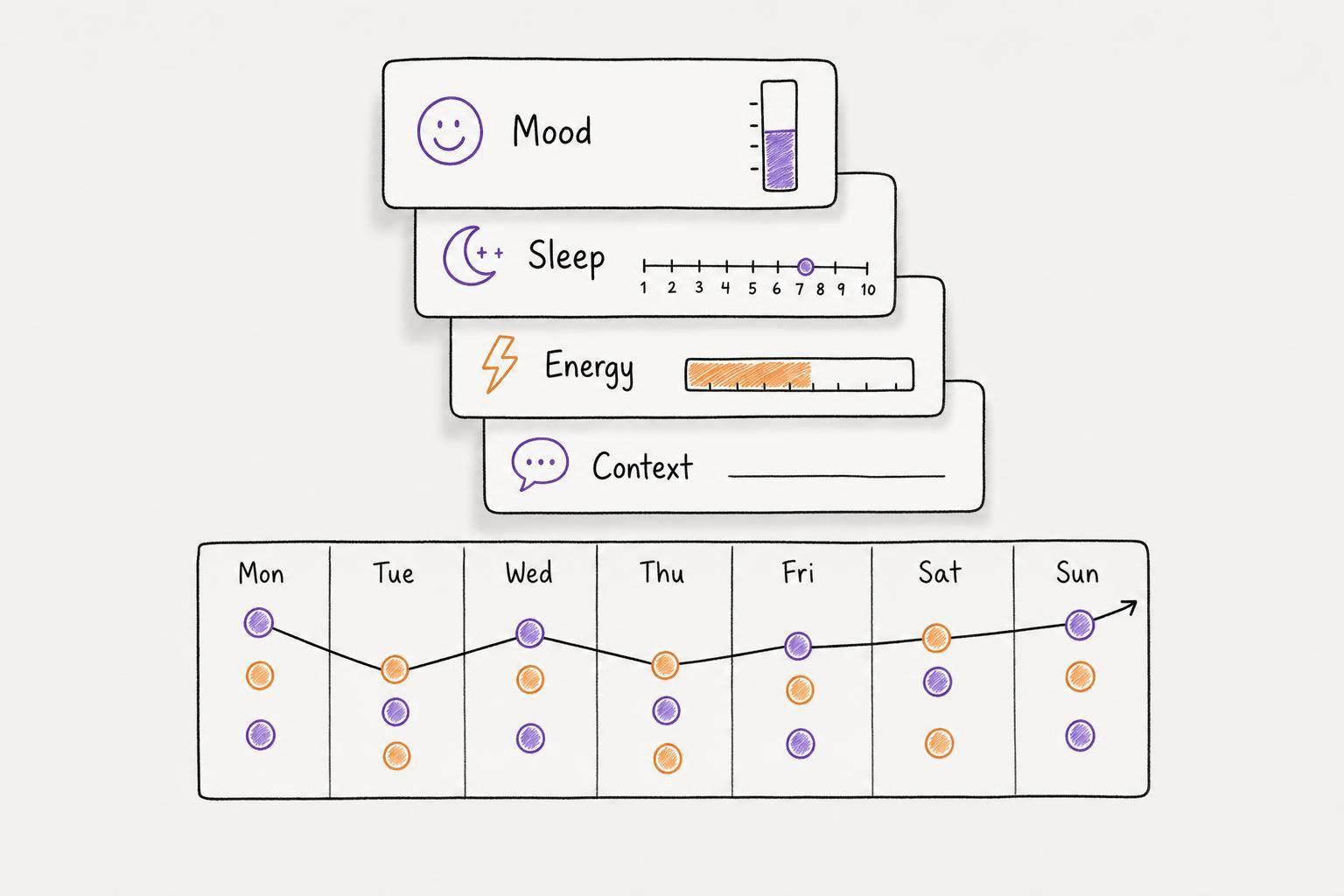
Emotion/mood tracking integrated with tasks — ADHD brains don't experience depression, anxiety, or fatigue separately from task performance. The apps that track emotional state alongside tasks help you notice patterns: "I'm always stressed on Tuesday because of the client meeting" or "I'm most productive when I've meditated that morning." This self-awareness is powerful.
Habit streaks with pixel-based visual feedback — Habit tracking that relies on graphs and numbers doesn't motivate ADHD brains. Pixel grids where you color in a square each day you complete the habit works. Why? Because it's visual, immediate, and provides constant visual proof of progress. You see your year at a glance.
Home screen widgets that work without opening the app — If you have to open the full app to check your task list, you'll check it less often. Widgets that show today's focus, habit streaks, or task count without opening the app reduce friction and keep goals visible.
Dark mode and minimal animation as defaults — Bright interfaces and flashy transitions overstimulate ADHD brains. The best apps default to calm, low-stimulation design with dark mode and minimal visual noise.
Privacy-first architecture — Your voice recordings contain private thoughts, medical information, and personal details. The app should process recordings on your device when possible (not sending them to cloud servers for analysis), and it should be explicit about what data is stored where. ADHD-specific apps like Calma prioritize this because trust matters when you're sharing your raw, unfiltered thoughts.
The reason these specific features matter is neurological. ADHD brains have executive function challenges, motivation dysregulation, and working memory limitations. Every feature should reduce cognitive load, not add to it. When features are designed around this reality, they work. When they're not, they add friction.
Comparison: ADHD App vs. Traditional Methods
Let's look at how an ADHD-specific app actually compares to the methods most people default to:
| Factor | ADHD Planner App | Paper/Bullet Journal | Spreadsheet System | Notes App |
|---|---|---|---|---|
| Capture Speed | 10-15 sec/thought | 45-60 sec/thought | 90+ sec/thought | 30-40 sec/thought |
| Cognitive Load | Very low (voice) | Moderate (manual) | High (manual + organization) | Low-moderate |
| Prioritization | Automated, AI-assisted | Manual | Manual | None |
| Habit Tracking | Visual + quantified | Manual tracking | Numeric only | Not designed |
| Emotional Context | Built-in mood tracking | Optional | Not designed | Manual |
| Review Friction | 30 seconds | 2-5 minutes | 5+ minutes | Requires scrolling |
| Accessibility | Works offline/online | Always accessible | Requires device + internet | Device required |
| Decision Fatigue | Minimal | High | Very high | Moderate |
| Dopamine Feedback | Immediate (streaks, checkoffs) | Delayed (satisfaction) | Minimal | Minimal |
| Barrier to Use | Near-zero | Time + focus | Time + technical setup | Basic |
The data tells a clear story: ADHD planner apps reduce friction at every step. But the most important difference is what happens to completed tasks. When you check something off in an app with visual feedback (streaks, pixel grids, progress bars), your brain gets an immediate dopamine hit. Paper planners give you satisfaction eventually, but it's delayed. For ADHD brains, delayed rewards don't work. Immediate, visible feedback drives behavior.
This is why the ADHD apps market has grown so dramatically. It's not about the technology. It's about the user experience being built specifically for ADHD neurophysiology.
 The difference between unmanaged ADHD days and structured planning is visible in how calendars look after implementing a system
Real Example: From Scattered to Strategic
This is how it actually works in practice. Let me walk through a typical Tuesday for someone with ADHD before and after implementing an app system.
Before (The Scattered Day):
8:15 AM—Wakes up 15 minutes late. Remembers that there's "something important today" but can't quite recall what. Checks email. Sees 47 unread messages. Panic. Spends 20 minutes sorting through inbox trying to figure out what's urgent. Drinks cold coffee from yesterday.
10:30 AM—Realizes the client presentation is next Wednesday, not today. Relief mixed with guilt about the wasted anxiety. Gets into actual work task but forgets to eat lunch because focused time is rare.
1:00 PM—Hunger and low blood sugar hit. Can't focus. Scrolls social media for 30 minutes instead of working.
2:30 PM—Tries to make up for lost time. Tackles a different task. Starts strong but gets distracted by a Slack message about a completely different project.
4:00 PM—Realizes nothing meaningful got done. Stays late trying to catch up. Leaves feeling guilty and exhausted.
6:30 PM—Completely forgets about the exercise habit they're trying to build. Too tired now anyway.
9:00 PM—Lies in bed thinking about all the stuff that didn't get done today and everything due tomorrow. Anxiety about ADHD itself. Sleep becomes difficult.
The cost: One productive hour out of an 8-hour day. Zero habit progress. Elevated anxiety. Sleep deficit.
After (The Structured Day):
7:45 AM—Makes coffee. Opens app. Records brain dump: "Got the client presentation next Wednesday, need to gather feedback by Friday. Have that Slack argument to resolve. Want to work on the big report but keep getting interrupted. Need to go to the gym sometime. My mom's birthday is next month. Worried I'm forgetting something."
8:00 AM—App prioritizes:
- High: Gather presentation feedback (Friday deadline)
- High: Resolve Slack conflict (impacts team morale)
- Medium: Deep work on report (no deadline, but important)
- Low: Birthday gift planning
- Habit: 30-min exercise
Three tasks for today: presentation feedback, Slack resolution, exercise.
8:30 AM—Completes first task (presentation feedback). Checks it off. Visual streak on widget increases. Small dopamine hit. Momentum.
10:00 AM—Eats breakfast because the app reminded him. Brain has glucose. Focus returns.
11:30 AM—Tackles Slack conflict. Takes 30 minutes. Completes second task. Checks off. Another visual confirmation of progress.
1:00 PM—Scheduled deep work time starts. App blocks distractions. Spends 90 focused minutes on the report (possible because anxiety is lower and priorities are clear).
2:30 PM—Afternoon slump. App suggests habit (exercise). Takes 30-minute walk. Checks off habit. Widget shows green pixel grid for the day completed.
4:00 PM—Reviews remaining tasks (just wrap-up work). Finish by 5:00 PM feeling accomplished.
5:30 PM—Sleep that night is better because anxiety is lower. He completed what mattered and knows exactly what tomorrow looks like.
The cost: Setup time was 12 minutes. Ongoing daily dump: 3 minutes. Everything else was just staying focused because the friction was gone.
The difference isn't about working harder. It's about cognitive load. When your brain isn't spending energy trying to remember, organize, and decide, it has energy for actual execution.
This is what the estimated $8,900 to $15,400 per person with ADHD in lost workforce productivity translates to in daily life. It's not that people with ADHD are lazy or incapable. It's that the overhead of managing their own minds without external structure costs them massive productivity.
Remove the overhead. Productivity returns.
Common Mistakes and How to Avoid Them
Most people fail with ADHD planner apps not because the tools are bad, but because they make predictable mistakes. Knowing these ahead of time saves months of frustration.
Mistake 1: Over-Customizing Before Using
You spend three hours setting up color codes, creating nested categories, designing the perfect tag system. Then you don't use any of it because it's too complex to maintain. Remember: a simple system you'll use beats a perfect system you'll abandon.
Solution: Start with absolute minimal setup. Add customization only after using the app for two weeks and discovering what you actually need. Most people never need more than 70% of the features they set up initially.
Mistake 2: Trying to Capture Everything
You brain dump seventeen major projects, forty-three micro-tasks, and fourteen "someday" ideas on day one. You end up with a task list so overwhelming that your anxiety goes up instead of down. The app becomes depressing instead of liberating.
Solution: Brain dump freely, but then filter. Ask: "What needs to happen in the next two weeks?" Everything else can wait. A short daily list you'll complete feels better than a mile-long list you'll ignore.
Mistake 3: Abandoning the Daily Ritual
You use the app for five days, then skip three days, then come back. Consistency is what makes it work. The system loses its predictive power if you're not feeding it data daily.
Solution: Make the brain dump part of your morning coffee ritual or your evening wind-down. It only takes three minutes. The consistency is what embeds it into your behavioral routine.
Mistake 4: Not Actually Executing Tasks
You've got a beautiful app with perfectly prioritized tasks, but you're still not completing them. This usually means the tasks are too vague or too big. "Work on project" is not a task. "Update the client section of the project proposal" is.
Solution: When brain dumping, be specific about what done looks like. Vague tasks create decision paralysis. Specific tasks create action.
Mistake 5: Ignoring the Habit Tracking
You set up habit tracking but don't look at it. You miss the visual feedback that's supposed to drive consistency. The habit tracking becomes just another feature you're not using.
Solution: Put the habit widget on your home screen where you see it daily. The visual feedback of progress is what sustains motivation for ADHD brains.
Mistake 6: Letting Cloud Sync Failures Become Excuses
Your phone loses connection, the app doesn't sync, you lose faith in the system and abandon it. This happens because you're relying on the cloud without understanding offline functionality.
Solution: Understand how your app handles offline mode. The best ADHD apps work completely offline and sync automatically when connectivity returns. Know this before trusting it.
Mistake 7: Using it as a Punishment Tool
You start beating yourself up about uncompleted tasks. The app becomes a symbol of your failure instead of a tool for success. This particularly happens if you're looking at a two-week backlog of incomplete tasks.
Solution: The app is a tool, not a judge. If tasks aren't getting done, that means they're either too big, scheduled at the wrong time, or not actually important. Delete them and start fresh. The system should reduce shame, not increase it.
Which Features Should You Prioritize?
Given that different ADHD apps emphasize different features, here's what actually moves the needle on productivity:
Feature Priority 1: Voice Input with Reliable AI Extraction
Everything else can be secondary, but voice input is the foundation. If the app does everything else perfectly but voice-to-task conversion is weak, the whole system fails. Test this feature before committing. Record a brain dump. Do the extracted tasks match what you said? Is context preserved?
Feature Priority 2: Minimal Interface with Dark Mode
You'll use this app every single day. If the interface is visually cluttered or bright, you'll experience decision fatigue and overstimulation every time you open it. This isn't superficial—it affects usage. Apps with clean, dark-themed interfaces get used consistently.
Feature Priority 3: Automatic Prioritization
Manual ranking is where most systems fail. You need the app to make intelligent guesses about priority based on deadline, recurring patterns, and context. This frees you from the cognitive burden of deciding.
Feature Priority 4: Visual Habit Tracking
If you're going to build habits (and for ADHD, you should—external structure helps), they need visual feedback. Pixel grids, streak counters, progress bars that you see daily. This is not optional.
Feature Priority 5: Privacy and On-Device Processing
Your voice dumps contain private thoughts. You're not anonymously checking your email—you're capturing your internal world. Knowing that data stays on your device (or goes through a privacy-first architecture) changes your willingness to be honest in your brain dumps.
Everything else—tags, integrations, collaboration features, shared calendars—is nice-to-have. Focus on these five. The apps that nail these features work. The apps that include everything else but miss these fail.
 Pixel-based habit tracking provides the visual feedback ADHD brains need to stay motivated with daily habits
FAQ
Q: How long does it take to see results with an ADHD planner app?
Most people notice a difference within 3 days. By day 5, they're noticing they're not forgetting things they used to. By two weeks, the system becomes automatic. Don't expect perfection on day one—you're building a new neural pathway. The results are momentum, not instant transformation.
Q: Can I use an ADHD planner app alongside other tools, or does it have to be my only system?
You can use it alongside other systems, but integration matters. Too many systems = cognitive overhead. Ideally, the ADHD planner app becomes your capture point for everything, and it syncs with your calendar or other tools. If you're managing tasks in three different places, the mental load defeats the purpose. Pick one capture system and let everything else integrate into it.
Q: What if I forget to do my daily brain dump?
You'll survive. Don't make it a punishment. Just do it the next day. The system is about sustainability, not perfection. Missing one day doesn't break the habit. It's the pattern that matters.
Q: Are free ADHD planner apps as good as paid ones?
Most high-quality ADHD planner apps are paid because voice processing, AI prioritization, and privacy-first architecture cost money. Excellent free apps exist, but they typically either have limitations on storage, fewer smart features, or require cloud syncing (which affects privacy). If the tool is handling your private thoughts and boosting your productivity significantly, the cost is justified.
Q: How do I convince my family/colleagues that I'm actually using this for productivity, not procrastination?
You don't—your results do. Once you start completing tasks consistently and missing fewer deadlines, people notice. Skepticism fades fast when you're delivering. The tool's legitimacy is proven in the doing.
Q: Can ADHD planner apps replace medication or therapy?
No. The best external tools enhance medication and therapy but don't replace them. If you're struggling with ADHD at a level where you need professional support, get that support. The app is a supplementary tool that makes medication and therapy more effective by reducing the friction of self-management.
Q: What if I try an app and don't like the interface?
Try another one. There are dozens of ADHD-specific apps now. What works for one person's neurology might not work for another. Give each app at least 7 days before deciding it doesn't work—you need time to adjust to the interface. But if after a week your gut says "this doesn't fit how I think," switch. The right tool should feel intuitive, not forced.
Q: How do I prevent analysis paralysis about which app to choose?
Pick one. Use it for two weeks. Evaluate. Switch if needed. Analysis paralysis about the tool is procrastination in disguise. The app itself matters less than the consistency of capturing and executing. An 80% decent app used daily beats a perfect app you're still researching.
Conclusion: From Overwhelm to Execution
The real insight here isn't about technology. It's about meeting your brain where it actually is instead of forcing it to work in ways it wasn't designed for.
ADHD productivity planner apps work because they understand one critical truth: your brain isn't broken, it's just wired differently. You can think faster than you can type. You can generate ideas but struggle with execution. You need external structure but get overwhelmed by complex systems. You respond to immediate feedback but not delayed rewards.
Every feature in a well-designed ADHD app—voice input, automatic prioritization, visual habit tracking, minimal interface, privacy-first architecture—is built around this neurological reality. You're not trying to change how you think. You're using a tool designed for how you actually think.
The setup is simple. The daily ritual takes minutes. The results are freedom from constant background anxiety about what you're forgetting, and the focus to actually get work done.
Start today. Capture your brain dump. Let the app organize it. Execute your top three tasks. Check them off. Notice the pattern tomorrow when it gets easier.
That's how an ADHD productivity planner app becomes not just a tool you use, but a system that changes how you function.
Frequently Asked Questions
Q: Is voice input really necessary, or can I just type tasks?
Voice is the game-changer, but you can use typing if voice feels weird initially. However, the whole advantage of apps for ADHD is removing friction—typing has friction. The best experience is full voice capture. That said, typing + good prioritization still beats paper. But voice + good prioritization beats everything.
Q: How do ADHD planner apps decide priority automatically?
They look at multiple data points: deadline proximity (tasks due soon rank higher), frequency (if you mention something twice in a brain dump, it's important), your historical completion patterns (if you complete work tasks faster than personal tasks, those get slightly higher weight), and context clues in your voice (stress or urgency in your tone gets picked up). It's not perfect, but it's usually better than manual ranking.
Q: What's the difference between an ADHD planner app and a general productivity app?
ADHD-specific apps assume executive function challenges and design around them. General productivity apps assume you have working memory, impulse control, and can do boring administrative tasks. The difference shows in interface design (ADHD apps: minimal and dark; general apps: feature-rich and customizable), input methods (voice vs. typing), feedback loops (immediate dopamine vs. delayed satisfaction), and complexity (simple vs. configurable).
Q: Can I use an ADHD app if I don't have a formal ADHD diagnosis?
Yes, absolutely. The design principles that help diagnosed ADHD brains help anyone who struggles with executive function, impulse control, or gets overstimulated by complex tools. Fast thinkers, creative people, neurodivergent folks, and anyone who relates to the "my brain moves faster than I can type" experience benefits.
Q: What if I have ADHD and depression/anxiety—will the app help or make things worse?
The right app helps. By reducing the cognitive overhead of managing your life, it actually reduces anxiety. You're not losing things, missing deadlines, or carrying the background stress of "what am I forgetting?" That said, if the app's task list becomes a source of shame (because you're looking at a backlog of incomplete tasks), it can feel worse. The solution: be honest about what you can actually do, delete incomplete tasks regularly, and remember the tool is helping you, not judging you.
Q: Should I use the same app for work and personal tasks, or separate apps?
Unified is better. One brain dump captures both work and personal. Then the app can prioritize across both categories. Using separate apps means switching context, which is precisely what ADHD brains struggle with. Ideally, you have one capture point and one system that manages everything.
Q: How much does an ADHD-specific planner app typically cost?
Most quality apps are $8-15/month or $60-100/year. Some have free tiers with limitations. The free option often handles basic task management but missing smart features (voice processing, automatic prioritization, advanced habit tracking). For what you get—voice processing, AI prioritization, privacy, and emotional tracking—the cost is low compared to the productivity gain. Adults with ADHD lose an average of 22 days of productivity per year, so even a small improvement in task completion pays for itself.