Ultimate Guide to ADHD-Friendly Task Templates
- How to Make an ADHD Daily Planner | Google Sheets Tutorial
- Quick Comparison
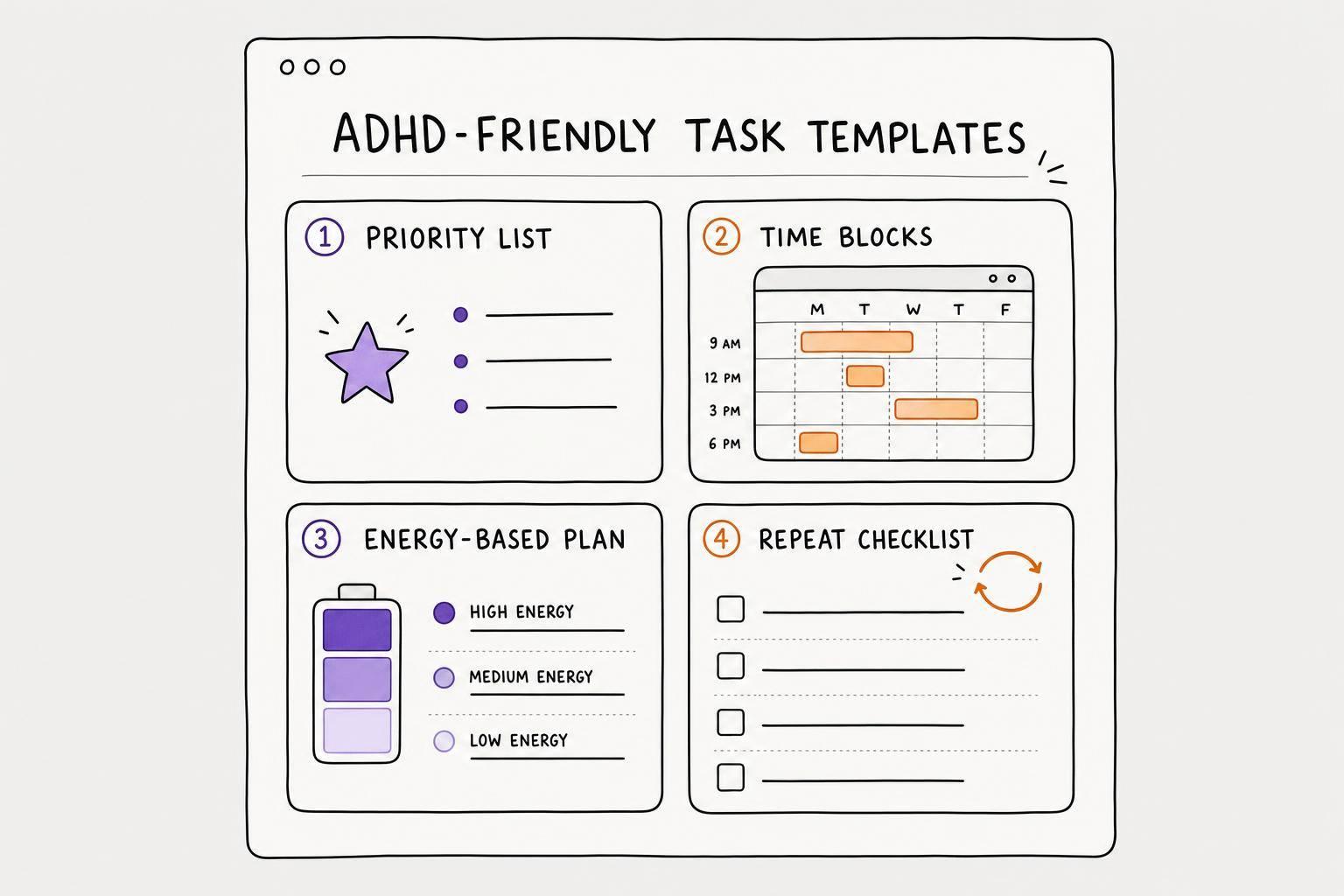
- The 4 Task Templates That Cover Most ADHD Planning Needs
- How to Customize Templates So You Will Actually Use Them
- How Calma Can Automate ADHD-Friendly Task Templates
- Conclusion: Build a Simple Template System You Can Keep Using
- FAQs
If task lists keep failing you, the fix is often the format, not your effort. I’d boil this guide down to four template types: a short daily priority list, a time-blocked plan, an energy-based plan, and repeat checklists. The core idea is simple: make fewer decisions, shrink tasks into clear next steps, and keep everything in one place with a productivity app.
Here’s the short version:
- I’d use a daily priority list when too many tasks compete at once.
- I’d use time blocks when appointments and deadlines shape the day.
- I’d use an energy-based plan when my focus changes hour by hour.
- I’d use repeat checklists for mornings, shutdowns, chores, and weekly resets.
- I’d keep my daily list to 3 to 6 tasks.
- I’d rewrite vague items into actions I can start in under 5 minutes.
- I’d add rough time estimates because 70% to 80% of adults with ADHD deal with time blindness.
- I’d add a mood check, a small reward, and a short end-of-day note so the system fits how I feel today, not how I hoped I’d feel yesterday.
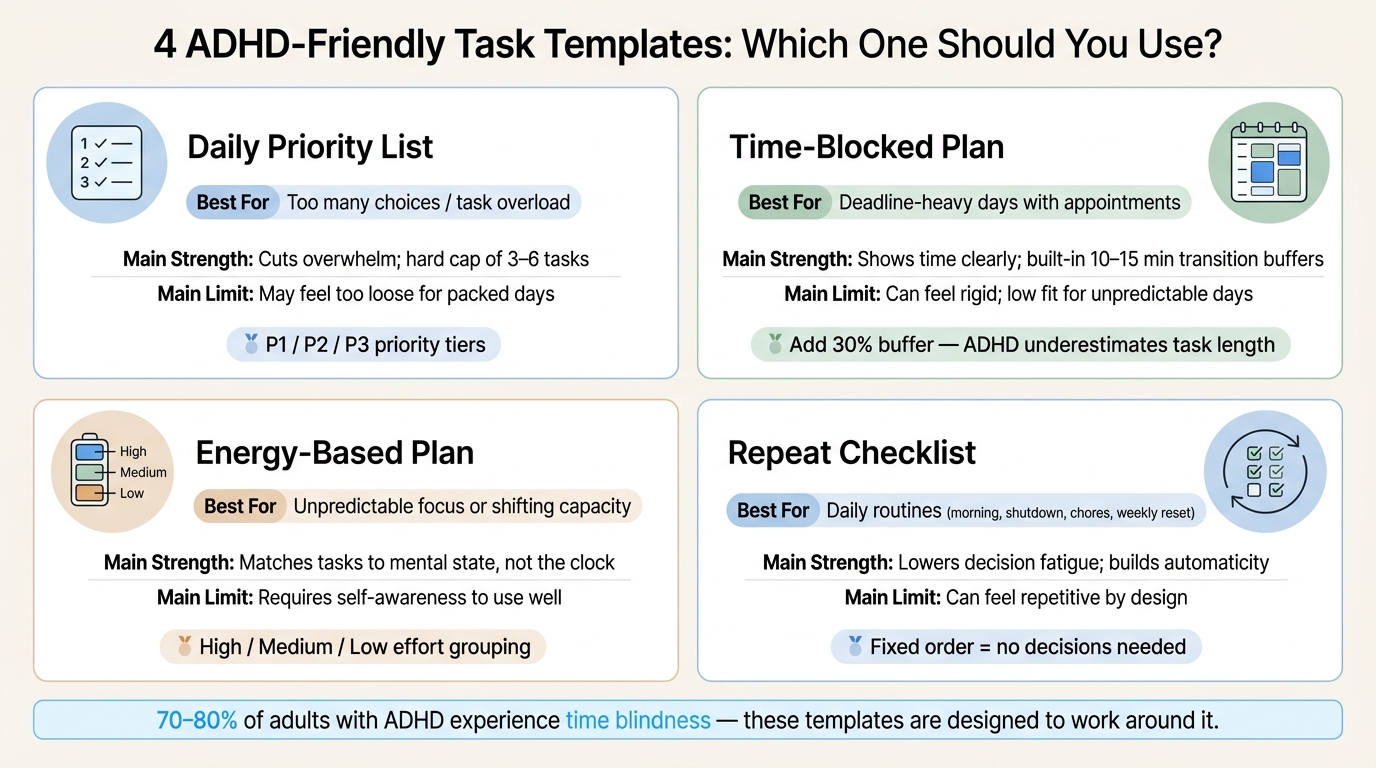
4 ADHD-Friendly Task Templates: Which One Should You Use?
How to Make an ADHD Daily Planner | Google Sheets Tutorial
sbb-itb-1b3be24
Quick Comparison
| Template Type | Best For | Main Strength | Main Limit |
|---|---|---|---|
| Daily priority list | Too many choices | Cuts overload | May feel too loose for packed days |
| Time-blocked plan | Deadline-heavy days | Shows time clearly | Can feel rigid |
| Energy-based plan | Unpredictable focus | Fits changing capacity | Needs self-awareness |
| Repeat checklist | Daily routines | Lowers decision fatigue | Can feel repetitive |
The big takeaway: I don’t need a bigger system. I need a lighter way to plan your day with ADHD that helps me start, shows what matters now, and still works when my attention is all over the place.
The 4 Task Templates That Cover Most ADHD Planning Needs
Use the template that fits the job: daily choices, scheduled work, or repeat routines. You do not need all four.
Start with the one that matches the place where you get stuck most often.
Daily priority list template
The daily priority list fixes one common problem: too many tasks fighting for your attention at once. ADHD working memory can only hold a small number of items at a time, so a long list can get overwhelming fast.
The answer is a hard cap. Limit your day to 3 to 6 tasks and sort them by urgency:
- Must Do (P1): Non-negotiable. First.
- Should Do (P2): Important but movable.
- Nice to Do (P3): Only after P1 and P2.
Add a time estimate next to each task. Even a rough guess like ~25 min or ~1 hr helps with time blindness and makes the list feel more concrete. Checkboxes help too. Crossing something off gives your brain a small dopamine hit, which can help you keep going.
One useful move: pick your P1 the night before. That way, you’re not making a high-stakes choice in the middle of morning fog.
When a short list isn’t enough and the day needs more structure, switch to time blocking.
Time-blocked and energy-based planning templates
Use time blocking when the clock matters. Use energy-based planning when your capacity shifts during the day.
A time-blocked template uses a daily grid so you can see your commitments in one place. Each block should hold only a small number of tasks, not a packed list. People with ADHD often underestimate task length by at least 30%, so adding 10–15 minute transition blocks between tasks makes the schedule more realistic. It also helps with the fact that switching based on a clock cue is harder when working memory is short.
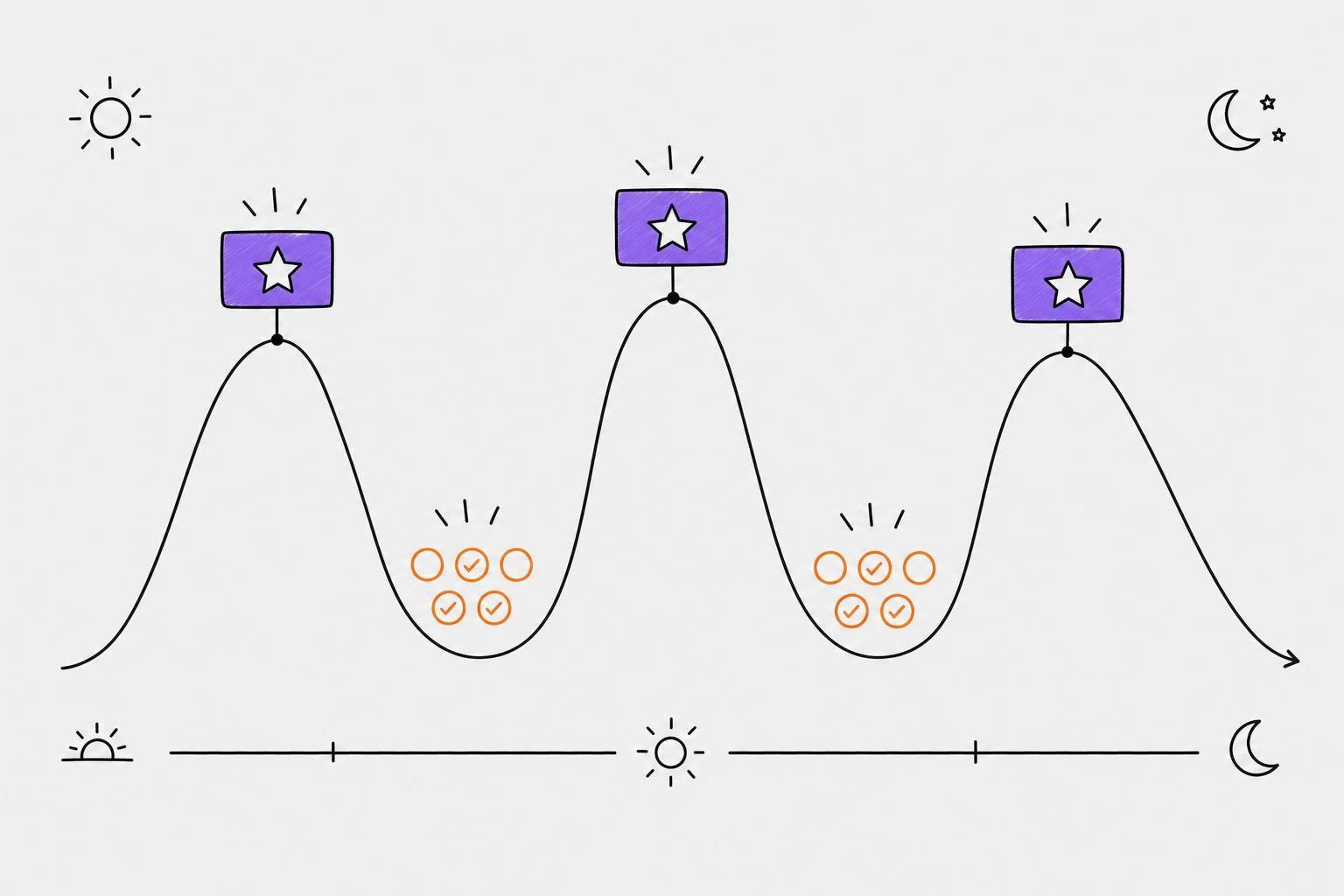
An energy-based template skips the clock. Instead of assigning tasks to exact hours, you group them by mental effort: High, Medium, or Low. If your morning feels sharp, do the harder work then. If your afternoon energy drops, shift to lighter tasks. This setup works well when your capacity changes throughout the day.
| Planning Style | Ease of Use | Transition Support | Fit for Unpredictable Days |
|---|---|---|---|
| Time-Blocking | Moderate | High (built-in buffers) | Low (rigid) |
| Simple Lists | High | Low | Moderate |
| Energy-Based | Moderate | Moderate | High (flexible to mood) |
For tasks that come up again and again, a checklist saves you from rebuilding the same plan every day.
Recurring routine and checklist templates
Decision fatigue can drain a lot of energy, and it often hits hardest at the start and end of the day. A recurring checklist cuts that down by removing the need to decide what comes next. It turns repeat steps into autopilot.
Common uses include morning startup, work shutdown, weekly resets, household chores, and bedtime. Keep the order fixed so you don’t have to figure it out in the moment.
| Feature | Routine Checklists | Flexible Task Lists |
|---|---|---|
| Predictability | High | Low |
| Variety | Low | High |
| Decision Fatigue | Minimal | High |
| Follow-through | Easier (automaticity) | Harder (requires initiation) |
The downside is variety. Checklists feel repetitive on purpose. But for tasks you do every single day, that repetition is often what makes them easier to finish.
Next, tailor each template so it stays simple enough to use.
How to Customize Templates So You Will Actually Use Them
A template only helps if it opens fast and makes the next move obvious. For ADHD-friendly systems, setup should be close to zero.
Keep tasks in one place with simple life categories
Scattered notes make everything harder. When tasks live in five different ADHD task management apps, sticky notes, and half-written texts, your brain burns energy just figuring out where to look. That's a bad deal.
The fix is simple: use one place, every time.
Set up one inbox for every random task or thought, then sort items into 3 to 5 simple categories, like Work, Personal, and Inbox. The Inbox gives loose thoughts a temporary home so you can sort them later, when you have more mental energy. That keeps the whole system light when you're tired or distracted.
Turn vague tasks into clear next actions
Rewrite each vague task as one small action you can start in under 5 minutes.
| Vague Task | Clear Next Action | Estimated Time |
|---|---|---|
| Fix Budget | Open checking account statement | < 5 mins |
| Clean House | Load the dishwasher | 10 mins |
| Write Report | Type one sentence in the doc | 2 mins |
Notice the verbs: open, load, type. They tell you what to do right now. No guessing. No mental fog at the starting line.
If a task still feels too big after you rewrite it, shrink it again until the first step takes under 2 minutes. That's often the difference between "I'll do it later" and "I can start now."
Add mood, reward, and reflection prompts
After the task wording is clear, add a few small fields that make follow-through easier.
Use these three:
- Mood
- Reward
- Reflection
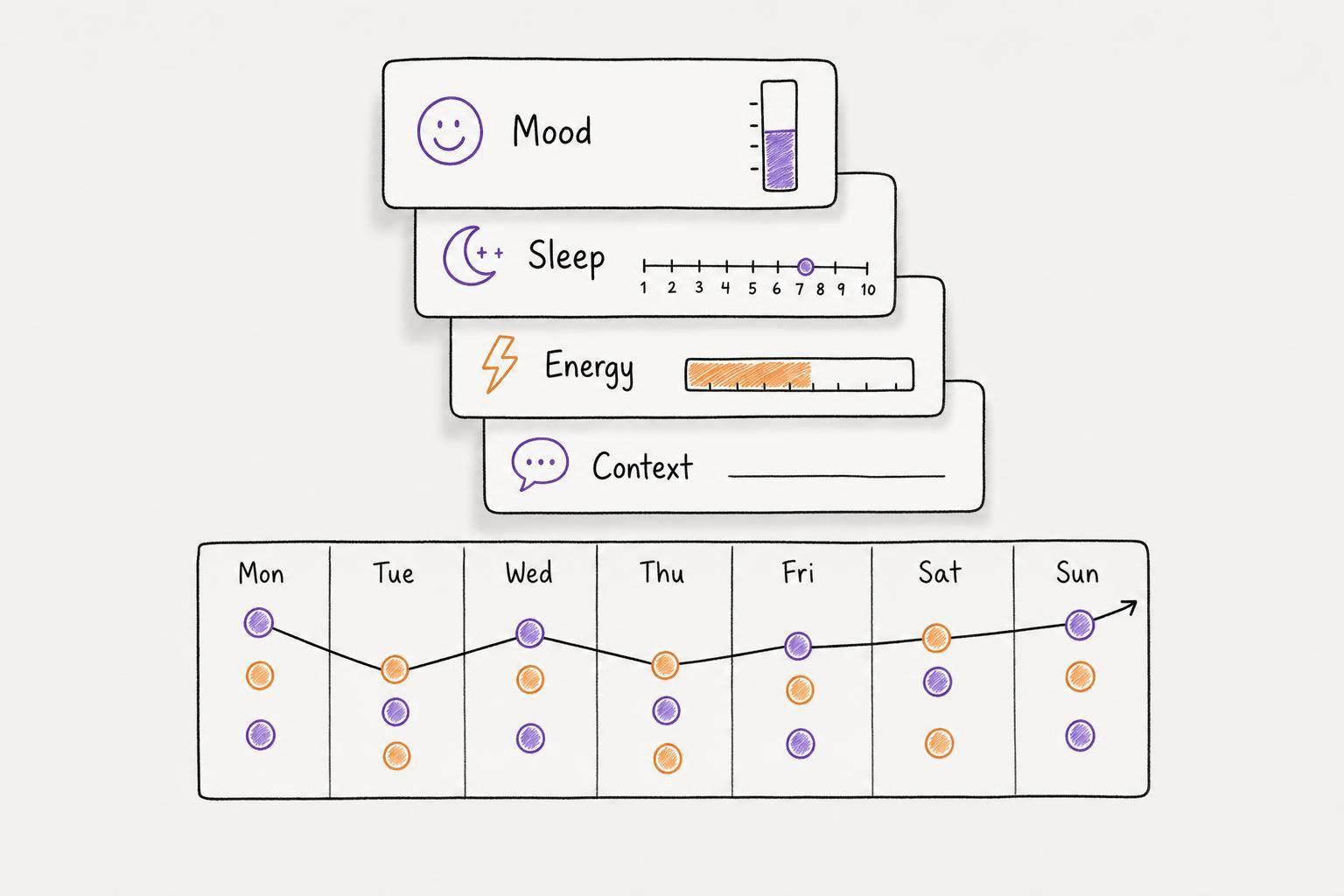
A fast mood or focus check, even just a 1–10 rating, helps you match tasks to your actual mental state instead of the version of you who made the plan yesterday. One rating is enough to line up today's list with today's capacity.
Then add a small reward field next to your hardest task. A concrete reward can make routine tasks easier to get through. At the end of the day, include one short reflection question, like "What actually worked today?" Keep that check-in under 5 minutes.
Once the template is this simple, AI can help capture and sort tasks even faster.
How Calma Can Automate ADHD-Friendly Task Templates
If the templates above keep breaking down in daily life, Calma can take over the busywork of task capture and sorting.
Capture tasks by voice instead of holding them in your head
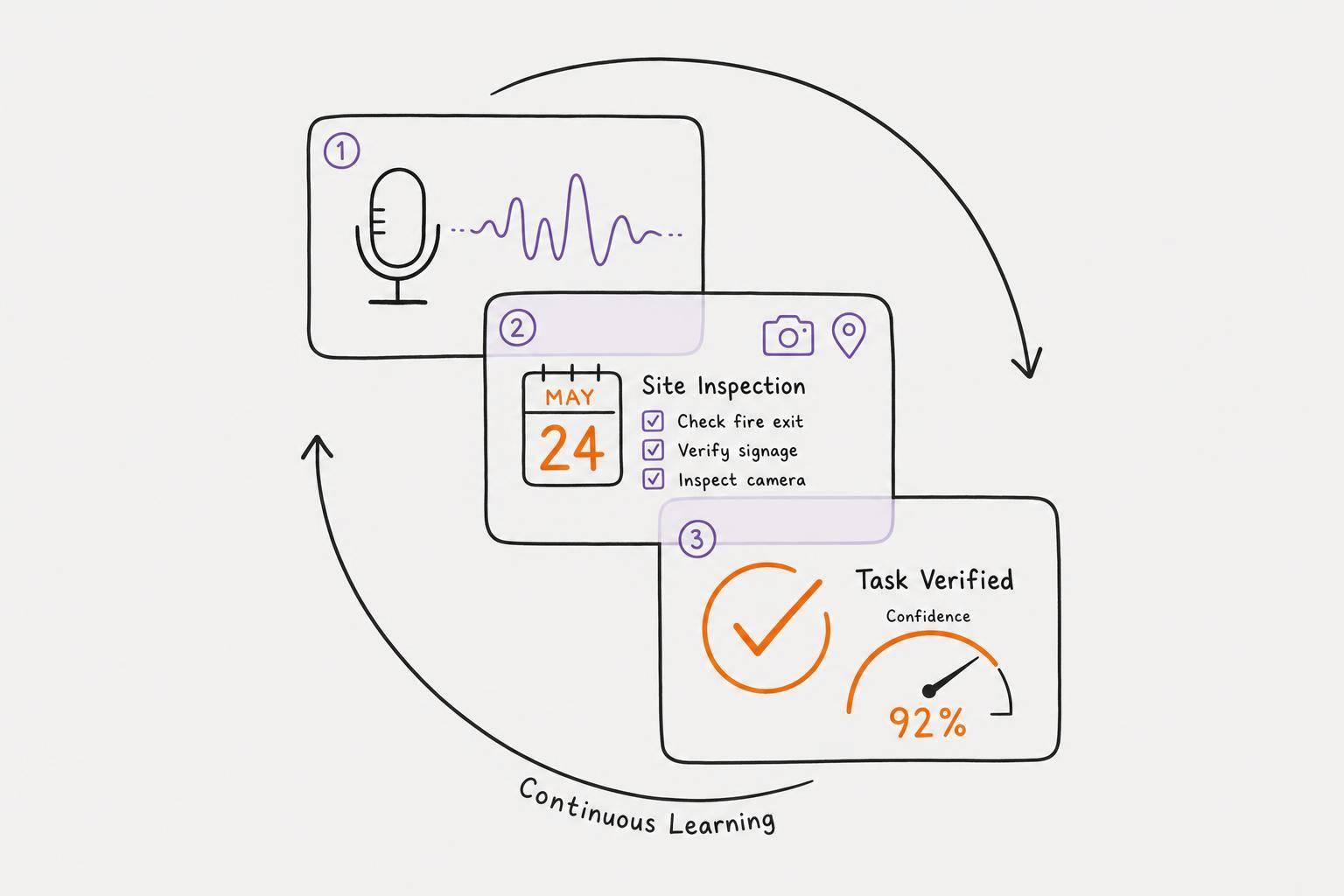
ADHD can make it hard to keep tasks in your head long enough to act on them. Calma's voice capture gives you a simpler path: say the task out loud, and it turns that thought into a structured task list on its own.
That matters because the job isn't just remembering what to do. It's getting the task out of your head and into one place before it vanishes.
Once it's there, Calma can sort it based on what needs attention now.
Use smart prioritization and due date detection to build a shorter now list
One of the hardest parts of task management with ADHD is that everything can feel urgent at once. Calma's smart prioritization puts the most important items first, automatically. Its automatic due date detection flags what's actually coming up soon, which helps keep the now list to three items and cuts down on choice paralysis.
For repeat tasks, Calma also helps make routines easier to see and easier to follow.
Support routines with journaling, emotion tracking, and habit grids
Calma's voice-to-text journaling lets you do a fast brain dump at the end of the day without typing. That can be a lot easier when your mind feels noisy and sitting down to write sounds like too much.
Its emotion tracking helps you spot when your energy is high, medium, or low, so you can plan demanding tasks for your best windows instead of just going by the clock. And the visual progress grids show your progress at a glance, which gives your brain the outside feedback that helps repeat tasks feel seen instead of forgotten.
Conclusion: Build a Simple Template System You Can Keep Using
These templates help most when they cut friction instead of adding more structure. The point is simple: get ideas out of your head and onto the page.
Start small. Use one short daily list, one flexible planning view, and a few repeat checklists. If you want less manual upkeep, Calma can handle capture, prioritization, journaling, and habit tracking in one place. The aim is a system you can open without hesitation.
The biggest trap is building too much. If your setup feels like work before your day even begins, it’s probably not going to last. Tie your check-in to a daily cue so it becomes automatic, not one more thing you have to keep track of.
Use the system you actually open. Missed a day? Don’t go back and patch everything up. Just open today’s page, keep the setup light, and let it work even on days when your attention is all over the place.
FAQs
How do I choose the right template for my day?
Pick a template that matches your energy patterns and how your mind works, not some rigid system. If your focus shifts during the day, use sections based on energy. If you get overwhelmed fast, go with a format that puts a hard limit on priorities, like the Rule of Three or One Thing.
It also helps to choose a layout with clear visual structure, a spot for a brain dump, and built-in buffers between tasks. And if digital tools feel like one more hurdle, a simple paper template may fit better.
What if I can’t stick to one planning system?
Sticking with one planning system is hard for a lot of people. That doesn’t mean your approach is broken.
If you’ve tried a few systems and none of them have lasted, the issue may not be the format. More often, it’s the habit of planning itself.
Start there. Build a steady planning routine before you test another tool or template. If a setup feels like too much, strip it down and make it simpler. Then try small changes until you land on something you can keep using.
Progress, not perfection, matters.
How often should I update my task template?
Put consistency ahead of constant tweaks.
Set a clear time limit for setup, then use the template as-is, even if it doesn't feel perfect.
Check it in brief daily reviews or during a quarterly audit. But don't change it in the middle of doing the work. If it keeps falling short, fix it in a separate reset session instead of making changes on the fly.