How Visual Planners Reduce Cognitive Load
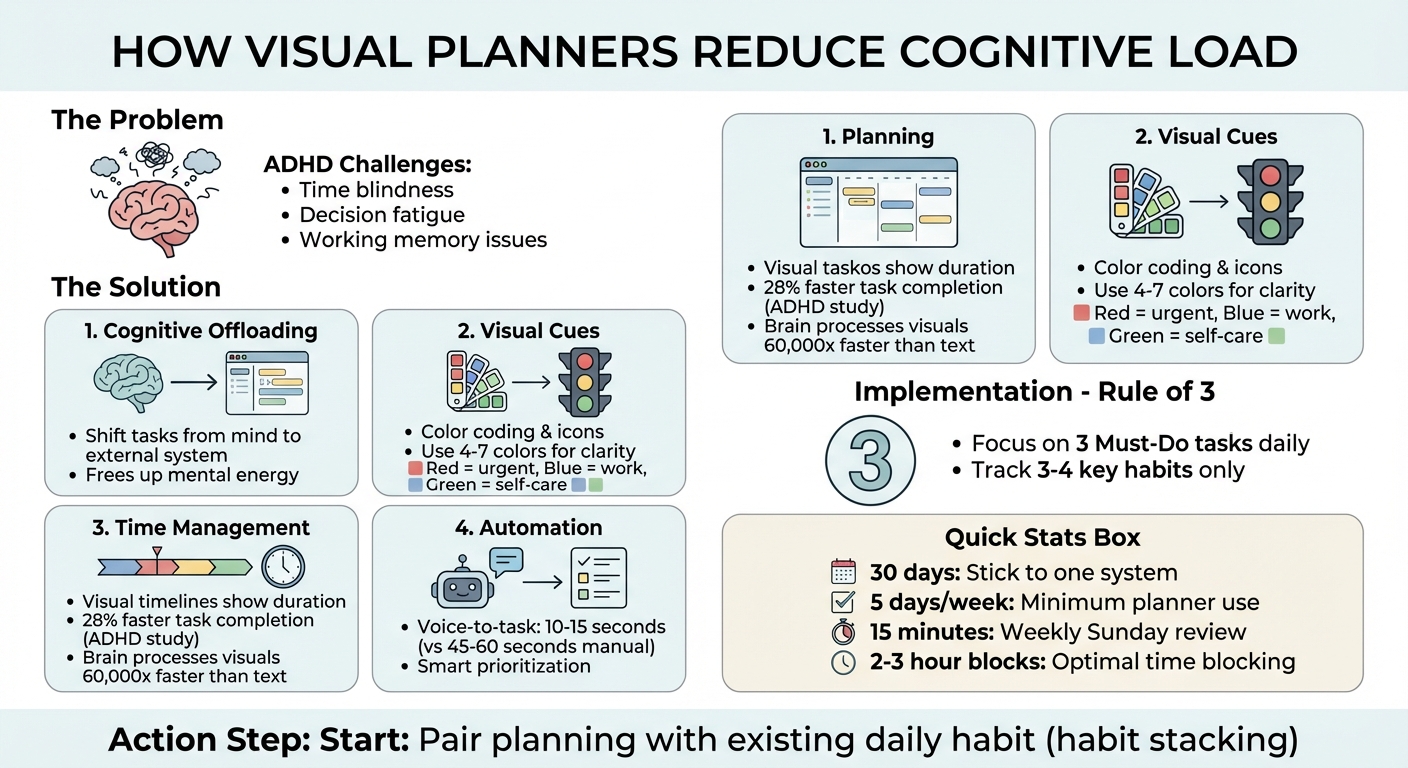
Visual planners simplify task management by turning complex information into easy-to-process visuals. They reduce mental effort by minimizing clutter, improving focus, and helping prioritize tasks effectively. This is particularly helpful for individuals with ADHD, who often face challenges like time blindness and decision fatigue. Key benefits include:
- Cognitive Offloading: Shift tasks from your mind to an external system, freeing up mental energy.
- Visual Cues: Use color coding, icons, and habit grids to quickly identify priorities and track progress.
- Time Management: Visual timelines and time blocking make durations easier to grasp and manage.
- Automation: Tools like AI-driven planners streamline ADHD task management with features like voice-to-task conversion and smart prioritization.
For example, apps like Calma integrate AI to organize tasks, track habits, and even monitor emotions, making planning more efficient and less overwhelming. Start small by using one system consistently and pairing it with daily routines to build a sustainable habit.
How Visual Planners Reduce Cognitive Load: Key Features and Benefits
How Visual Planners Help You Offload Mental Work
Moving Tasks Outside Your Head
Cognitive offloading is all about shifting information from your brain’s limited working memory to an external system. Visual planners act as that external system, giving structure to your day and letting your brain focus on getting things done. This can be a game-changer for individuals who struggle to plan with ADHD due to working memory issues that make handling multiple tasks at once overwhelming.
When you transfer your tasks to a visual planner, you create a physical or digital structure outside your mind. This frees up mental energy for the actual work at hand. Features like voice-to-task tools make this process even easier by letting you capture your thoughts on the spot without added effort.
This kind of external organization naturally helps you make faster, more intuitive decisions, thanks to the clear visual cues these tools provide.
Using Visual Cues to Reduce Decision Fatigue
Visual planners simplify decision-making through tools like color coding and icons. For example, spotting a red task in your planner instantly signals urgency to your brain. These visual shortcuts reduce the mental effort required to process information, relying on patterns your brain already understands.
To avoid overwhelming yourself with too much visual information, stick to a limited palette of 4–7 colors that feel intuitive to you . For instance, you might use red for pressing deadlines, blue for work-related tasks, and green for self-care. This approach creates a clear, easy-to-follow hierarchy.
Progress markers, like habit grids or checkmarks, add another layer of motivation. They provide instant feedback, making it easier to stay on track and feel accomplished as you move through your tasks.
sbb-itb-1b3be24
Visual Planner Features That Reduce Mental Clutter
Visual Timelines and Time Blocking
Visual timelines turn the abstract concept of time into something you can actually see. For individuals with ADHD, who often struggle with time blindness (difficulty sensing the passage of time), this can make a huge difference. By visually mapping time, a two-hour task takes up twice the space of a one-hour task, helping your brain grasp durations more naturally.
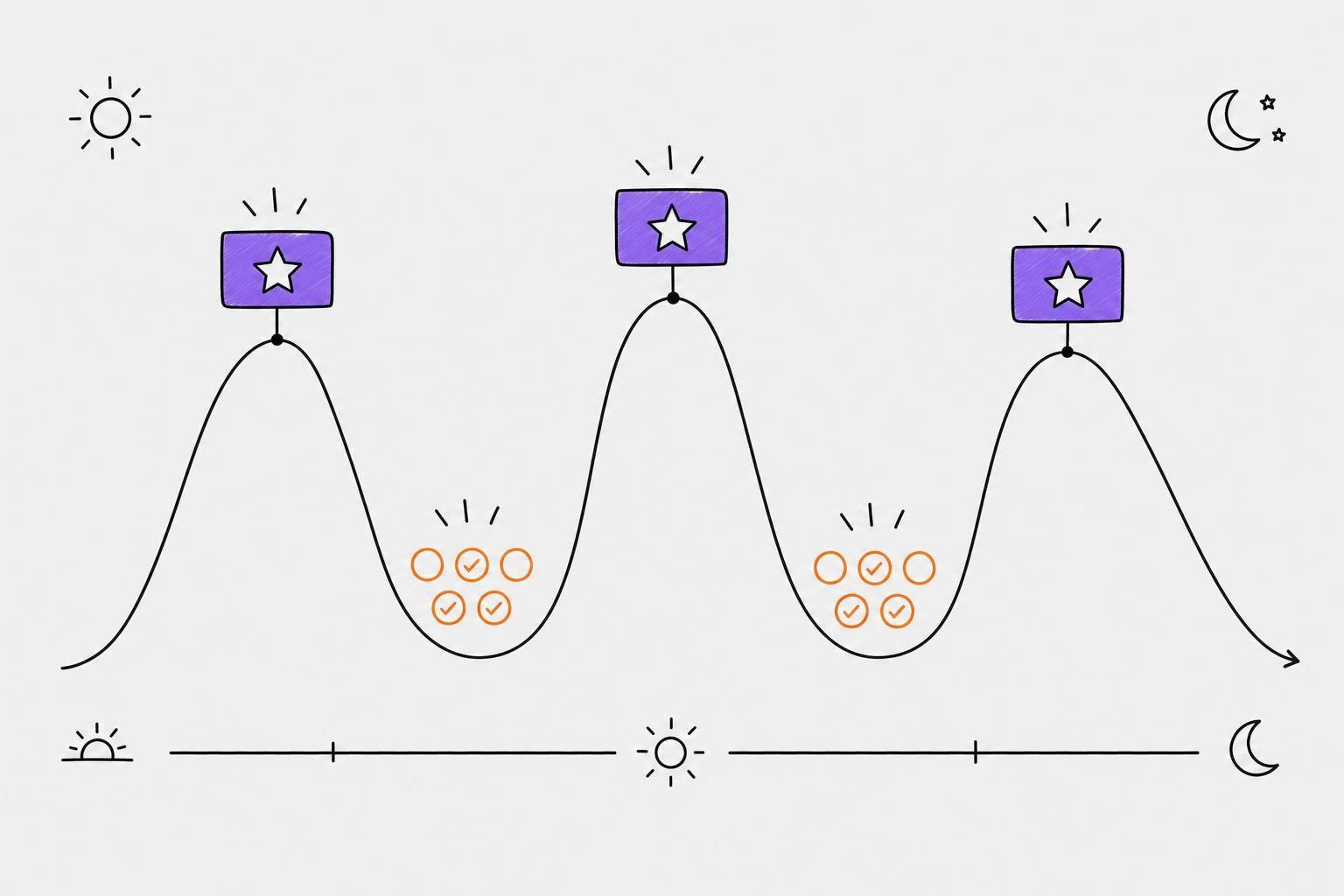
Here’s an interesting stat: research found that kids with ADHD using visual timers finished tasks 28% faster and stayed more focused. Why? Because the brain processes visual information a whopping 60,000 times faster than text. This approach lets you work with your brain’s strengths, not against them. Pair this with time blocking, where tasks are scheduled around your natural energy peaks, and you’re setting yourself up for success. These visual tools simplify and streamline task management in ways that feel intuitive.
Habit Progress Grids
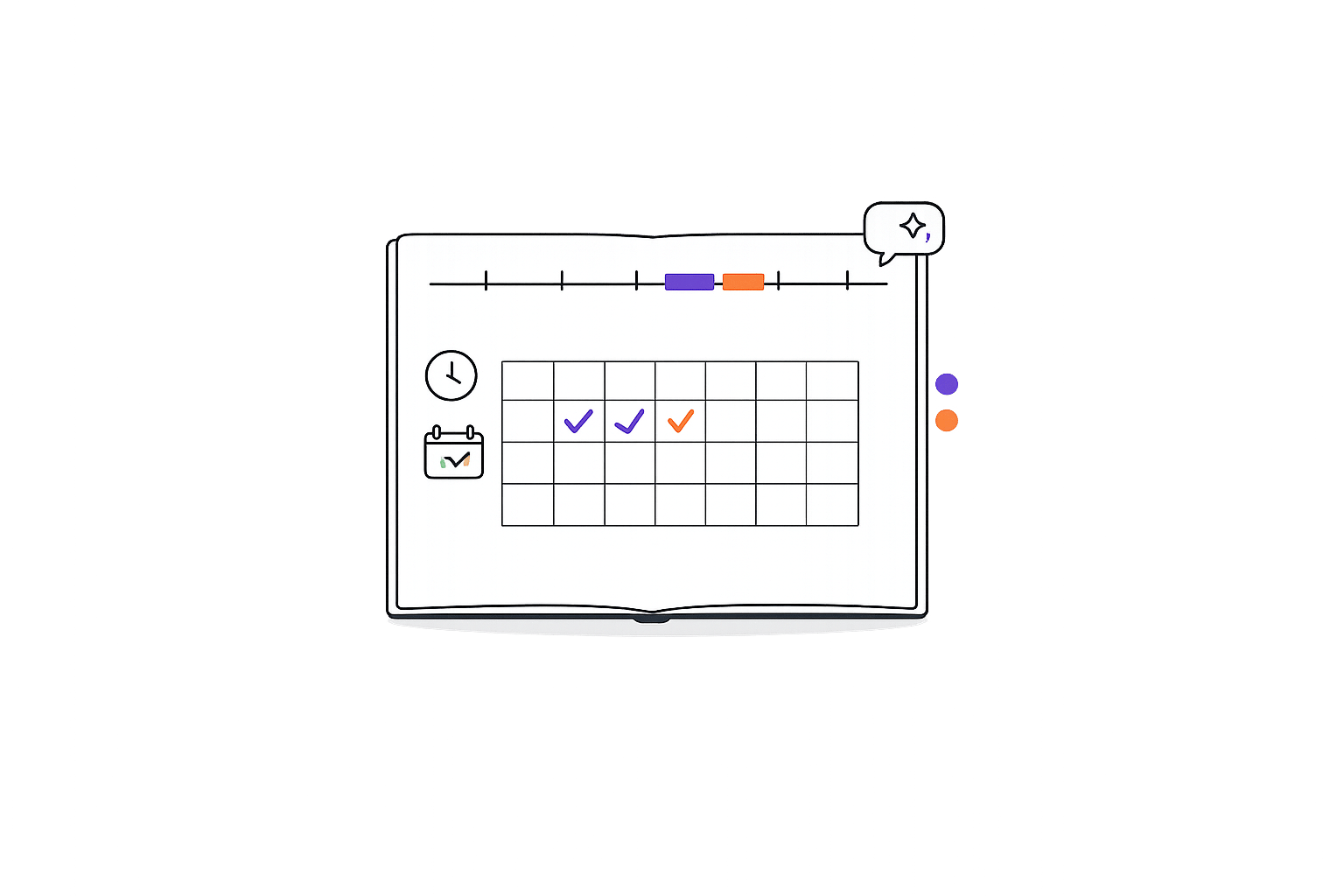
Habit grids give you a clear snapshot of your progress through simple visuals - like filled squares, colored dots, or streak counters. Think of them as an external memory system. Instead of trying to remember if you completed a routine, you can just glance at the grid. Plus, seeing progress visually provides a quick dopamine hit, which can be especially motivating for ADHD brains.
To keep things manageable, focus on tracking just 3–4 key habits. Tracking too many can feel overwhelming. Combined with features like automatic prioritization, habit grids reduce the mental load even further by removing the need for constant decision-making.
Automatic Task Prioritization and Detection
Sorting tasks manually can be draining, but automatic prioritization takes the guesswork out of it. By analyzing your to-dos, it highlights the top three tasks based on deadlines and context. This "Rule of 3" method keeps you from feeling overwhelmed by an endless list.
Voice input adds another layer of simplicity. Instead of typing out tasks, you can speak them, and the system organizes everything for you. This cuts task entry time from 45–60 seconds to just 10–15 seconds. It’s a small change that makes a big difference in keeping your day on track.
Adding Visual Planners to Your Daily Routine
Daily Planning for ADHD Users
Creating a daily planning routine starts with choosing one system - either digital or paper - and sticking with it for 30 days. This consistency helps your brain adapt to the habit without the added stress of switching between methods. Aim to open your planner at least five days a week to establish a solid routine.
Once you're comfortable with this habit, try using the Rule of 3: focus on just three "Must-Do" tasks each day. To make this habit stick, pair your planning routine with an already established daily activity. This technique, called habit stacking, makes it easier to integrate planning into your life. As ADHD coach Paula Engebretson explains:
"The specific tool is rarely the reason why we feel off track or scattered... Can it play a role? Absolutely. But is it the entire reason? Rarely ever".
For better time management, break your day into 2–3 hour blocks aligned with larger goals. This approach offers a balance between structure and flexibility. On Sundays, take 15 minutes to review your week - acknowledge achievements, reschedule unfinished tasks, and prepare for potential challenges.
In addition to task planning, tracking emotions and habits can uncover patterns that help refine your routine.
Tracking Emotions and Habits
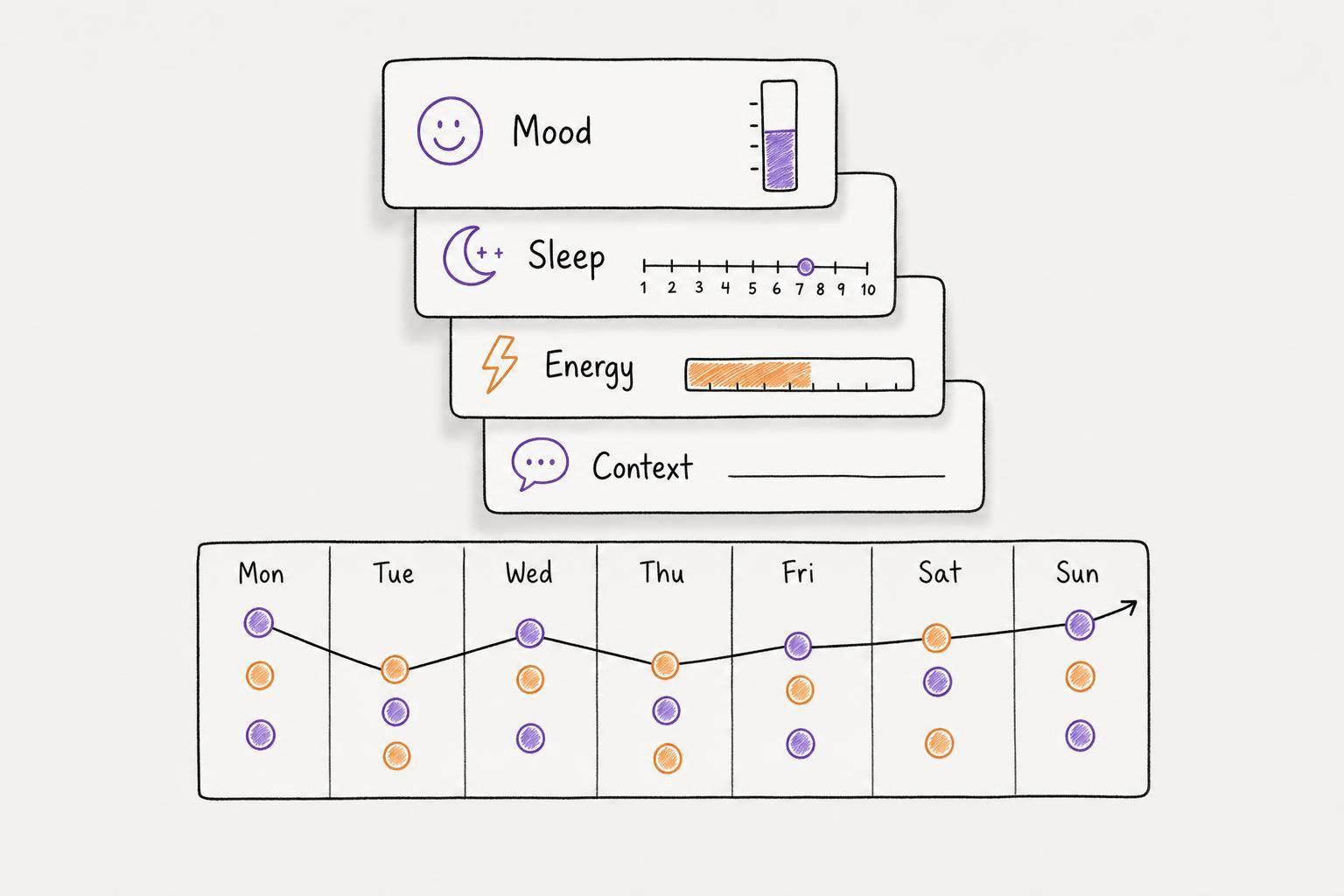
Adding emotion and habit tracking to your daily planning can turn subtle patterns into actionable insights. Use an evening reflection to note how you felt throughout the day. Voice journaling is an easy way to record your thoughts, and some systems can even analyze emotional states like anxiety, joy, or stress over time. This feedback loop helps you identify triggers and trends you might not notice otherwise.
When it comes to tracking habits, keep it simple by focusing on 3–4 key routines. Use color coding during your evening reflections to quickly spot mood trends. To overcome time blindness - a common ADHD challenge - practice time estimation. Write down how long you think a task will take versus how long it actually takes. Over time, you'll build a mental "time map" that makes planning more accurate. Refresh your visual tools occasionally to keep the system engaging.
How Calma Reduces Cognitive Load
Calma takes the concept of visual planners to the next level by integrating AI to help lighten the mental load for individuals with ADHD. Calma is an AI-driven planner designed specifically to simplify the process of organizing tasks, prioritizing, and managing thoughts. Instead of requiring you to manually sort through your ideas, it does the mental heavy lifting, allowing you to focus on accomplishing your goals.
Voice-to-Task Conversion and Smart Prioritization
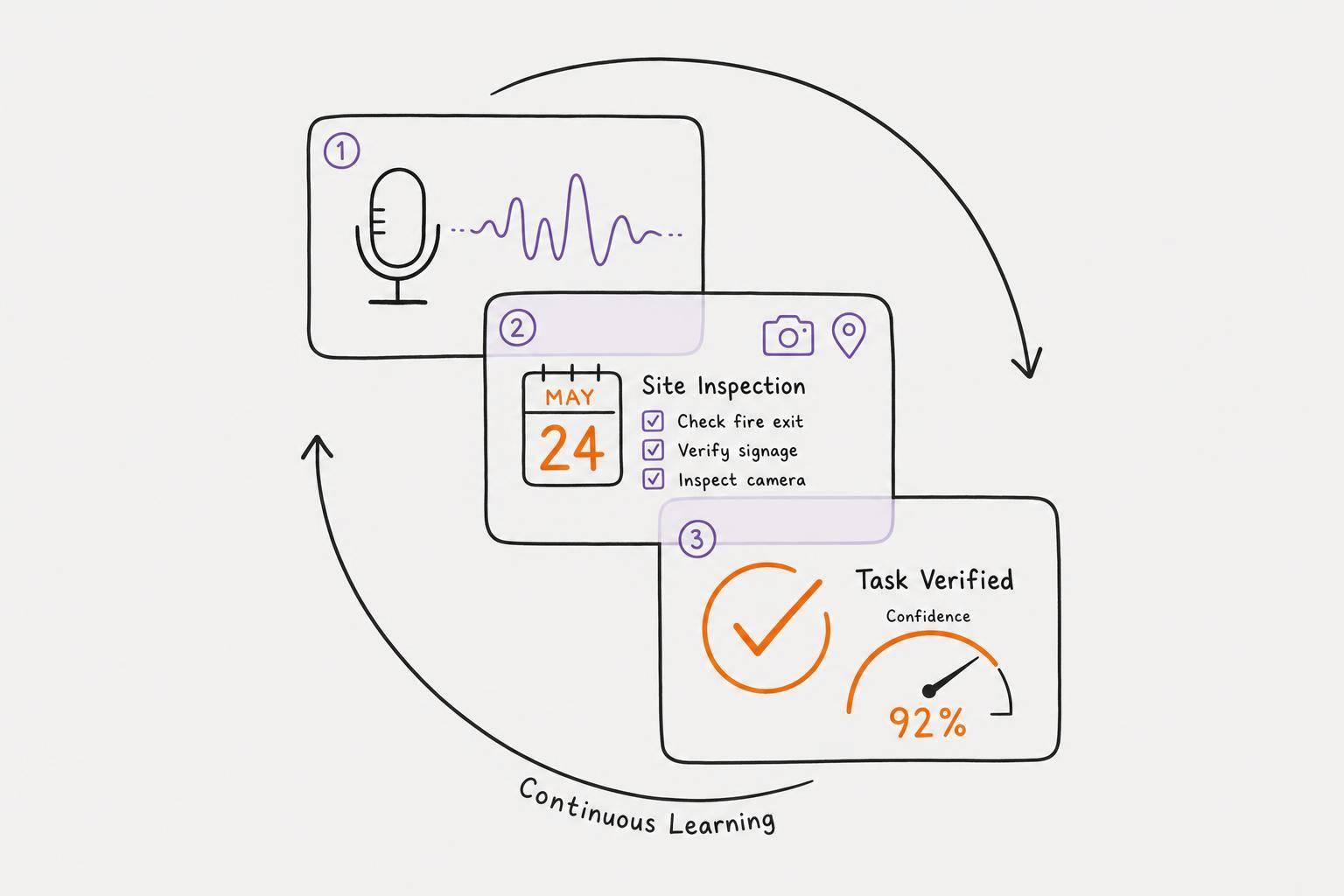
One of Calma's standout features is its voice-to-task functionality. You simply speak your thoughts into the app, and the AI converts them into structured, prioritized tasks within 10–15 seconds - far faster than the 45–60 seconds it typically takes to enter tasks manually. The app’s smart prioritization system also automatically identifies due dates and ranks tasks by urgency, saving you the mental effort of deciding what needs attention first.
As Valerii Alekseev, Publisher, puts it:
"Calma's AI listens, then organizes your brain dump into clear, prioritized tasks you can actually act on. No typing. No organizing. Just talk, and your plan appears."
Sarah M., a freelance designer, shares her perspective:
"Calma is the first tool that actually works with my ADHD, not against it. Being able to just talk and have the AI sort my messy brain dump into tasks is life-changing."
This seamless system sets the foundation for visual tools that help track and clarify your progress.
Visual Habit Grids and Emotion Tracking
Calma doesn't stop at task management - it also incorporates visual tools to keep you motivated and on track. Its pixel-based habit grids provide instant, year-at-a-glance feedback using colored squares. These visual cues deliver quick dopamine boosts, which are especially helpful for ADHD users. Additionally, the app uses voice journal entries to automatically detect emotions like anxiety, joy, or stress, eliminating the need for manual data entry. This feature allows you to identify patterns between your mood and productivity.
Marcus L., a software engineer, highlights his favorite aspects:
"The dark, minimalist interface is exactly what I need to stay focused. I love the pixel habit grid - it gives me that quick dopamine hit."
Simple Design for ADHD Users
Calma’s design is tailored to reduce overstimulation. Its dark, minimalist interface avoids unnecessary animations and distractions, focusing instead on "Today's Focus" to highlight only your top priorities. By eliminating clutter and long to-do lists, the app minimizes overwhelm. On top of that, voice recordings are processed directly on your device, ensuring that your personal thoughts remain private and secure.
Conclusion
Visual planners make managing tasks easier by cutting out the extra steps often found in text-heavy lists. Tools like color-coded blocks, habit grids, and spatial layouts deliver information at a glance, reducing mental strain. For individuals with ADHD, these visual elements turn abstract concepts of time into something more concrete, helping to tackle challenges like time blindness and decision fatigue.
Calma takes this a step further by automating task organization. With voice input converted into prioritized tasks in just 10–15 seconds, it minimizes the mental effort required. Features like visual habit grids and emotion tracking add layers of feedback that keep you engaged without feeling overwhelmed.
As Dr. Rachel Green, a psychologist, explains:
"Visual aids like ADHD boards can significantly improve executive functioning and reduce anxiety associated with task management".
Consistency is crucial. Establishing a regular planning routine can lighten your mental load, allowing you to focus on what matters most. Start small - try pairing your planning time with a daily habit, like sipping your morning coffee, to make it an easy addition to your day. Let these visual tools do the hard work, freeing up your energy for the things that truly count.
FAQs
How do I pick the right visual planner setup for my ADHD?
When picking a visual planner, go for one that aligns with how you naturally process information - it can make a big difference in reducing mental clutter. Think about whether you prefer digital tools (like apps with automatic reminders) or paper-based planners (which offer the tactile satisfaction of writing things down).
Features like color-coding and visual categorization can make it easier to organize and prioritize tasks at a glance. The key is to choose something that's straightforward, adaptable, and easy to maintain. A well-chosen planner can help you stay focused and manage time blindness without adding extra stress.
What’s the simplest way to start time blocking without getting overwhelmed?
The simplest way to dive into time blocking is to keep it visual and straightforward. Tools like timers or color-coded calendars can help make time feel more concrete and easier to manage. Begin with smaller, clearly defined blocks - say, 15 or 25 minutes - and stick to a system that feels flexible and easy to follow. This approach minimizes mental overwhelm, streamlines transitions between tasks, and sets the foundation for a habit you can maintain over time.
How can I use mood tracking to improve my planning habits?
Mood tracking can improve your planning by revealing emotional patterns and triggers that impact your ability to stay focused and organized. By identifying these triggers - like sleep deprivation or high-pressure situations - you can adjust your plans to better manage stress. Tools such as Calma make this easier by turning emotional data into actionable insights. This helps you create plans that are tailored to your emotional ups and downs, making them more realistic and helping to clear mental clutter.