How to Turn Voice Memos Into Actionable Tasks
Voice memos can save fleeting ideas, but turning them into tasks often feels overwhelming. If you're juggling ADHD task management or simply struggle with organization, this process can add stress instead of reducing it. That’s where tools like Calma come in. This AI-powered planner transforms your voice recordings into clear, structured tasks.
Here’s how it works:
- Quick Recording: Speak your thoughts naturally, and Calma transcribes them instantly.
- Task Extraction: The app identifies action verbs, deadlines, and priorities, breaking down vague ideas into manageable steps.
- Personalized Prioritization: Tasks are adjusted based on your energy and emotional state, helping you avoid burnout.
- Streamlined Workflow: Sync tasks with your calendar, track habits, and stay focused without unnecessary clutter.
Whether you’re managing daily to-dos or tackling complex projects, Calma simplifies the process, saving you time and mental energy.
How I Turn Voice Notes Into Action Items (AI Workflow That Actually Works)
sbb-itb-1b3be24
How Calma Converts Voice Memos Into Tasks for ADHD Users
Calma simplifies ADHD productivity planner app options by making it incredibly fast and easy to capture ideas. With its voice-first approach, you can record up to 20 tasks in under a minute - about three times faster than typing them out. This speed ensures your thoughts are captured before they slip away. Once recorded, Calma’s AI transcription engine gets to work, converting your voice into accurate text and actionable task details.
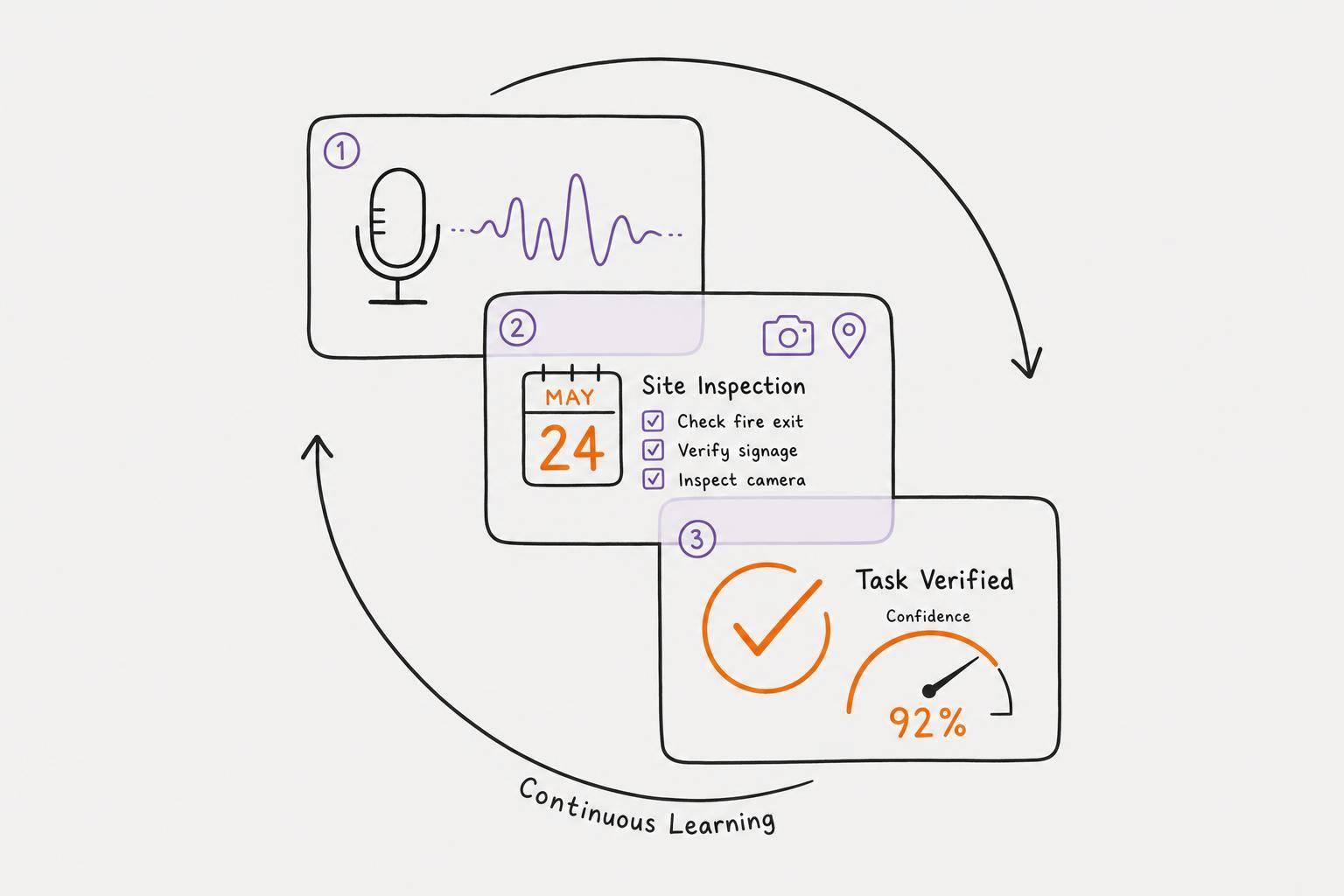
The transcription process is impressively accurate, boasting up to 99% precision - even in noisy environments like a coffee shop or when speaking with an accent. But it doesn’t stop at transcription. Calma’s AI identifies action verbs like “schedule,” “call,” or “organize” in your speech and automatically structures them into clear tasks. For example, saying, “organize the garage this weekend” breaks down into smaller steps like sorting tools, donating unused items, and sweeping the floor. This turns vague intentions into manageable actions.
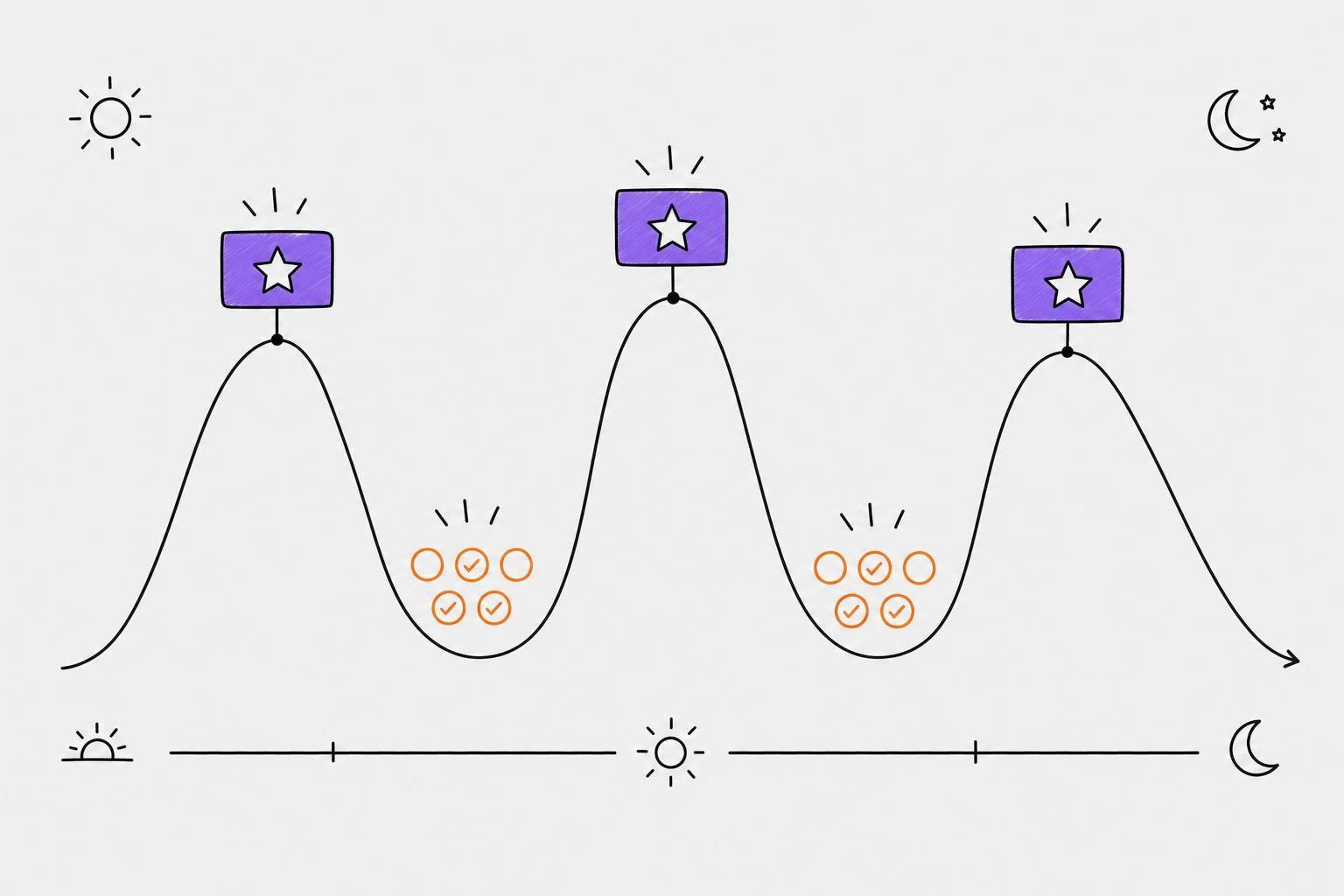
Calma goes a step further by tailoring your task list to your current state. Its state-based prioritization is a game-changer for ADHD users. It adjusts your tasks based on factors like your energy levels, emotional state, and mental clarity. Feeling drained? Calma won’t overwhelm you with high-effort tasks. Instead, it surfaces simpler, more achievable options, helping you avoid task paralysis. This dynamic approach makes task management feel less overwhelming and more in sync with how you’re feeling at the moment.
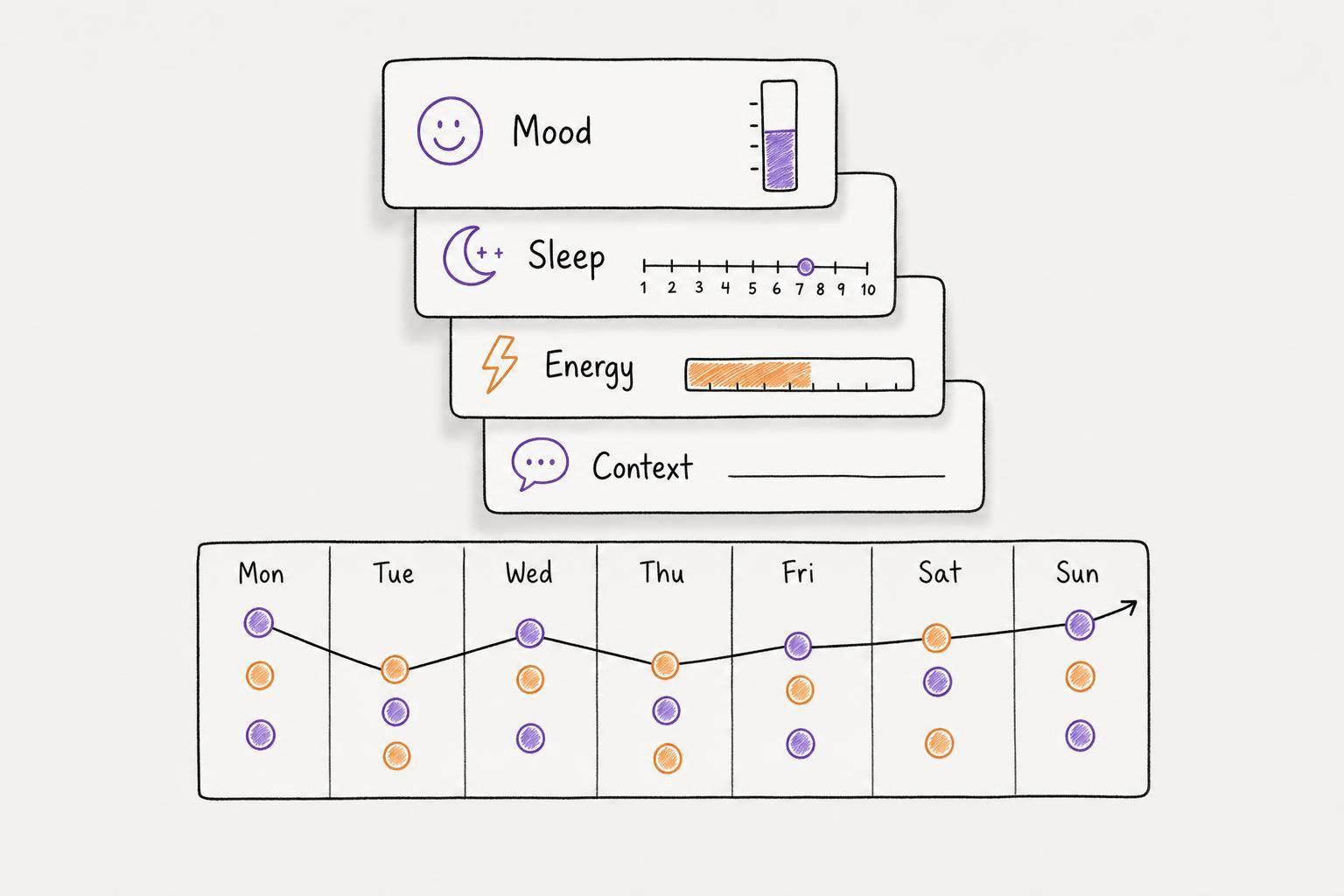
The app’s interface is clean and distraction-free - no unnecessary menus or clutter, and no need to switch between multiple tools. It even includes emotion tracking by analyzing journal entries to identify mood patterns, helping you discover when you’re most productive. By minimizing distractions and handling organization for you, Calma ensures you can focus on getting things done without the mental clutter. With seamless voice-to-task conversion, it fits effortlessly into your daily routine.
Step-by-Step Guide: Converting Voice Memos Into Tasks
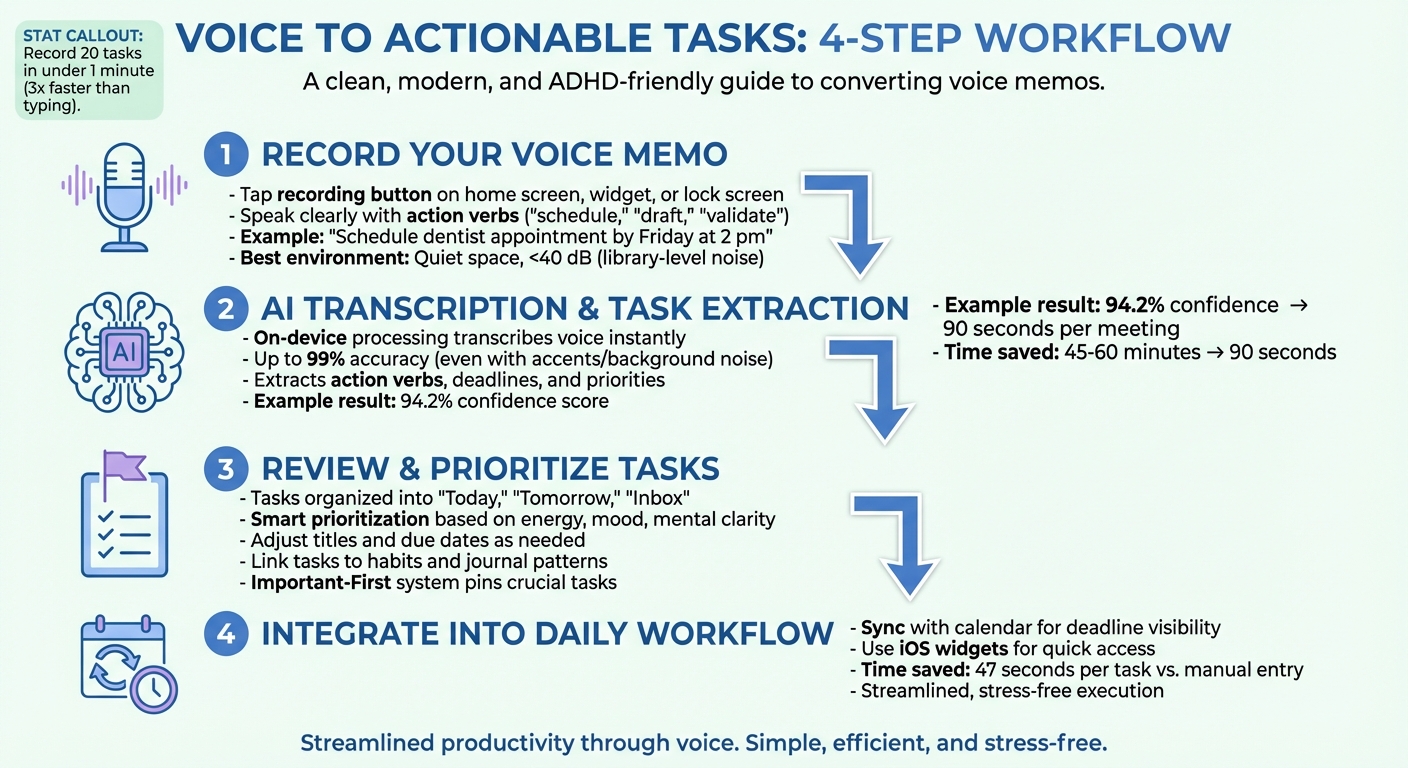
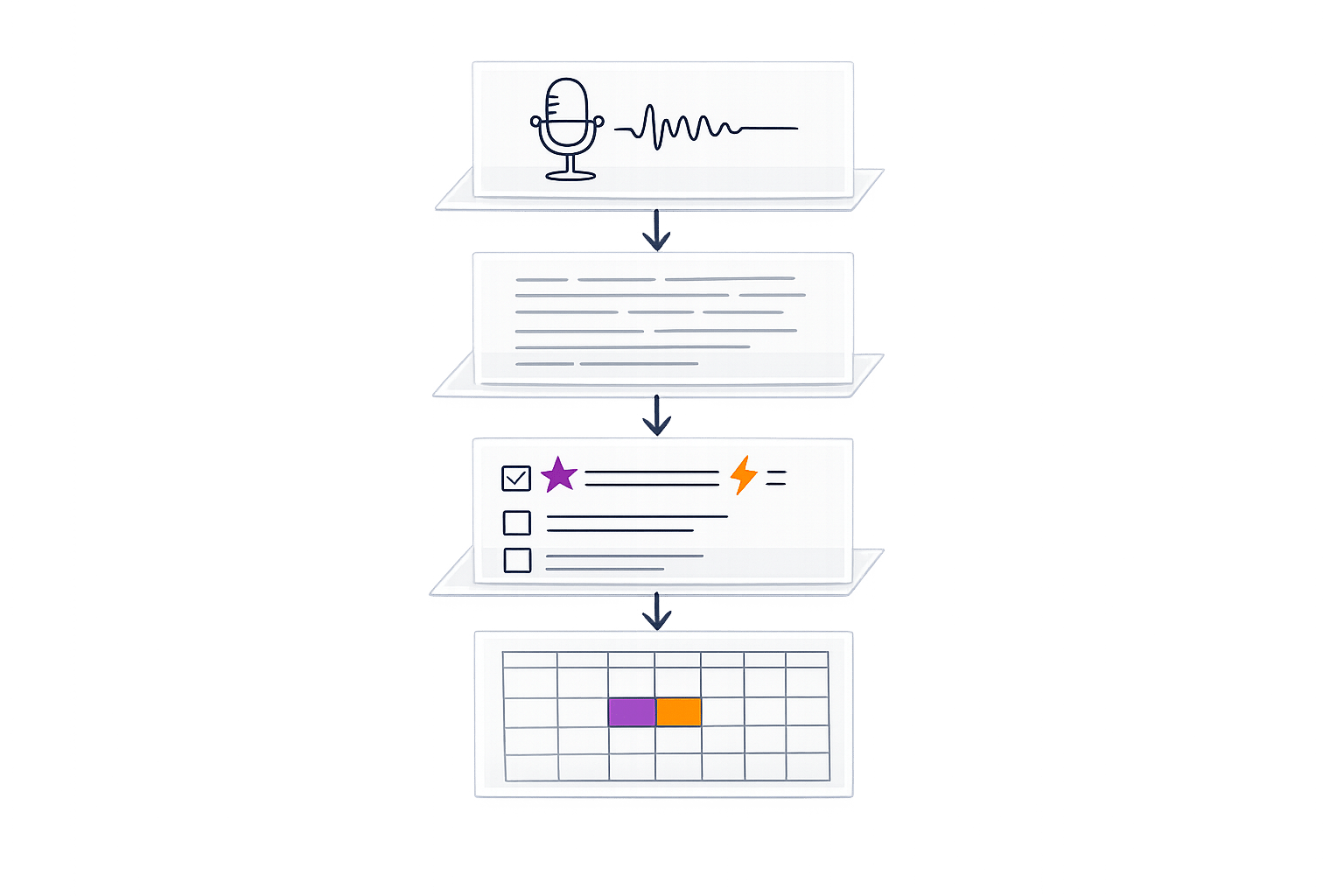
How to Convert Voice Memos Into Tasks: 4-Step Process
Step 1: Record Your Voice Memo
Start by opening Calma and tapping the recording button - it’s designed to capture your thoughts immediately. This quick action is especially helpful if you often deal with fleeting ideas, a common challenge for those who need to plan their day with ADHD. You can record directly from the home screen, an iOS widget, or even a lock screen shortcut.
When speaking, be clear and direct. For instance, say something like, "Schedule dentist appointment by Friday at 2 pm", or "Draft project proposal for the marketing team". Using strong action verbs like "schedule", "draft", or "validate" helps Calma’s AI understand your intent and create tasks accurately. Don’t worry about extra details - the AI filters those out. For the best results, record in a quiet space with minimal background noise, ideally below 40 dB, similar to a library setting.
Once you’ve finished, your voice memo is ready for processing.
Step 2: AI Transcription and Task Extraction
After recording, Calma’s AI immediately gets to work. It transcribes your voice memo using on-device processing, extracting key details like action verbs and deadlines. For example, if you say, "by Friday at 2 pm", the system automatically assigns a due date. Mentioning urgency - words like "urgent" or "critical" - flags the task as a priority.
Here’s a real-world example: In February 2026, Maya R., a Senior Product Manager at ScaleFlow Inc., introduced a voice-to-task system during roadmap meetings. This change cut her manual task-entry time from 45–60 minutes per meeting to just 90 seconds of reviewing. In one session, the system identified seven tasks with an impressive confidence score of 94.2%.
"Before this, my 'action items' list was a graveyard of vague promises. Now every task has a source, a speaker, a deadline, and a verification path. That changed how we hold each other accountable."
- Maya R., Senior Product Manager, ScaleFlow Inc.
Step 3: Review and Prioritize Your Tasks
Once the transcription is complete, Calma organizes your tasks into a daily planner view with sections like "Today", "Tomorrow", or "Inbox". Take a moment to review the tasks, ensuring everything matches what you intended. You can tweak titles or adjust due dates as needed.
Calma also uses smart prioritization to highlight tasks based on factors like your energy levels, mood, and mental clarity. If you’re feeling drained, the system might suggest starting with simpler tasks to keep you from feeling overwhelmed. You can even link tasks to habits or trends from your journal entries, giving you insight into your productivity patterns. With the Important-First system, you can pin crucial tasks to the top of your list, keeping your focus on what matters most.
Step 4: Add Tasks to Your Daily Workflow
This process integrates seamlessly into your schedule, helping you stay focused and reducing mental clutter. Sync your tasks with your calendar so deadlines appear alongside your appointments and meetings. For quick access, set up iOS widgets to view top tasks or add new voice memos with a single tap.
Calma’s voice-to-task automation saves about 47 seconds per task compared to manual entry, freeing up more time for actual work. With this system, you can speak, review, prioritize, and execute your tasks effortlessly - keeping your workflow streamlined and stress-free.
Calma Pricing and Features Overview
Calma provides a flexible pricing structure designed to let you explore its features before committing. Whether you're new to ADHD-friendly tools or seeking a long-term productivity solution, there's an option tailored to your needs. Each plan is designed to maintain the focused, clutter-free experience that ADHD users benefit from, aligning with Calma's mission to simplify your daily workflow.
Grace Period and Free Plan
When you first install Calma, you’ll enjoy a 7-day Grace Period with full access to Voice AI features. During this time, you can record voice memos and use the Voice AI functionality without any upfront cost.
After the trial, the Free Plan still allows you to manually create tasks and track up to three habits. While you can continue managing your daily tasks and routines, features like Voice AI for automated transcription and task extraction will no longer be available. Additionally, the free tier excludes calendar integration and iOS widgets, meaning you’ll need to sync your schedule manually and won’t have quick-access shortcuts on your home or lock screen.
Pro Plans: Weekly and Annual Options
For users who need ongoing, automated task management, upgrading to a Pro plan is the next step. The Pro Weekly plan is priced at $2 per week, offering short-term flexibility to see if the AI-powered features fit your workflow. Alternatively, the Pro Annual plan costs $39.99 per year, which averages out to about $0.77 per week - ideal for those planning to use Calma long-term.
Both Pro plans unlock unlimited Voice AI task extraction, calendar integration, iOS widgets, and enhanced habit tracking. These features work together to streamline capturing and organizing your thoughts, which can be especially helpful for ADHD users who often lose ideas before they can jot them down. With calendar sync, your tasks appear alongside appointments, giving you a clear view of your day without the need to juggle multiple apps.
Conclusion
For individuals with ADHD, turning an idea into action can sometimes feel like an uphill battle. Calma steps in to close that gap by allowing you to capture your thoughts the instant they appear - before they fade away. With its ability to convert voice memos into structured tasks, it focuses on making organization effortless, eliminating the mental strain.
The AI-driven task extraction feature takes care of the details for you. It automatically identifies action items, deadlines, and tags, presenting you with a clear and concise daily planner. Plus, it syncs seamlessly with your calendar, ensuring nothing important gets overlooked.
But Calma doesn’t stop at task management. It also helps you stay in tune with your emotional well-being. Through emotion tracking, the app uncovers patterns in your mood and energy levels, helping you adjust your priorities on tougher days. This feature is especially helpful for navigating the emotional highs and lows that often come with ADHD.
By combining voice capture, intelligent prioritization, and habit tracking, Calma creates a system that works with your natural tendencies. It helps clear mental clutter, reduces anxiety, and boosts your ability to follow through on tasks.
In short, Calma turns scattered thoughts into organized actions - making your day simpler, not more complicated.
FAQs
What should I say in a voice memo to get the best tasks?
To turn a voice memo into actionable tasks, make sure to speak clearly and include key details like deadlines, project names, and assigned individuals. For instance, instead of being vague, say something like, "Review the Q3 report by Friday" or "Call the client about the new project." Adding specifics such as due dates or the person responsible helps AI tools accurately transcribe and organize your tasks into a usable format.
How do I fix tasks when the AI gets details wrong?
When the AI provides task details that are incorrect, it's essential to manually review and fix the output. Double-check transcriptions or summaries for any mistakes, and adjust specifics like details, deadlines, and responsibilities to make sure everything is accurate. Consistently refining AI-generated content ensures your tasks remain clear, actionable, and properly aligned with how you work.
Will my voice recordings and transcripts stay private?
When using secure, privacy-focused tools, your voice recordings and transcripts can remain confidential. That said, some AI-powered services might process or store your data on their servers. It's important to check their privacy policies and settings to see exactly how your information is managed.