How AI Helps Break Down Overwhelming Tasks
- 5 Practical Ways to Use AI To Help with ADHD (from an ADHD Therapist in NYC)
- Why Big Tasks Feel So Hard to Start
- How to Prepare a Task for AI Breakdown
- Breaking a Big Task into Smaller Steps
- Prioritizing and Scheduling Tasks with AI
- Tracking Progress, Emotions, and Habits
- Conclusion: Managing Tasks Better with AI
- FAQs
Feeling stuck with big tasks? AI can help simplify the process. Instead of starting from scratch, AI creates an initial plan, making it easier to organize your thoughts and take action. Here's how it works:
- Breaks down big tasks into smaller, actionable steps.
- Reduces mental load by providing structured drafts you can refine.
- Supports ADHD challenges by addressing task initiation struggles and decision fatigue.
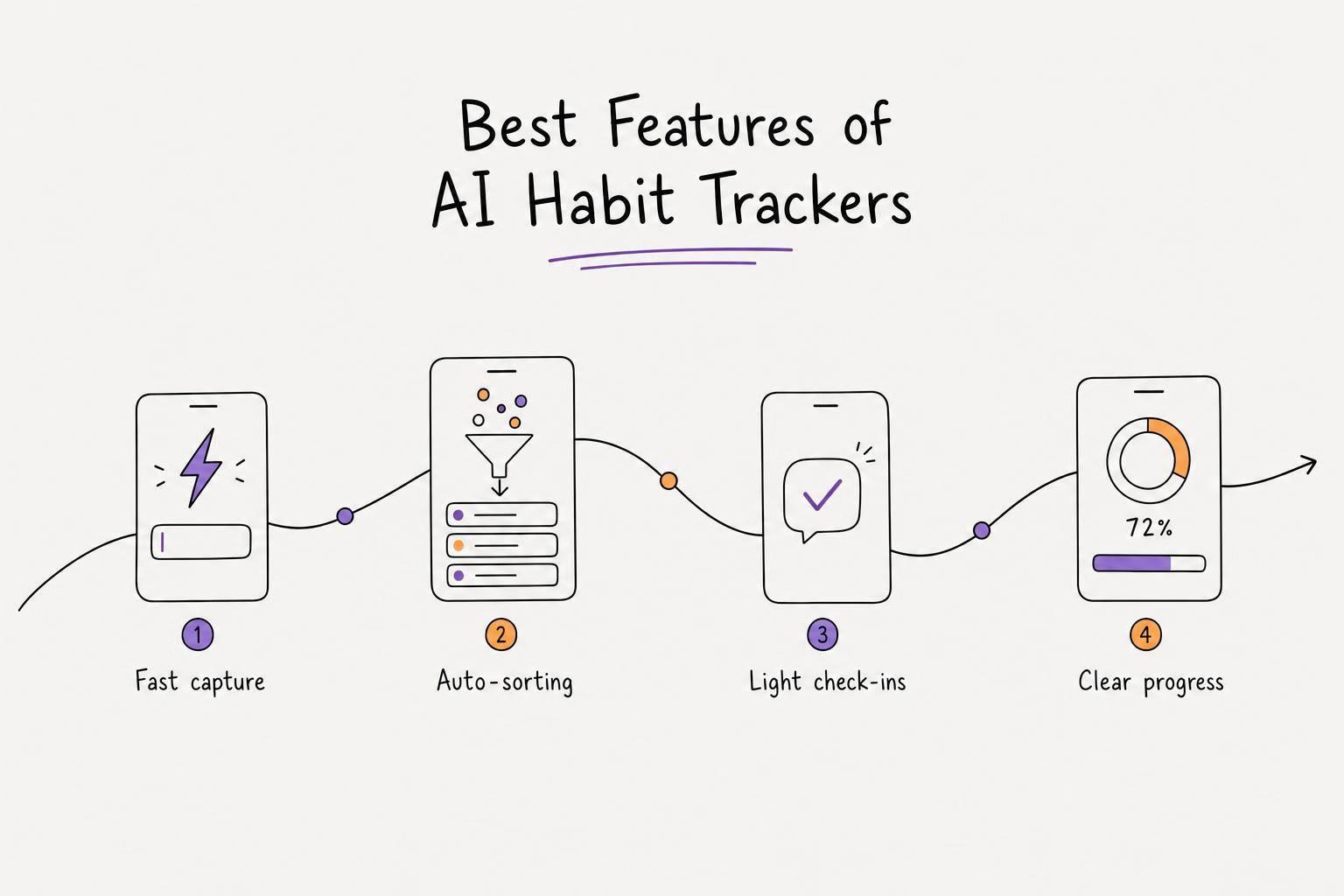
- Voice-to-task tools like Calma turn ideas into prioritized task lists.
- Tracks progress and habits to keep you motivated.
AI tools like Calma streamline planning, helping you focus on execution. For $39.99/year, it converts voice notes into tasks, organizes priorities, and tracks habits, making even the hardest tasks manageable.
5 Practical Ways to Use AI To Help with ADHD (from an ADHD Therapist in NYC)
Why Big Tasks Feel So Hard to Start
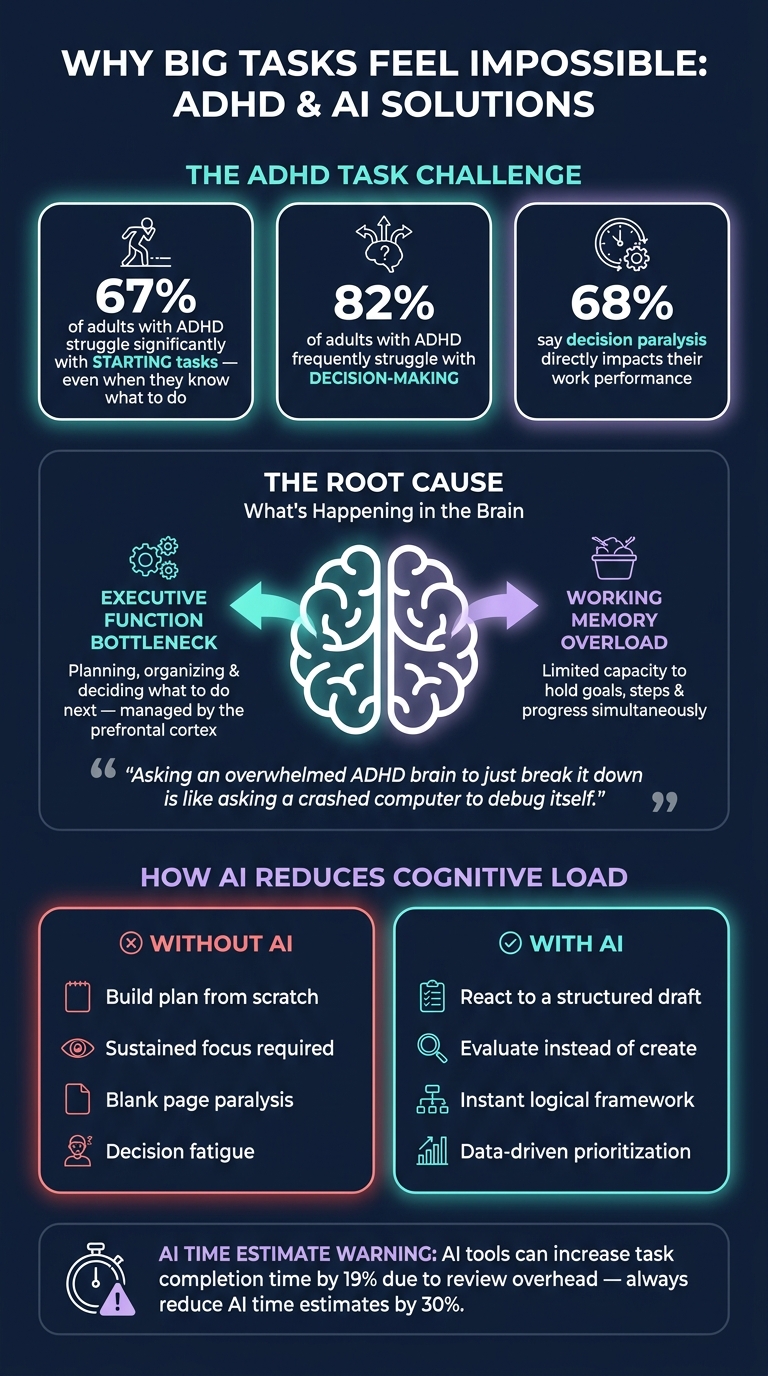
ADHD & Task Management: Key Statistics and AI Solutions
Big projects can feel overwhelming, not because of laziness, but due to how our brains handle complex tasks.
How Executive Function Gets in the Way
Think of executive function as your brain's project manager. It’s responsible for planning, organizing, and deciding what to do next. For people with ADHD, this system doesn’t always work smoothly, creating a bottleneck in the prefrontal cortex that makes starting tasks incredibly difficult.
Here’s a striking statistic: 67% of adults with ADHD struggle significantly with starting tasks, even when they’re clear on what needs to be done. The issue isn’t about understanding the task - it’s about taking that first step.
"Asking an overwhelmed ADHD brain to 'just break it down' is like asking a crashed computer to debug itself." - Sean Z., Developer and Founder of Thawly
AI can step in to help bypass this mental block by simplifying the planning process. This is particularly important because the strain of managing tasks often leads to decision fatigue, which we’ll explore next.
Mental Load and Decision Fatigue
Every unstructured task comes with hidden mental weight. Before taking action, your brain has to figure out what to do and in what order. It’s no surprise that 82% of adults with ADHD frequently struggle with decision-making, and 68% say decision paralysis affects their work performance.
Working memory complicates things further. For those with ADHD, the brain’s capacity to hold and juggle goals, steps, and progress is often smaller and less stable. When this mental space gets overloaded, the brain can simply shut down. Reducing this load is where AI tools can make a real difference.
How AI Reduces Cognitive Load
Switching from creating a plan to reviewing one can dramatically lighten the mental load. Building a plan from scratch requires sustained focus and sequencing, but evaluating an existing draft is far easier.
"Reacting to a draft requires far less executive function than producing one." - Adi Ben Elyahu, Founder of FOCO
AI tackles the dreaded blank page by generating a structured draft of steps, logically organized by priority. This allows your brain to focus on refining and adjusting, rather than struggling to create everything from scratch. With this initial framework, breaking big tasks into smaller, actionable steps becomes much more manageable.
How to Prepare a Task for AI Breakdown
Getting effective results from AI starts long before you type your first prompt. The quality of your input directly influences the quality of the output.
Start with a Brain Dump
Kick things off by jotting down every thought related to the task - no filters, no order. Just let it all out. This process works because it separates two challenging steps: coming up with ideas and organizing them. Trying to do both at once often leads to feeling stuck.
"Overwhelm isn't only about how much you have to do. It's also about how much you're tracking."
This raw collection of thoughts becomes the foundation for creating detailed, structured instructions.
How to Format Task Details for AI
Once you've done your brain dump, it's time to add context. Include specifics like your deadline, the amount of time you can dedicate (e.g., "6 hours this week"), your skill level, and what success looks like (e.g., "landing page live with signup form"). Providing just a plain list isn’t enough - constraints are key to helping AI create a practical plan.
One of the biggest pitfalls is skipping these constraints. Without them, AI often produces overly ambitious plans that look great on paper but are hard to execute.
For better results, ask the AI to break tasks into the smallest possible physical actions - steps that can be completed in 30 seconds to 2 minutes. This level of detail makes it easier to get started, especially when you're feeling unmotivated.
Using Calma for Voice-to-Task Conversion
If typing slows you down, consider turning voice notes into tasks to simplify the process even further. Once you've set up the context, you can use voice commands to streamline your input.
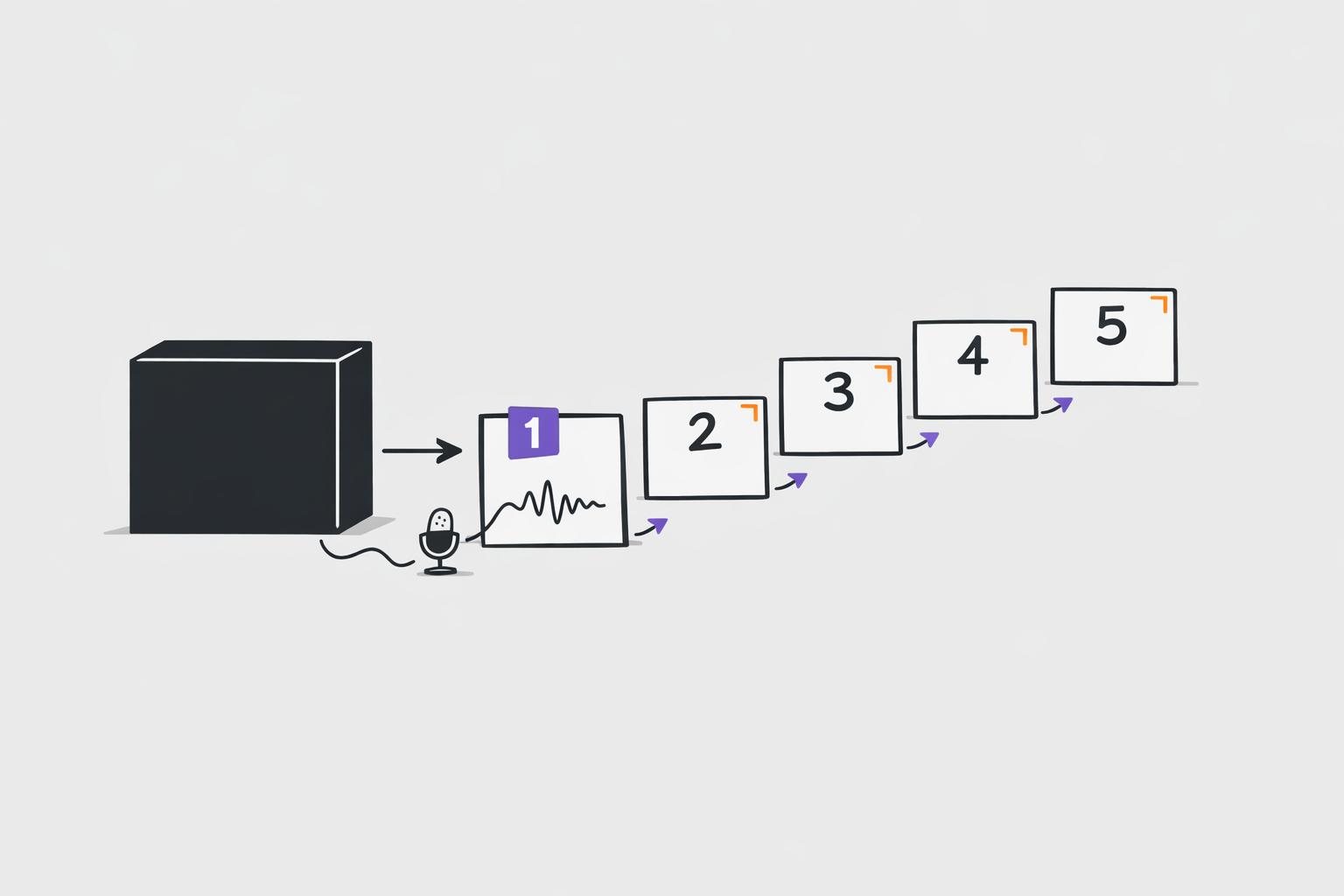
Calma is a tool designed for this exact purpose. You record a voice note - a free-flowing rundown of everything on your mind - and Calma's AI transforms it into a structured, prioritized task list. It automatically pulls out due dates, action items, and organizes them for you. This makes the hardest part - getting started - as easy as speaking out loud.
Breaking a Big Task into Smaller Steps
Once you've outlined your task, the next move is to break it down into a clear, actionable sequence. This approach makes even the most daunting goals feel manageable.
How the Step-by-Step Breakdown Works
AI tools are great at recognizing common task patterns. For instance, if you tell it something like "launch a landing page" or "prepare a quarterly report", it quickly suggests a logical sequence of smaller steps. Essentially, it provides you with a draft plan almost instantly.
"The gap between a plan and action is where most productivity dies. AI planning eliminates the gap entirely." - Mursa.me
To make this work even better, aim for steps that take around 15–25 minutes to complete. Break the goal into milestones, then divide those into weekly and daily tasks. One key tip: always include a "Day 0" setup task. These are the small but critical actions - like installing software, finding login credentials, or gathering necessary files - that can easily derail momentum if overlooked.
For individuals with ADHD, even these smaller steps might feel overwhelming. That’s where further adjustments come in.
Adjusting Step Sizes for ADHD
For adults with ADHD, breaking tasks into even smaller pieces can make a huge difference. Research shows that about 67% of adults with ADHD struggle with task initiation, even when they know exactly what to do. The solution? Ask for micro-steps.
For example, you can tell the AI: "I have ADHD. Break this into the smallest physical actions that take 2 minutes or less." Instead of a vague step like "Write the introduction", you'll get something as specific as "Open the document and type one sentence." These tiny, concrete actions help you bypass the mental resistance that abstract tasks often create.
Another helpful strategy is to limit how much of the plan you see at one time. Request only the first 3–5 steps instead of an overwhelming 40-item list. Once you’ve completed those, you can ask for the next batch.
How Calma Structures Tasks Automatically
While general AI assistants require you to carefully word your prompts and manually organize the output, Calma takes it a step further. After you record a voice note, Calma's AI doesn’t just transcribe - it automatically detects due dates, assigns priorities, and organizes tasks in a logical order.
This automation removes the burden of planning and lets you focus entirely on execution. It’s a simple yet effective way to reduce cognitive load, aligning perfectly with the strategies discussed earlier.
sbb-itb-1b3be24
Prioritizing and Scheduling Tasks with AI
Once you've broken down your project into smaller steps, the next hurdle is deciding what to tackle first. A long, unordered list can still feel overwhelming. This is where AI-powered prioritization steps in to bring order and clarity. It goes a step further by grouping similar tasks, making your workflow smoother and more efficient.
Grouping and Batching Similar Tasks
One of the smartest ways AI helps is by organizing tasks into categories. Instead of jumping between emails, spreadsheets, and brainstorming sessions, AI can sort these into manageable groups - like administrative tasks, creative work, or errands. This reduces the constant mental strain of switching between unrelated activities.
By batching similar tasks, you avoid unnecessary context switching, conserving your focus and energy for the work that truly matters.
Smart Prioritization and Time Estimates
After grouping tasks, AI assigns priorities based on factors like deadlines, effort required, and overall impact. This data-driven approach eliminates the guesswork that often comes with deciding what to do first.
"AI task prioritization is changing how teams and individuals decide what to work on first, replacing gut instinct with data-driven clarity." - Joe Crosby
However, keep in mind that AI isn't perfect with time estimates. A 2025 study found that AI tools can increase task completion time by 19% due to the need for reviewing and validating their output. To counteract this, always reduce AI-generated time estimates by 30% and adjust them further based on your own experience.
For the best results, provide the AI with clear details: deadlines, priority levels (high, medium, or low), and a rough estimate of the effort involved. The more precise your input, the better the AI's recommendations.
Using Calma's Daily Planner View
Calma takes prioritization to the next level with its minimalist daily planner view. Instead of overwhelming you with your entire to-do list, it highlights only the most important tasks for the day, factoring in deadlines and your energy levels. This way, you always know exactly what to focus on.
The interface is designed with simplicity in mind, featuring a low-stimulation dark mode ideal for users who struggle with clutter or distractions. Gone are the endless sidebars and backlogs - just a clear, focused plan for the day. At just $39.99 per year (roughly $2 per week), Calma turns chaotic task lists into a streamlined daily schedule.
Tracking Progress, Emotions, and Habits
Breaking tasks into smaller steps and prioritizing them is a great start, but staying motivated to see them through is where the real challenge lies. That’s where tracking comes into play - it keeps you focused and engaged.
How Small Wins Build Motivation
One of the best ways AI can help is by making your progress visible. Tackling a big project can feel overwhelming, and it’s easy to lose sight of how far you’ve come. By breaking work into 15–25 minute micro-tasks, you create frequent opportunities to check off accomplishments, which can be incredibly motivating.
Here’s why it works: 67% of adults with ADHD report significant difficulty starting tasks, even when they know exactly what to do. Completing smaller tasks triggers dopamine release, which strengthens your momentum. The trick is to make these tasks manageable enough that finishing them feels realistic and rewarding.
By tracking these small wins alongside your emotional state, you can gain a deeper understanding of how your mood influences your productivity.
Emotion Tracking and Pattern Recognition
Your emotions play a huge role in how you approach tasks. Stress, fatigue, or anxiety can make it harder to get started. AI tools that analyze things like journal entries or voice recordings can uncover patterns you might not notice on your own. For instance, you might discover that Monday mornings consistently leave you feeling overwhelmed or that certain tasks are always pushed to the back burner.
This kind of pattern recognition gives you actionable insights. It’s not just about managing tasks - it’s about understanding how your emotional rhythms impact your ability to work.
Turning Repeated Steps into Habits
When you notice certain micro-tasks popping up regularly - like a daily review, a morning brain dump, or an evening wrap-up - it’s a great opportunity to turn them into habits. Tools like Calma make this process simple. By capturing recurring tasks from your voice recordings and displaying them in easy-to-read visual grids, Calma shows you clear proof of your consistency without requiring extra effort.
For those using the free version, the app supports tracking up to three habits, while Pro subscribers can enjoy unlimited habit tracking. This makes it easier to build routines that align with your actual behavior rather than an idealized schedule.
"The gap between a plan and action is where most productivity dies. AI planning eliminates the gap entirely. The plan is the action list." - Mursa.me
When habits grow naturally from the tasks you’re already doing, they’re more likely to stick, creating a system of productivity that feels effortless over time.
Conclusion: Managing Tasks Better with AI
Tackling big tasks can feel overwhelming, but AI offers a way to make them more approachable. Think of AI as a support system - it takes care of the structure so you can focus on taking action. By handling the most mentally taxing parts of planning, like organizing and starting from scratch, AI helps eliminate the dreaded blank page and makes beginning a task far less daunting. This aligns perfectly with earlier strategies for breaking tasks into smaller, more manageable steps.
This approach is particularly helpful for individuals with ADHD. As Adi Ben Elyahu, Founder of FOCO, explains:
"Reacting to a draft requires far less executive function than producing one."
The key shift here is moving from creating a plan to responding to one. AI doesn’t do the work for you; instead, it reduces the mental barriers to getting started.
For example, Calma offers a tool that consolidates these features into one platform. It can turn voice recordings into structured tasks with deadlines, track emotional patterns, and convert repetitive steps into habits. These features lighten the mental load significantly. The Pro Annual plan costs $39.99/year, and there’s a 7-day trial period to explore the voice AI capabilities before committing.
The takeaway? Breaking tasks into smaller steps works. AI just makes the process quicker, simpler, and far less draining. By using AI to organize your tasks, you can overcome the initial friction of starting and keep your momentum going - a recurring theme throughout this guide.
FAQs
What should I tell AI so it breaks my task down correctly?
To make the task easier to tackle, start by clearly outlining the details: include deadlines, your current progress, and any limitations you’re working within. Break the task into smaller, manageable chunks - aim for steps that take between 30 seconds and 5 minutes. Stick to 3–5 steps to keep things from feeling overwhelming. Once you’ve got the steps laid out, review the plan to ensure it aligns with your goals, and tweak anything that seems too ambitious or broad.
How can I get micro-steps that actually help with ADHD?
Use AI tools to break tasks into clear, manageable micro-steps. For instance, with tools like Calma, you can request steps that are quick (2–5 minutes), tied to a single location, and don’t rely on outside decisions. If a step still feels overwhelming, break it down even further. Instead of stressing over the "right" order, pick any task from your list to get started. This approach helps reduce stress and keeps you moving forward.
How do I turn a voice note into a prioritized plan in Calma?
Using Calma to turn a voice note into a clear plan is simple. Just record your thoughts naturally within the app. The AI will handle the rest - it transcribes your words, picks out action items, sets deadlines, and assigns priorities. Then, it organizes everything into a structured planner view, like Inbox or Today.
From there, you can review and tweak tasks as needed. Plus, the app’s smart prioritization helps you focus on what’s most important, tailoring tasks to match your energy and mood.