How AI Helps ADHD Memory with Smart Reminders
- 5 Practical Ways to Use AI To Help with ADHD (from an ADHD Therapist in NYC)
- ADHD Memory Challenges and the Case for External Supports
- How to Set Up AI-Powered Reminders for ADHD
- How to Build a Reminder System That Works for ADHD
- How to Build a Lasting AI Reminder Routine
- Conclusion: Using AI to Strengthen ADHD Memory
- FAQs
For people with ADHD, remembering tasks can feel impossible due to challenges with working and prospective memory. Traditional reminder apps often fail because they rely on you to manage everything manually. AI-powered reminders, like the app Calma, offer a better solution by automating task organization, providing timely alerts, and reducing mental strain.
Key takeaways:
- ADHD affects working memory, making it hard to retain and act on information.
- AI tools simplify task management by using voice input, breaking tasks into actionable steps, and sending reminders at the right time.
- Features like emotion tracking and context-based alerts help align reminders with your energy and focus levels.
AI reminders act as an external memory system, freeing up mental space and helping you stay on track without constant effort.
5 Practical Ways to Use AI To Help with ADHD (from an ADHD Therapist in NYC)
ADHD Memory Challenges and the Case for External Supports
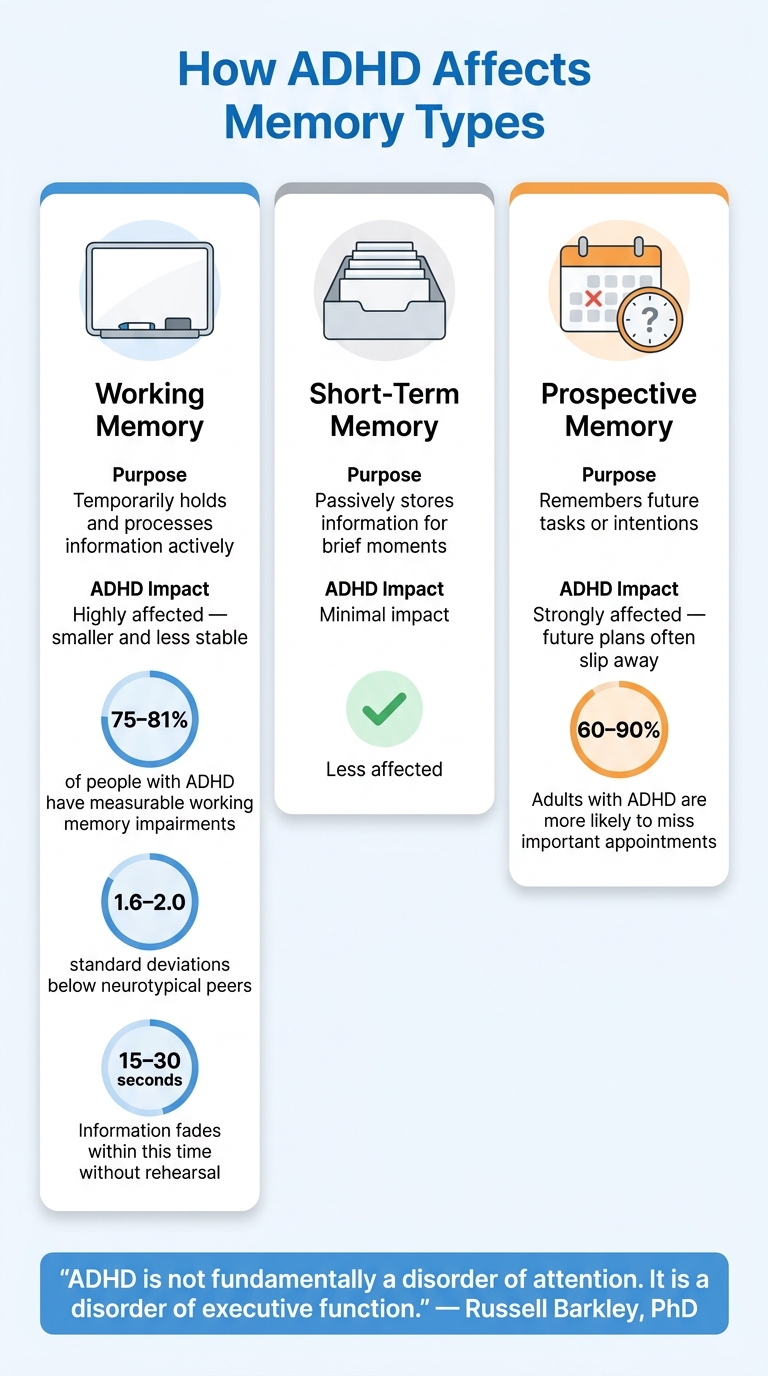
How ADHD Affects Memory: Working vs. Short-Term vs. Prospective Memory
How ADHD Affects Working Memory
Think of working memory as a small whiteboard that can hold about four items at a time. For people with ADHD, this whiteboard is smaller, less stable, and often gets "erased" too easily.
Studies show that 75% to 81% of individuals with ADHD experience measurable impairments in working memory. These deficits are significant, typically falling 1.6 to 2.0 standard deviations below their neurotypical peers. Without active rehearsal, information tends to fade within 15 to 30 seconds.
It’s important to clarify the distinction between working memory and short-term memory, as they serve different purposes:
| Memory Type | Purpose | ADHD Impact |
|---|---|---|
| Working Memory | Temporarily holds and processes information actively | Highly affected - smaller and less stable |
| Short-Term Memory | Passively stores information for brief moments | Minimal impact |
| Prospective Memory | Remembers future tasks or intentions | Strongly affected - future plans often slip away |
With such fragile working memory, relying on external tools becomes a practical necessity.
"ADHD is not fundamentally a disorder of attention. It is a disorder of executive function." - Russell Barkley, PhD
Why Offloading Tasks to External Systems Helps
Because working memory is unreliable in ADHD, external systems become essential for managing tasks.
This process, known as cognitive offloading, involves transferring tasks, plans, and commitments from your mind into tools that won’t forget them. Whether it’s a checklist, a voice memo, or a planner, these tools help free up mental space, making it easier to focus on action.
"The goal is not to train your brain to hold more. It is to make holding more unnecessary." - Phuc Doan
However, traditional tools like planners and reminders often fall short. They’re passive - they rely on you to remember to check them. This is a big challenge for adults with ADHD, who are 60% to 90% more likely to miss important appointments compared to the general population. This leads to what’s often called the "ADHD tax": the financial and emotional toll of missed deadlines, late fees, and forgotten obligations.
How AI Makes External Memory Systems More Effective
AI takes cognitive offloading to the next level by automating and simplifying task management.
One major flaw with standard reminders is that they lose their effectiveness over time. Your brain starts tuning them out, turning them into background noise. For ADHD brains, even the effort of setting up a reminder can feel like too much, leading to abandoned systems.
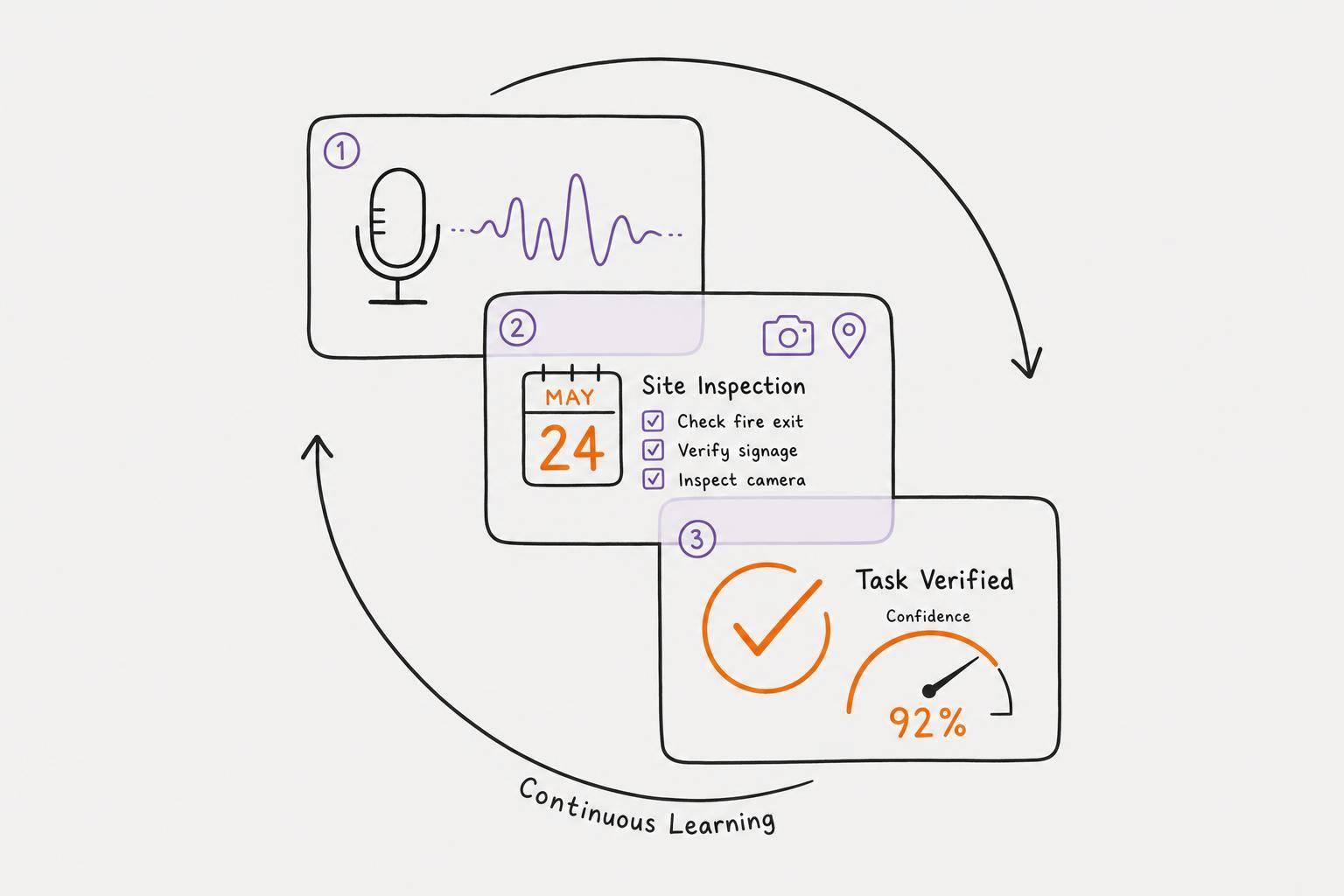
AI changes this dynamic by proactively capturing and organizing tasks for you. Instead of requiring manual input, AI tools can respond to voice commands, extract tasks, identify due dates, and integrate them into your schedule automatically. This eliminates much of the friction that often derails traditional systems.
Think of AI as a scaffold - it supports the structure of your priorities, deadlines, and plans while leaving you in control of decisions. Tools like Calma operate this way. You can speak your thoughts aloud, and the AI transforms them into actionable tasks, complete with deadlines, seamlessly fitting them into your day. The heavy lifting shifts from your brain to a system that ensures follow-through.
How to Set Up AI-Powered Reminders for ADHD
Use Voice to Capture Tasks on the Spot
One of the biggest challenges with any reminder system isn’t forgetting to set the reminder - it’s the hassle of actually doing it. When you’re managing fleeting thoughts, the process of opening an app, typing out a task, picking a time, and saving it can feel like too much. By the time you’re done, that thought might already be gone.
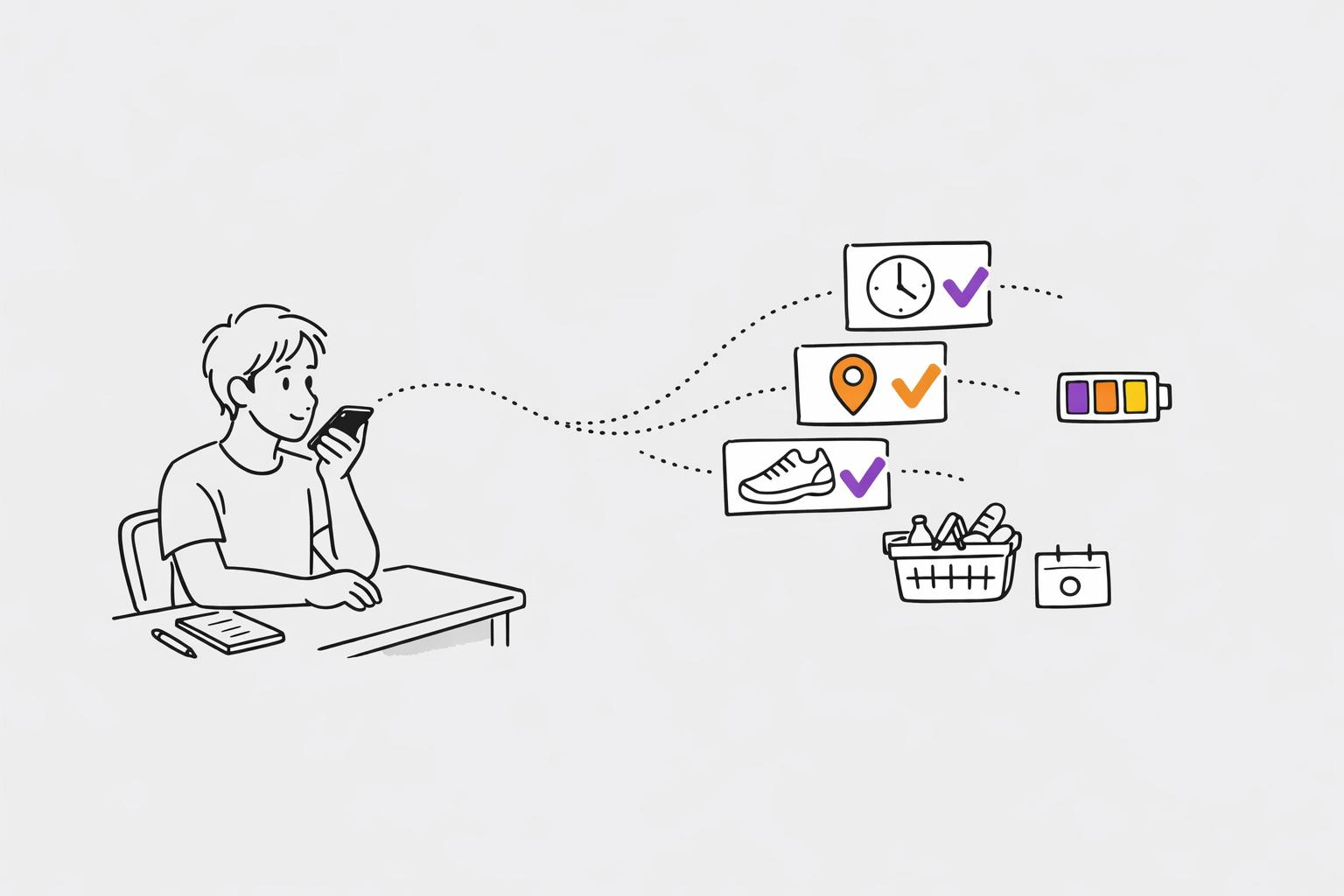
Using voice capture tools removes this friction entirely. Apps like Calma let you speak your thoughts aloud - something like, "remind me to send the budget draft to Sarah before Friday" - and the AI takes care of the rest. It pulls out the task, identifies deadlines, and slots it into your schedule. No typing, no extra steps.
"The blank page is the enemy of the ADHD brain. The effort of converting a swirling mental state into structured written text is enormous - and often enough friction to abandon the process entirely." - Priority One Blog
The trick is to capture the thought immediately. A delay of even a few seconds can mean it’s gone. Once the task is recorded, the next step is refining it for clarity.
Break Vague Ideas into Specific, Timed Steps
After capturing tasks, it’s important to make them actionable. A vague reminder like "work on project" isn’t very helpful for someone with ADHD. It can leave you stuck, unsure of where to start. Specificity is the key to avoiding decision paralysis.
AI tools can help by turning general ideas into clear, actionable steps. A good reminder follows the formula: [Action] + [Location/Object] + [Detail]. For example:
- Instead of "exercise", set a reminder for "put on running shoes by the front door."
- Replace "do laundry" with "carry hamper to washer, add detergent pod, start cycle."
Breaking tasks into smaller, manageable steps - ideally ones that can be completed in under 30 minutes - reduces overwhelm. You can also schedule anchor reminders the day before major tasks to help you mentally prepare and combat time blindness.
Set Reminders Tied to Context for Better Recall
Even the most specific tasks won’t help if reminders pop up at the wrong time. A reminder set for 9:00 AM on a Tuesday might catch you in the middle of a conversation or driving, making it easy to dismiss and forget.
Context-based reminders solve this issue by triggering when you’re actually in a position to act. For example:
- A location-based alert can remind you to pick up a prescription when your phone detects you’re near the pharmacy.
- An event-based reminder can nudge you to send a follow-up email as soon as a meeting ends.
"Reminders must trigger when you can act, as the ADHD brain quickly dismisses untimely alerts." - Jessica McCabe, Creator of How to ADHD
For many with ADHD, time feels like it exists in two states: "now" and "not now." If a reminder arrives at the wrong moment, it’s often pushed into the "not now" category and forgotten. By tying reminders to your context - like a location or the start of a work block - you can ensure they appear when you’re ready to act.
sbb-itb-1b3be24
How to Build a Reminder System That Works for ADHD
Creating a reminder system that aligns with ADHD brain patterns can significantly enhance productivity, especially when paired with AI tools designed to complement those natural tendencies.
Avoid Notification Overload While Keeping Reminders Clear
Setting reminders is just the first step - the real challenge is managing them effectively without overwhelming yourself.
Instead of bombarding yourself with constant alerts, focus on smart timing. For example, replace endless 15-minute notifications with a single alert scheduled at a practical moment, like right after a meeting. This alert could include a simple prompt like, "Ready to do it now?" to help turn awareness into action.
"A single notification at a single time point has almost no chance of catching someone with ADHD at the exact moment they can both attend to and act on the task." - Recallify
Another key strategy is conducting a weekly check-in to clear out tasks you no longer plan to do. Dropping outdated reminders prevents the anxiety of seeing overdue tasks pile up, which often leads to abandoning the system altogether.
These techniques naturally pair with visual tools that help anchor your understanding of time.
Use Visual Tools to Build a Sense of Time
For many with ADHD, time can feel abstract - something due next week might not feel urgent until it’s right on top of you. Visual tools can make time more tangible and easier to navigate.
Habit progress grids and streak trackers are particularly helpful. They provide an immediate, visual sense of accomplishment, which can be more motivating for ADHD brains than abstract deadlines. For instance, Calma offers visual habit progress grids that transform daily tasks into visible patterns, making it easier to stay on track.
Even the colors you use in your system matter. Research shows that neutral, calming colors for deadlines are more effective than red "overdue" badges, which can trigger feelings of shame and lead to avoidance. A neutral signal feels less like a warning and more like a gentle cue to take action.
Combining these visual strategies with energy-based scheduling can make your system even more effective.
Schedule Tasks Around Your Energy Levels
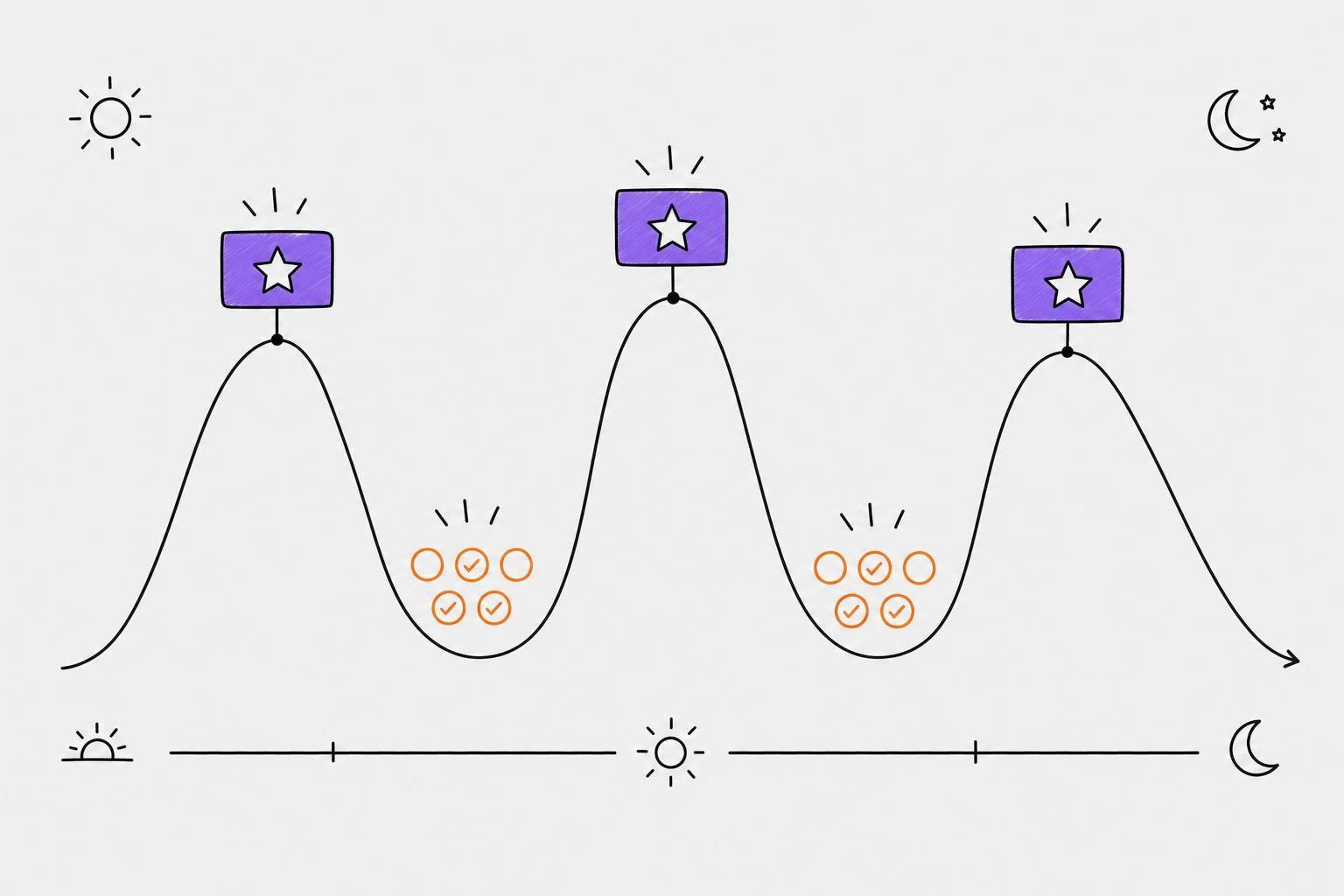
ADHD brains often follow predictable energy patterns throughout the day. The most well-timed reminder won’t help if it arrives when your energy is at its lowest. Instead, tailor your schedule to fit your natural rhythm.
Tracking your moods and energy levels over time can reveal these patterns. For instance, if you notice you’re most focused in the late morning but tend to feel sluggish after lunch, you can plan accordingly. High-effort tasks, like problem-solving or decision-making, should go in your peak energy windows, while simpler tasks, like emails or admin work, can be saved for low-energy periods.
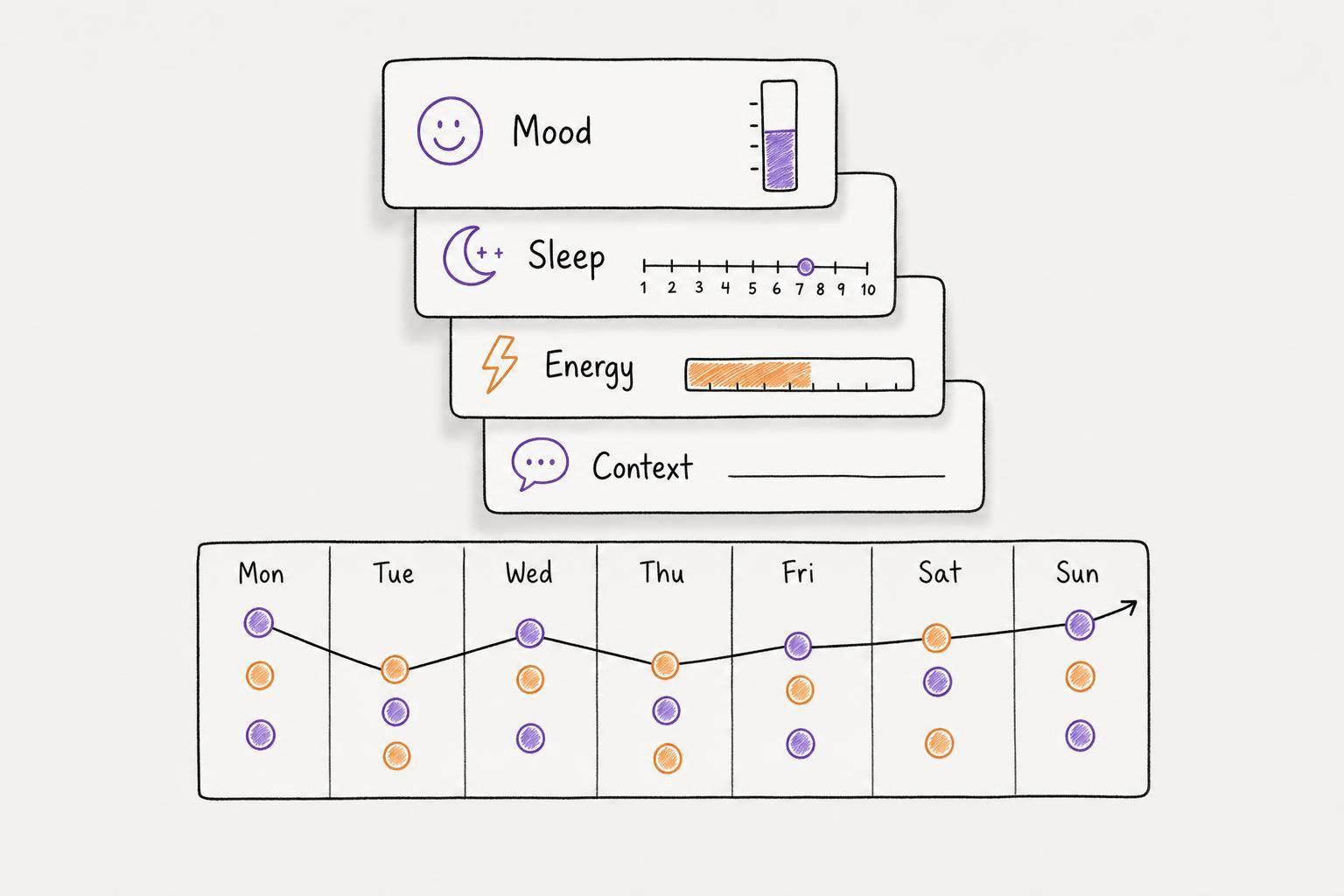
Calma’s emotion tracking feature logs how you feel while working on tasks, helping you identify trends and adjust your schedule to match your brain's natural flow. Over time, this approach reduces the struggle to get started because you’re working with your energy, not against it.
How to Build a Lasting AI Reminder Routine
Once you’ve set up a solid reminder system, the next step is to create habits that stick. A well-crafted routine ensures your reminders become a natural part of your daily life.
Start Small to Avoid Overwhelm
One of the biggest mistakes when starting a new reminder routine is trying to implement too much at once. Bombarding yourself with countless reminders can feel overwhelming, leading to frustration or even abandoning the system altogether. Instead, begin with just two or three essential reminders - things that truly matter right now. For example, you might set up a morning check-in, a medication alert, or a work deadline notification. Stick with these for a week before adding more. This step-by-step approach keeps things manageable and prevents your reminders from becoming a source of stress. The key is to ease into the process, allowing your system to support you without increasing mental strain.
Adjust Reminders Based on What Is and Isn’t Working
If you find yourself ignoring certain reminders, that’s a sign something needs tweaking. Timing, phrasing, or the type of trigger might be off.
"Reminders don't work if they come at a time you can't act, and the ADHD brain is especially sensitive to this." - Jessica McCabe, Creator of How to ADHD
For example, if a reminder goes unnoticed or gets dismissed repeatedly, try shifting it to a time when you’re more likely to act - like setting it for when you’re already at your desk instead of an arbitrary 9:00 AM. Also, use clear, action-driven language in your reminders. A prompt like “Open the banking app” is far more effective than something vague like “Check finances.” The specific phrasing reduces the mental effort needed to get started.
Make it a habit to review your reminders weekly. If a task has gone untouched for two weeks, either delete it or move it to a “someday” list. Letting overdue tasks pile up can lead to discouragement and make the system feel more like a burden than a help. Regularly fine-tuning your reminders ensures they stay relevant and effective.
Use AI Insights to Refine Your Schedule Over Time
One of the biggest perks of using an AI-powered system is its ability to adapt based on your habits and patterns. Over time, the data it collects can reveal when you’re most productive and when tasks are likely to fall through the cracks.
For instance, Calma tracks your moods, habits, and task completion throughout the week. This makes it easy to identify trends, like consistently struggling with tasks on Friday afternoons or being most focused mid-morning. Its evening review feature prompts you to decide which tasks to tackle, postpone, or drop altogether, helping you avoid the buildup of unfinished to-dos. These small, daily adjustments allow your schedule to align with your natural rhythms.
"The best system is one you don't have to remember to use." - Copana AI
Calma offers its services for $2/week or $39.99/year and includes a 7-day free trial. During this trial, you’ll have full access to its voice-to-task AI features, giving you plenty of time to see if it complements your routine before making a commitment.
Conclusion: Using AI to Strengthen ADHD Memory
The key to managing ADHD memory isn't about pushing yourself harder - it’s about creating systems that work smarter. Most people with ADHD face challenges with working memory, making it tough to rely solely on internal strategies. That’s where AI-powered tools come in. By offloading the mental load, these systems can simplify task management and make daily life more manageable.
The strategies outlined here are effective because they eliminate unnecessary barriers. From capturing thoughts instantly through voice input to breaking tasks into actionable steps and scheduling them based on your energy levels, AI reduces the mental strain at every stage. These tools, such as voice-to-task conversion and context-aware scheduling, help create routines that align with your needs and abilities.
"Your brain handles the thinking. The system handles the remembering." - Phuc Doan, Founder, 10000Hours
Apps like Calma take this approach further, combining features like voice-to-task conversion, emotion tracking, and visualizing habit progress into a single, easy-to-use system. With minimal effort on your part, these tools can integrate seamlessly into your life. If you’re curious, you can try it out with a 7-day free trial, followed by an annual plan priced at $39.99/year.
The objective isn’t perfection - it’s consistency. A system that’s simple to use, adaptable to your needs, and smart enough to support you can make all the difference.
FAQs
How do AI reminders reduce ADHD forgetfulness?
AI reminders function like an external brain, helping you manage tasks by capturing them and delivering timely alerts. Unlike basic, static reminders, tools such as Calma take it a step further. They use voice-to-task conversion, allowing you to transform fleeting thoughts into organized, prioritized tasks instantly. By providing contextual prompts at critical moments, these tools ease mental strain and make tackling overwhelming to-do lists far more manageable.
What makes a reminder actually actionable for ADHD?
For individuals with ADHD, reminders only work well when they match how you naturally handle tasks and time. A basic alarm often falls short because it doesn’t provide enough context or shows up at the wrong moment. To be effective, reminders should:
- Be contextual, meaning they pop up when it’s actually possible to complete the task.
- Include a simple, actionable step - like a "do it now" prompt - to make it easier to focus and avoid feeling overwhelmed.
How can I avoid reminder fatigue and notification overload?
To tackle reminder fatigue, consider using systems that adjust to your energy levels and surroundings rather than relying on one-size-fits-all alerts. Calma takes the pressure off by structuring tasks around your energy and priorities. Its voice-first design allows you to quickly offload ideas, clearing mental space, while AI steps in to rank tasks, helping you concentrate on what’s most important right now.