ADHD Productivity Tools: Complete Guide for 2026
ADHD makes productivity tough, but 2026 offers tools designed to help. From managing time blindness to tackling task paralysis, AI-powered apps and ADHD productivity planner apps simplify the hardest parts of getting things done. Here’s what you need to know:
- Key ADHD Challenges: Time blindness, task paralysis, and executive dysfunction make starting and completing tasks difficult. Adults with ADHD lose an average of 21.6 workdays annually, costing the U.S. $122.8 billion.
- Effective Tools: The best tools for ADHD focus on visual planning, AI-driven task management apps, and gamified habit tracking. Features like color-coded schedules, voice-to-task systems, and instant feedback align with how ADHD brains work.
- Top Picks: Apps like Calma turn voice notes into tasks, while visual schedulers and body-doubling platforms help manage time and motivation. AI tools even adjust schedules based on your energy levels.
Start small: Choose one tool to address your biggest challenge, such as time management or task initiation. Build your system gradually, keeping it simple and focused on what works for you.
5 ADHD Productivity Tools That Actually Work
sbb-itb-1b3be24
What Makes Productivity Tools Work for ADHD
For productivity tools to genuinely help individuals with ADHD, they need to align with how ADHD brains operate. The difference between a tool that becomes indispensable and one that gets abandoned often lies in whether its design matches ADHD-specific needs. These tools do more than just organize tasks; they act as an external support system for executive functions.
The most effective tools share certain traits: they make time more tangible, reduce mental effort for decisions, and provide immediate, judgment-free feedback. Tools that require too much setup or manual upkeep can overwhelm ADHD users, turning into a source of stress rather than relief. Instead, well-designed tools simplify planning, execution, and habit-building, working as an extension of your brain rather than a burden.
By understanding these principles, you can determine whether a tool will genuinely help or just add to the digital clutter.
Visual Planning and Time Awareness
Visual planning tools are a game-changer for ADHD users. Features like color-coded blocks, countdown timers, and icon-based schedules provide a clear, visual overview of tasks and time. This approach helps counteract "time blindness", a common challenge for people with ADHD.
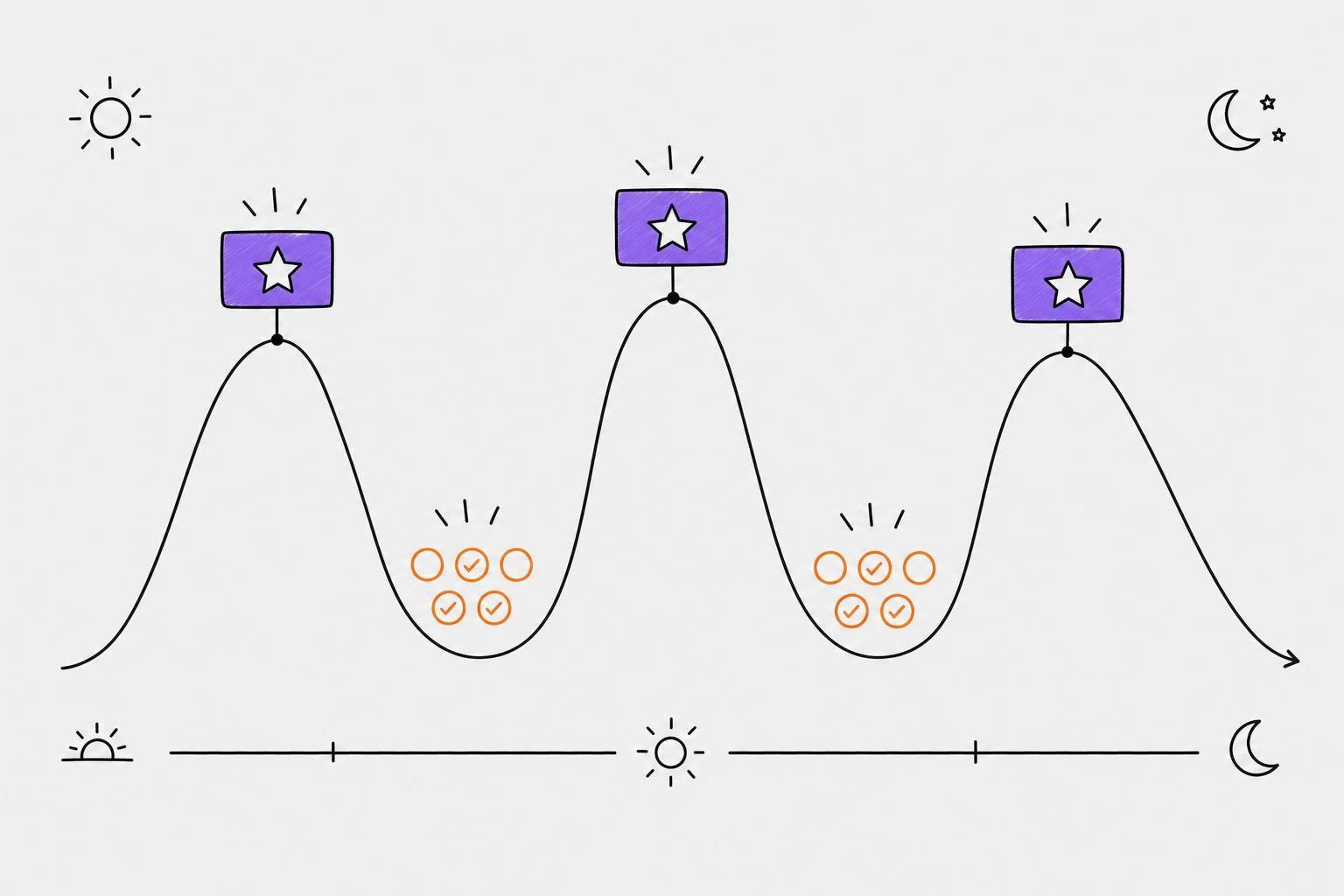
Take Tiimo, for example. It uses a library of over 3,000 icons to represent activities, allowing users to process their schedules without getting bogged down by text-heavy lists. Countdown timers also make abstract timeframes feel real - turning "15 minutes" into a concrete visual. Unified calendar views, like those offered by Morgen, address object permanence issues by keeping every commitment visible. Morgen’s interface has earned a 4.9/5 rating on G2, with user Deb Haas Brooks praising its ability to display all calendars in one color-coded view. Additionally, energy-aware scheduling matches tasks to your natural focus rhythms, leaving 20–30% of your day open for unexpected interruptions.
AI-Driven Task Management
AI-powered task management tools make starting tasks easier, which is often one of the biggest hurdles for ADHD users. These tools break down overwhelming tasks into smaller, actionable steps like "open the document", "write one sentence", or "add three bullet points." This micro-chunking approach helps combat executive dysfunction.
After entering your tasks, AI tools can categorize them by urgency, energy level, or duration, helping to counter procrastination. Features like voice-to-text make capturing thoughts instant, skipping the hassle of manual entry.
AI calendar tools, such as Motion and Reclaim, go a step further by automatically scheduling work blocks, travel time, and breaks based on your actual capacity. These systems adjust dynamically when plans change, reflecting reality rather than an idealized schedule. Motion, for instance, has earned a strong 4.2/5 rating on G2.
Gamification and Habit Tracking
Gamified habit trackers tap into the ADHD brain's dopamine-driven tendencies. Tools with progress grids, streaks, and badges offer immediate positive reinforcement, turning each completed task into a small victory that builds momentum over time.
These trackers focus on overall progress rather than perfection, avoiding guilt over missed days. By integrating quick logging features and widgets directly into your workflow, they make tracking simple and accessible. This ease of use ensures that minor obstacles don’t become reasons to skip tracking altogether. These features lay the groundwork for discussing top ADHD productivity tools in the next section.
Best ADHD Productivity Tools and How to Use Them
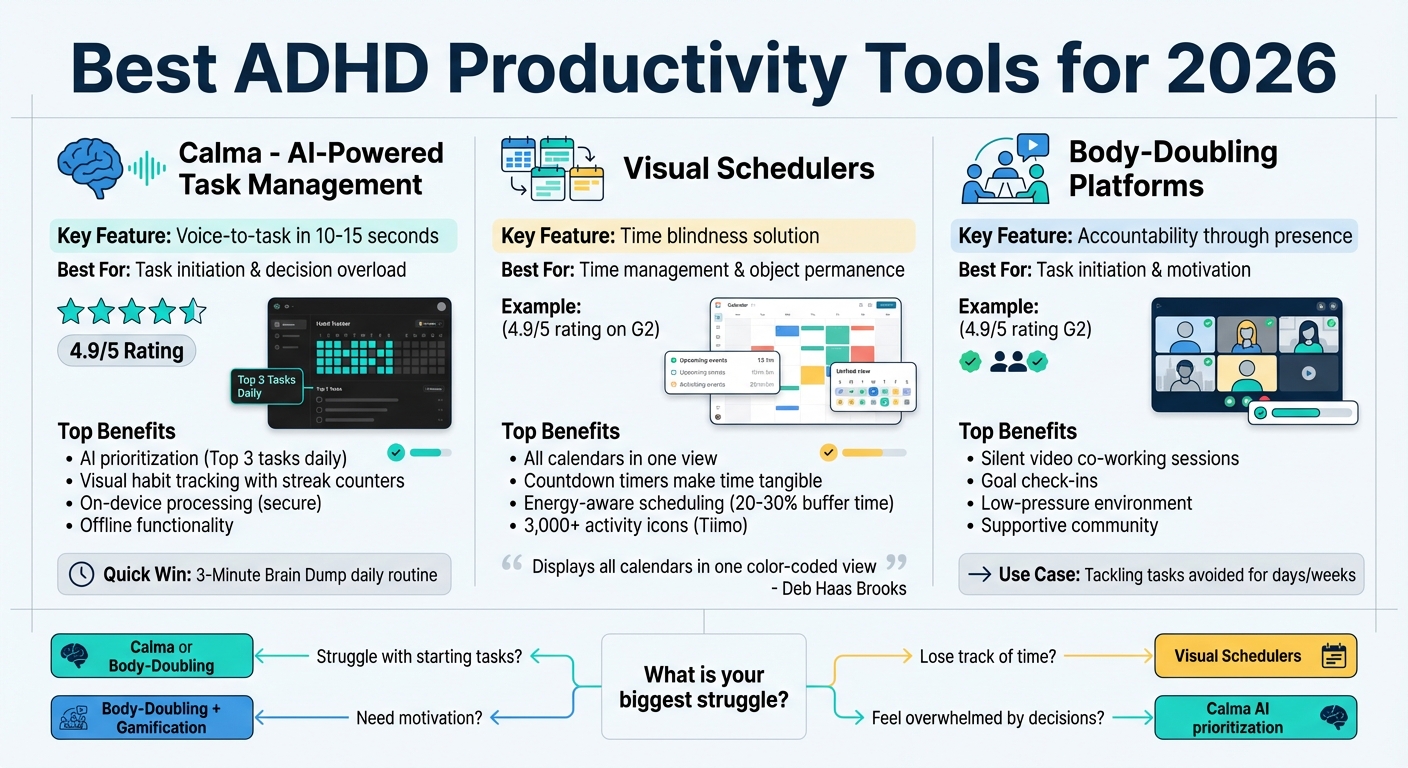
Best ADHD Productivity Tools Comparison 2026
The right tools can make managing tasks and building habits feel less overwhelming. By addressing the ways ADHD impacts executive function, time perception, and task initiation, these tools help reduce friction and make daily life more manageable. Here's a closer look at some tools designed with ADHD-specific needs in mind and how to use them effectively.
Calma: AI-Powered Task and Habit Management
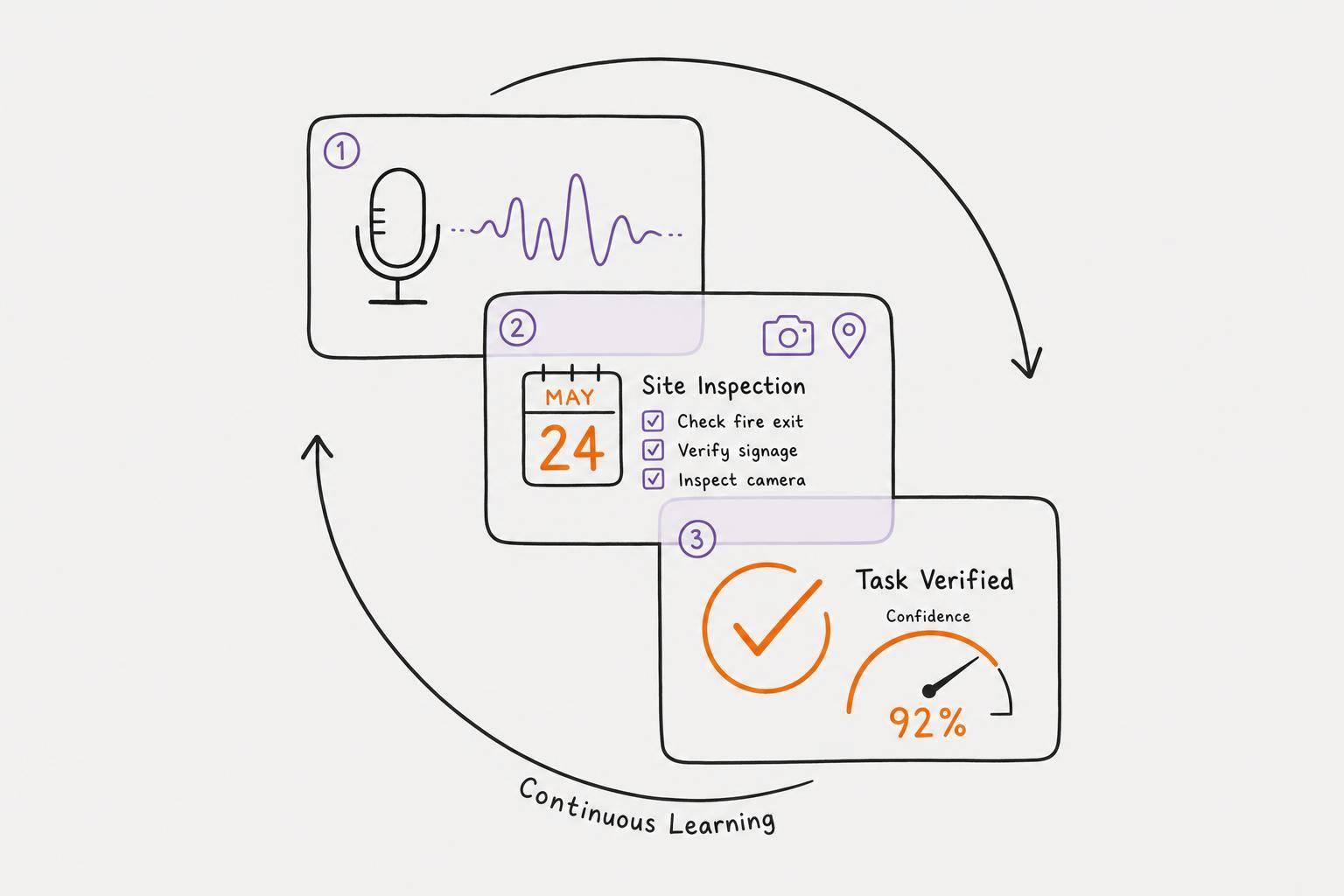
Calma transforms voice recordings into actionable tasks in just 10–15 seconds, extracting deadlines, priorities, and context from your spoken words. This voice-first approach sidesteps the executive function challenges of typing or writing, making it easier to get started. It’s a game-changer for tackling common ADHD hurdles like task initiation and decision-making overload.
The app’s visual habit tracking system uses colorful pixel grids and streak counters to provide instant feedback, giving your brain a small dopamine boost with each completed task. Instead of overwhelming text lists, progress is displayed as vibrant blocks that grow with every action. The minimalist design, featuring default dark mode and minimal animations, keeps things simple and reduces distractions.
Calma also uses AI-driven prioritization to suggest your top three tasks each day, based on deadlines and patterns it identifies. This removes the stress of manually sorting priorities. Plus, with on-device voice processing, your personal data stays secure, and offline functionality lets you capture ideas anytime, even without internet access.
To get the most out of Calma, try starting each day with a 3-Minute Brain Dump to clear your mind and focus on the app’s suggested "Top 3" tasks. Use habit-tracking widgets on your home screen for a constant visual reminder of your progress. Keep the setup simple by sticking to broad categories like Work, Personal, and Health - this avoids the burnout of over-customization.
Visual Schedulers for Time Management
Time blindness can make it hard to grasp how long tasks take or how much time is available. Visual schedulers address this by turning abstract timeframes into something you can see and understand. Features like color-coded blocks, countdown timers, and unified calendar views make time more tangible.
Look for schedulers that combine all your calendars into one color-coded display. This ensures every commitment stays visible, helping with object permanence issues. Unlike rigid schedules, these tools offer flexibility, making them better suited for the unpredictable nature of ADHD.
Body-Doubling Platforms for Task Initiation
Sometimes, just having someone else “there” can make starting tasks easier. Body-doubling platforms create a shared space where you work alongside others - virtually or in person. This sense of accountability provides the external structure needed to overcome resistance to starting tasks.
These platforms often include silent video sessions where participants work independently, check-ins to share your goals, and supportive communities to keep you motivated. The low-pressure environment is key: you’re not expected to engage constantly, just share the space. This approach is especially helpful for tackling tasks you’ve been putting off for days (or even weeks).
How to Build Your ADHD Productivity System
The key to building a productivity system for ADHD is keeping it simple. Start by choosing one flexible platform that tackles your biggest challenge. Stick with it for 7–14 days to give yourself enough time to adjust. This adjustment period is crucial because constantly switching tools resets your progress and makes it hard to see what actually works. For instance, if starting tasks is your main struggle, try using a tool like Calma's voice-to-task feature to cut out the hassle of typing. If time management is your weak spot, a visual scheduler can help make deadlines and hours more tangible.
Focus on addressing your biggest "professional pain" - whether that's trouble starting tasks, losing track of time, feeling overwhelmed by decisions, or staying motivated. Your main tool should target this specific issue rather than trying to fix everything at once.
Once you’ve got a solid foundation, you can fine-tune your system to handle secondary challenges.
Add Specialized Tools for Specific Needs
After your primary system feels steady, consider adding one or two tools to tackle specific problems. For example, a visual planner could help with project planning, or a gamified habit tracker might keep your energy levels up during the day. Stick to no more than three core tools. Look for tools that work well together to avoid distractions.
Even as you add to your system, simplicity should remain your guiding principle.
Keep Your System Simple
"The best system is one you don't have to remember to use." - Copana.ai
Overcomplicating your setup can lead to frustration and inconsistency. It’s tempting to overbuild when motivation is high, but that often backfires. A simpler system is easier to stick with, especially after a break. As Nia from the rivva blog puts it:
"The tool that works is the one you come back to after abandoning it." - Nia, rivva blog
Keep your categories broad, like Work, Personal, and Health, instead of creating a maze of subcategories. Use voice commands where possible and turn off unnecessary notifications to minimize distractions. If a feature takes more than 10 seconds to use, it’s probably not worth it. The goal isn’t to build a perfect system - it’s to create one that supports you, even on the hardest days.
New Developments in ADHD Productivity Technology
Advancements in AI-driven tools are transforming how ADHD is managed, offering more than just task storage. These tools now function like an external brain, automatically handling planning, prioritizing, and organizing commitments for users.
One standout feature is energy-aware scheduling, which aligns tasks with your natural energy levels rather than rigid deadlines. Some platforms even integrate with wearables like Oura or Apple Health to identify peak cognitive times for challenging work and allocate routine tasks to low-energy periods. In a study, users experienced a 23% improvement in focus and a 38% boost in productivity after 12 weeks of using such tools. This approach makes task management more intuitive and tailored to individual rhythms.
Another breakthrough is the ability to break down overwhelming projects into smaller, actionable steps. These tools streamline the process, making it easier for users to tackle large tasks without feeling daunted.
Privacy is also a key focus of these developments. Many tools now rely on on-device AI processing, ensuring sensitive data stays secure. For example, advanced models like Phi-3 can analyze tasks and provide real-time suggestions in under two seconds, all without requiring a cloud connection. This keeps personal data - such as medication reminders or emotional check-ins - on the device. Dr. Ari Tuckman, a Clinical Psychologist and ADHD Specialist, highlights the importance of this approach:
"Effective ADHD support tools must reduce shame, not amplify it. When people feel watched - even by their own software - they edit their thoughts before they're fully formed. That's the opposite of executive function support".
Lastly, voice-first interaction is simplifying how users capture and organize their thoughts. With knowledge workers switching between apps an average of 1,200 times per day, reducing friction in task capture can significantly enhance daily productivity. These innovations are setting a new standard for ADHD support, making tools more responsive, secure, and effective for users.
Conclusion: Key Takeaways for ADHD Productivity in 2026
The way we approach productivity for ADHD has transformed dramatically, shifting from traditional to-do lists to intelligent systems that ease the strain on executive function. These AI-driven tools in 2026 are designed to simplify decision-making and make progress more visible. Tools that capture thoughts in under 15 seconds, automate task prioritization, and provide instant visual feedback are redefining how ADHD productivity is managed.
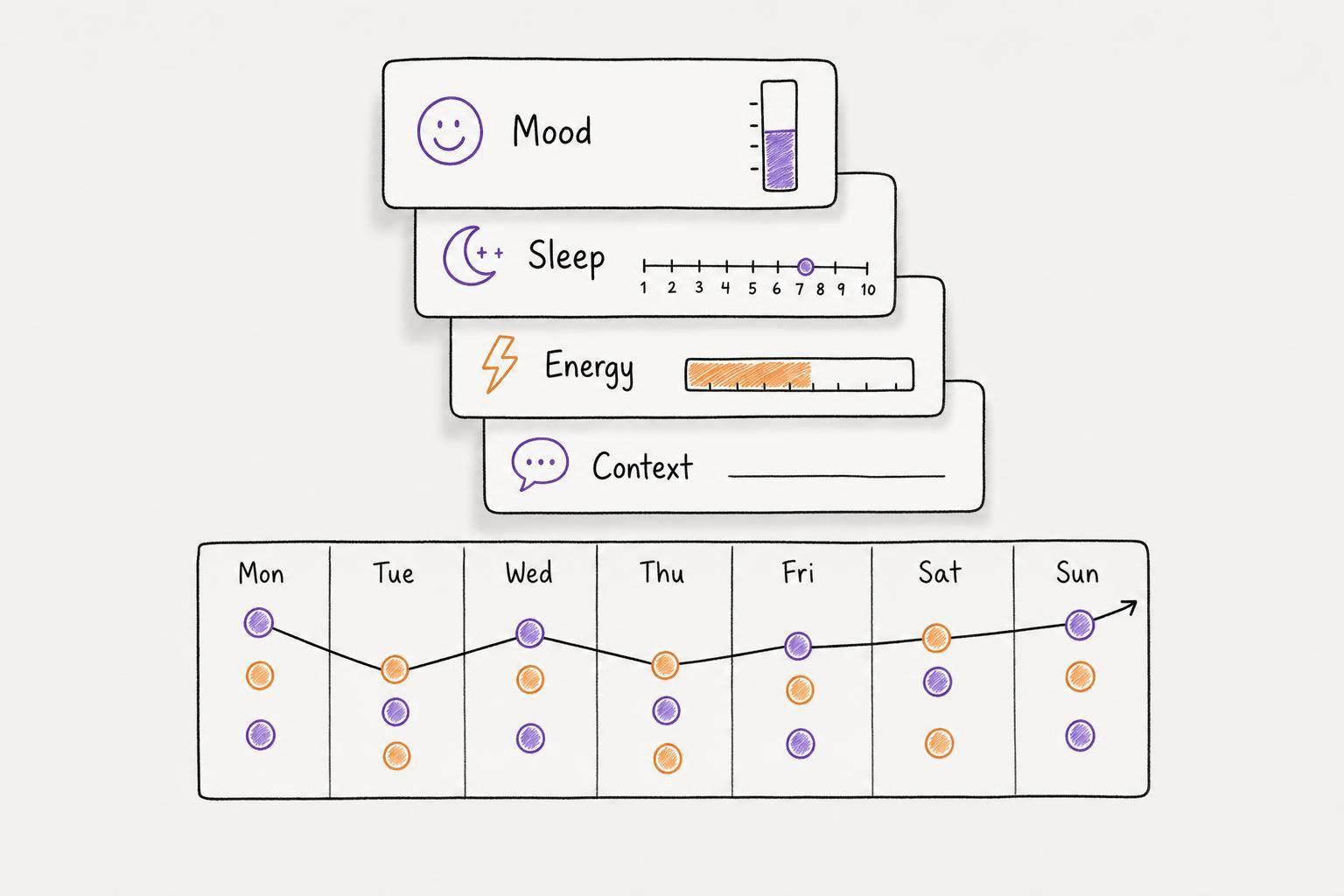
To make the most of these advancements, start small and build your system gradually. Don’t aim for perfection right away. Instead, focus on a single tool that targets your biggest challenge - whether that’s overcoming task paralysis, managing time blindness, or dealing with forgetfulness. Once you’ve mastered that, you can add more specialized tools. For instance, platforms like Calma can turn voice recordings into structured, prioritized tasks while also tracking habits and emotions in one place.
As you refine your approach, prioritize consistency and progress over perfection. Sustainable productivity is about creating systems that work with your energy levels and allow for flexibility. A 2024 survey of 500 ADHD users revealed that 68% found context-aware reminders more effective than traditional time-based ones. Your system should adapt to your needs, celebrate small achievements, and accommodate off days. Given that adults with ADHD lose an average of 22 to 27 days of productivity annually due to symptoms like time blindness, the right tools can help reclaim much of that lost time.
Ultimately, the future of ADHD productivity isn’t about trying harder - it’s about working smarter. By letting AI take over the heavy lifting of planning, organizing, and remembering, you can free up mental energy to focus on what truly matters. This shift allows you to channel your efforts into meaningful tasks and reclaim control over your day.
FAQs
Which tool should I start with?
When looking for ADHD productivity tools, it's smart to start with an app that makes capturing tasks simple and provides support tailored to ADHD challenges. One standout option is the Calma app, which is specifically built to boost organization and productivity. Additionally, tools powered by AI can be incredibly useful for managing tasks and setting priorities. Prioritize apps that reduce hassle, include visual aids, or leverage AI to create a system that fits your needs and helps you stay on track.
How do I stop overcomplicating my setup?
Simplify your setup by sticking to tools that match how your ADHD brain operates. Prioritize the core tasks and routines that matter most, and pick just one or two easy-to-use apps or methods. The goal? Cut out extra steps and avoid overly complicated systems. Choose tools that feel natural and straightforward. And don’t forget to check in with yourself - regularly review your setup to remove anything that feels too much or isn’t helping.
Are AI productivity tools private?
When it comes to the privacy of AI productivity tools, everything boils down to how each platform manages user data. Many tools gather data to provide personalized features, but by 2026, the more trusted platforms tend to focus heavily on privacy. They often incorporate encryption, data anonymization, and clear, transparent policies to protect users.
Before you share sensitive information - especially with apps geared toward mental health or productivity - take a close look at their privacy practices. Ensuring your data stays secure should always be a top priority.