ADHD-Friendly Time Blocking Techniques
- ADHD and Time Blocking: Neuropsychologist explains what really works
- Step 1: Set Up a Time-Blocking System That Fits Your Brain
- Step 2: Build Your First ADHD-Friendly Time Blocks
- Step 3: Keep Time Blocking Flexible Enough for Real Life
- Review and Adjust: Build a Time-Blocking Routine You Can Stick With
- FAQs
If your schedule keeps failing by 10:00 AM, the fix is usually the plan - not you.
I’d sum up ADHD-friendly time blocking like this: use fewer blocks, match work to your energy, leave open space, and aim for 60%–70% follow-through instead of 100%. That works better because ADHD often comes with time blindness, slow task starts, hard task switching, and hyperfocus. A packed calendar tends to break fast. A looser one is easier to return to.
Here’s the short version:
- Use broad time blocks instead of planning every hour down to the minute.
- Match tasks to energy levels: hard work during high-focus hours, easier tasks during lower-focus hours.
- Add 25%–50% extra time because tasks often take longer than expected.
- Leave transition space between blocks so one task doesn’t spill into the next.
- Set alarms before a block ends to help with stopping and switching. You can also use ADHD productivity planner apps to automate these reminders.
- Schedule only about 60% of your day so interruptions have somewhere to go.
- Keep just 3 main priorities for the day.
- Review your plan daily and weekly so it stays useful.
A few numbers stand out. Many people focus best 2–4 hours after waking. And after an interruption, it can take about 23 minutes and 15 seconds to get back on track. That’s why buffer time matters so much.
Quick comparison:
| Approach | What it looks like | What usually happens |
|---|---|---|
| Rigid time blocking | Back-to-back tasks, fixed timing, no room for delays | One delay can throw off the whole day |
| ADHD-friendly time blocking | Large blocks, buffer time, flex windows, short priority list | The day can bend without falling apart |
So when I build a day like this, I’m not trying to make a perfect schedule. I’m trying to make one that I can use, miss, and still come back to without shame.
ADHD and Time Blocking: Neuropsychologist explains what really works
sbb-itb-1b3be24
Step 1: Set Up a Time-Blocking System That Fits Your Brain
Start by figuring out when your brain does its best work, getting the mental mess out of your head, and picking tools you’ll use without a fight.
Map Your Energy, Focus, and Daily Constraints
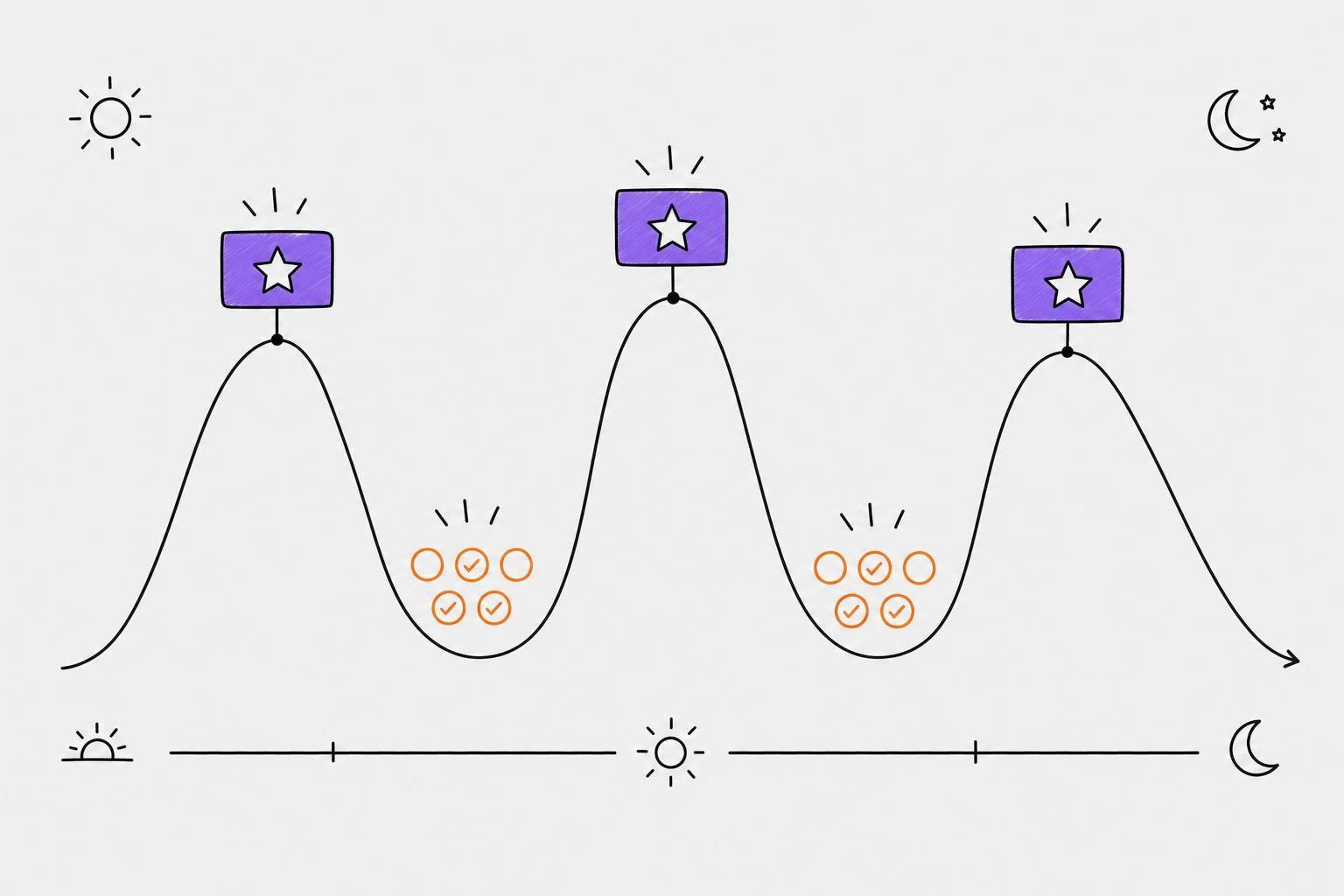
Track your energy for 1 to 2 weeks. Pay attention to when you can focus, and note how medication, meals, and sleep shape your day. Many people hit their best focus 2 to 4 hours after waking. You’re trying to spot three zones:
| Energy Zone | Focus Level | Best Task Types |
|---|---|---|
| Peak | High | Deep work, writing, complex decisions |
| Maintenance | Medium | Email, meetings, routine admin |
| Recovery/Crash | Low | Breaks, movement, light organizing |
This gives you a schedule built around how your brain works instead of forcing your brain into a bad schedule.
If you take ADHD medication, note when it kicks in and when it starts to wear off. Build your day around sleep and meals too.
Then use that map to decide what kind of work belongs in each part of the day.
Do a Brain Dump to Clear Your Working Memory
Your working memory is not meant to hold everything.
Spend 2 minutes writing down every task, errand, and reminder on paper or a whiteboard. Once those things are out of your head, it gets much easier to sort them into the right time blocks. For this step, paper or a whiteboard often works better than a screen because the act of writing helps move the information out of your head and into view.
"The key to success for people with ADHD is to find ways to work with their brain, not against it." - Edward M. Hallowell, M.D.
After that, match each task to the energy zones you mapped. Put high-focus work in your peak window. Save lower-effort tasks for recovery time.
Pick Low-Friction Tools and Visual Cues
Use the simplest system you can stick with. A whiteboard on the wall may work better than a setup that takes extra clicks just to open. A basic digital calendar with color-coded blocks can also be easier to keep up with than a planner that creates more work than it removes.
Keep time visible. Use a visual timer and make sure a clock is always in sight. Set two alarms for each block:
- 15 minutes before it ends
- 5 minutes before it ends
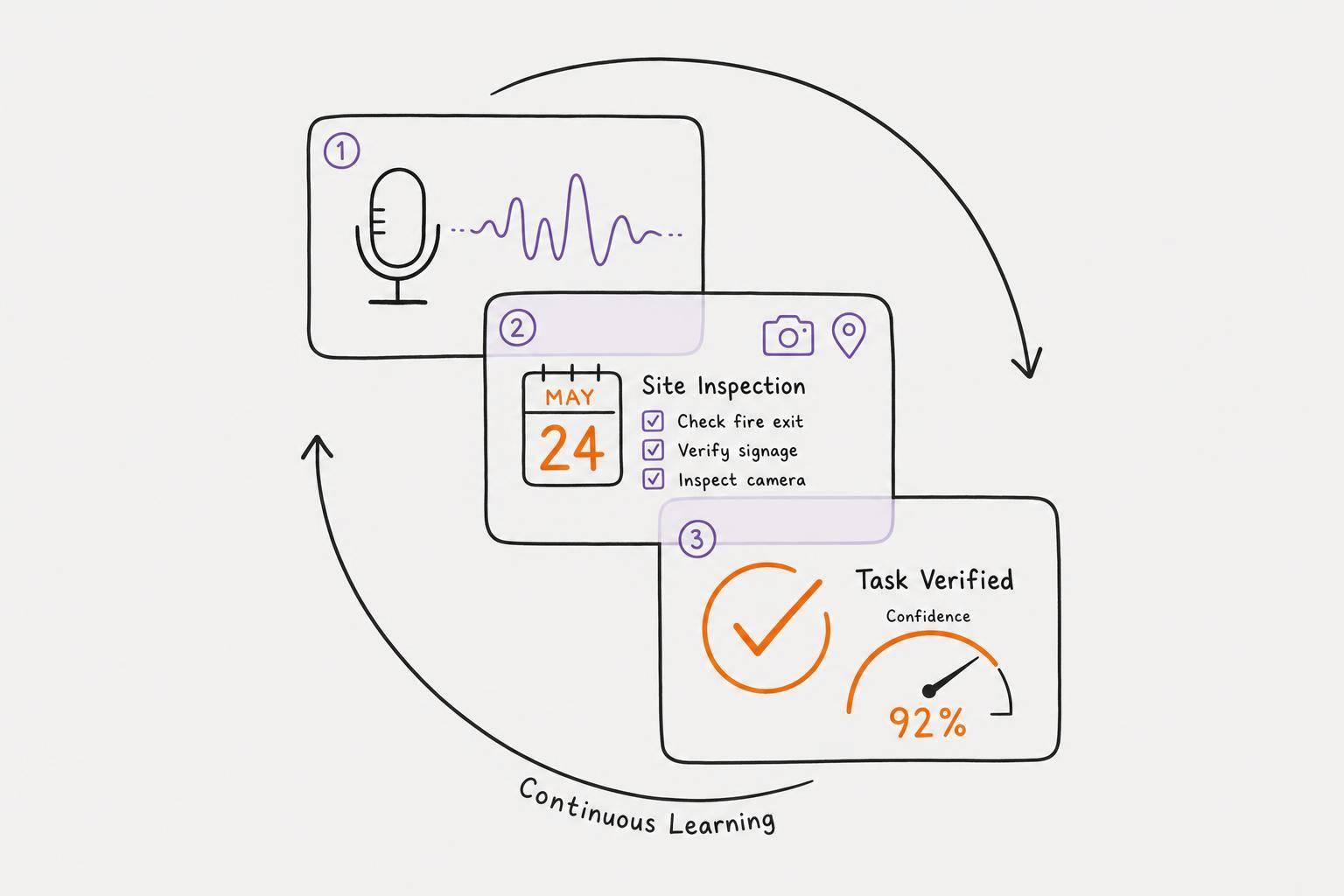
If typing feels like a chore, Calma can turn voice notes into prioritized tasks and due dates.
Use one clear visual system to mark peak, maintenance, and recovery time. That fast visual cue cuts down on decision fatigue.
Once your day is visible, you can turn it into your first real blocks.
Step 2: Build Your First ADHD-Friendly Time Blocks
Now that your energy map is done and your tools are set up, it’s time to put actual blocks on the calendar. The goal isn’t a packed day. It’s a workable day.
Start With Large Blocks and a Short Priority List
Use broad 60- to 180-minute theme blocks like Deep Work, Admin, or Home Reset instead of planning every task minute by minute. That gives your brain a clear lane to work in without turning the day into a tight script.
Keep it to three priorities per day. If you try to schedule everything at once, decision overload can hit fast. Pick one or two tasks for each block, match them to the energy zones you mapped in Step 1, and let the rest wait for another day. A solid rule of thumb is to schedule only about 60% of your available hours so there’s room for spillover.
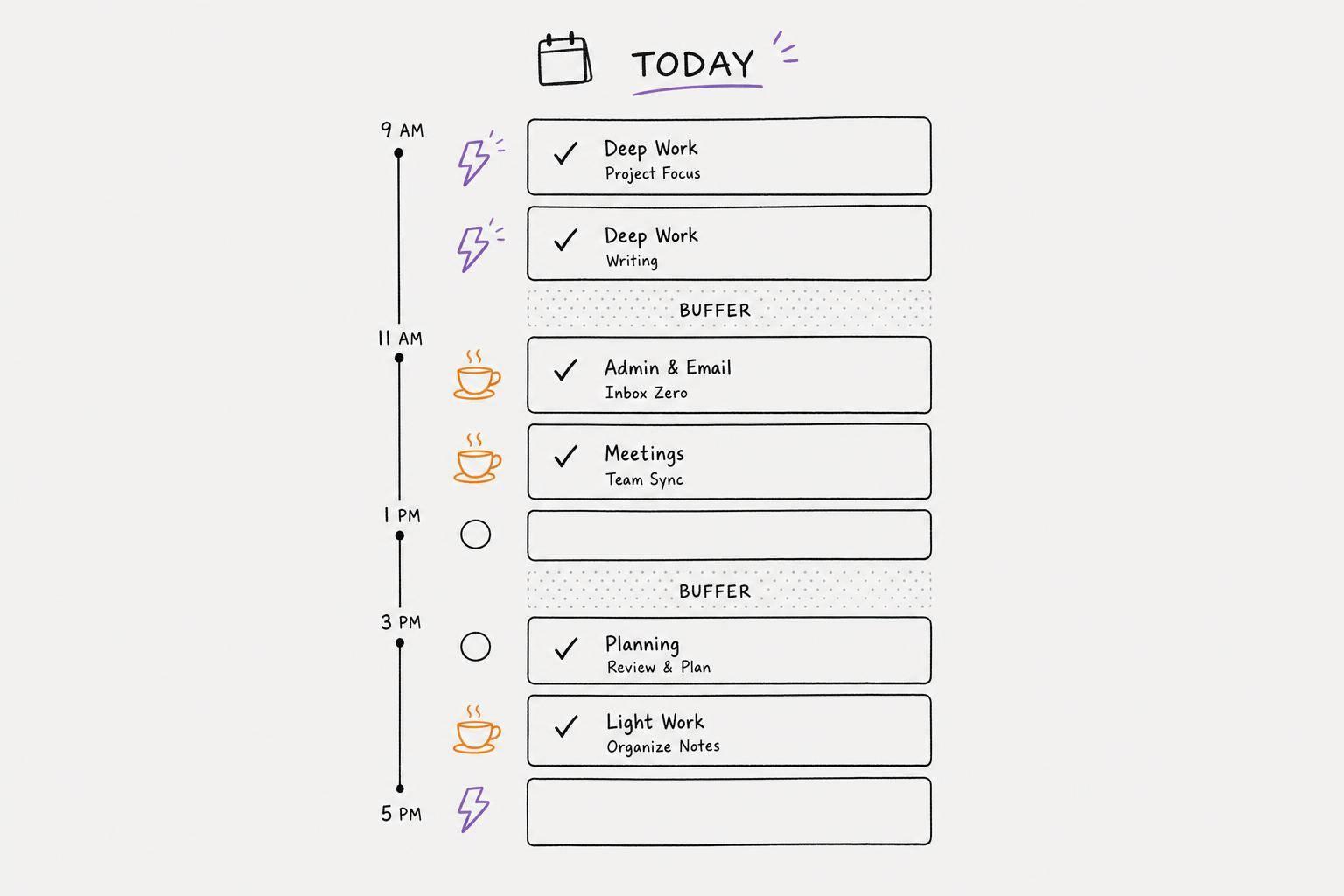
A simple one-day setup could look like this:
| Time | Block Type | Task Focus |
|---|---|---|
| 9:00 – 10:30 AM | Peak / Deep Work | One high-focus priority task |
| 10:30 – 11:00 AM | Transition | Reset, water, stretch |
| 11:00 AM – 12:00 PM | Maintenance / Admin | Emails, scheduling, routine tasks |
| 12:00 – 1:00 PM | Recovery | Lunch, movement, rest |
| 1:00 – 2:30 PM | Flexible / Overflow | Second priority task or carryover |
Once those blocks are on the calendar, give them some breathing room with buffers and clear stop cues.
Add Buffer Time, Transition Time, and Stop Cues
Time blindness can throw off even the best plan. A task that seems like it’ll take an hour can easily stretch past that. That’s why the 25% to 50% buffer rule helps: if something takes 60 minutes, block off 75 to 90.
Between each block, add a 10- to 30-minute transition window. Use that time to save your work, write one sentence about where you stopped, stand up, and drink some water. It’s a small reset, but it helps your brain let go of one task before jumping into the next.
Also, set a “75% mark” alarm, not just an end-of-block alarm. That early heads-up matters. If hyperfocus is part of the picture, this is what keeps one block from eating the rest of your day.
Then make the whole setup easy to scan with color and short labels.
Use Color Coding and Simple Labels
Keep the visual system simple and steady. Give each block type its own color and stick with it.
| Color | Block Type | Energy Level |
|---|---|---|
| Red | Deep Work / High-Focus | High |
| Orange / Yellow | Admin / Routine Tasks | Medium |
| Green | Recovery / Personal / Breaks | Low |
| Blue / Purple | Flex / Buffer | Variable |
Try to keep red blocks to one or two per day. Those are your hardest-working windows, so it helps to treat them like limited slots.
ADHD task management apps like Calma can turn voice notes into prioritized tasks, which makes it easier to match your work to the right energy window.
Keep labels short - one or two words is enough: “Write,” “Inbox,” “Lunch,” “Buffer.”
Step 3: Keep Time Blocking Flexible Enough for Real Life
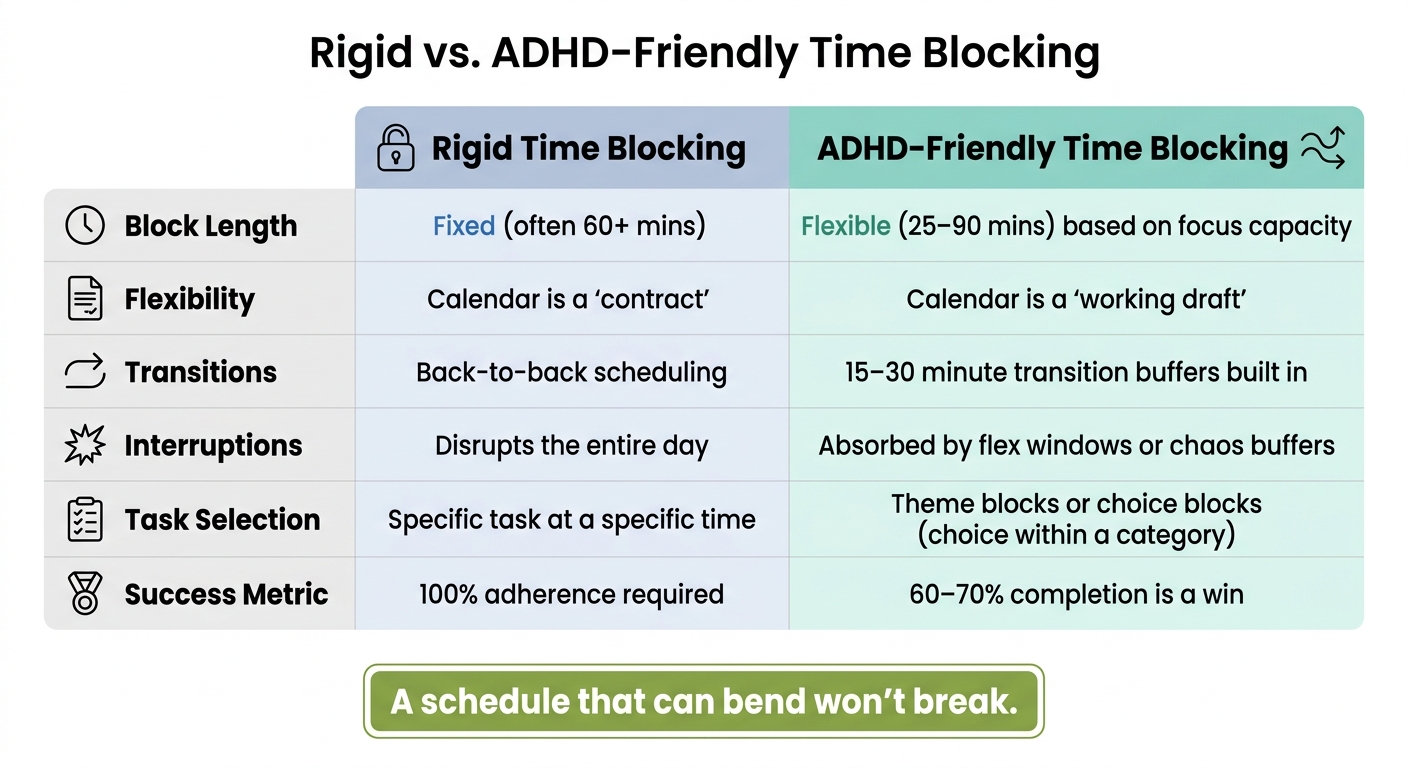
Rigid vs. ADHD-Friendly Time Blocking: Side-by-Side Comparison
A good time-blocking system shouldn’t fall apart the second your day goes off script. The goal is simple: build a structure that can bend without snapping. It should work on your best days, but also on the messy ones. That’s what keeps it usable. These tweaks help the blocks from Step 2 stay useful when life gets in the way.
Use Theme Blocks, Timeboxing, and Micro-Sprints
Grouping your time into broad buckets cuts down on the mental drag of jumping between tasks all day. An "Admin Morning" can cover emails, scheduling, and invoices. A "Creative Afternoon" can hold writing, brainstorming, or design work.
Timeboxing helps when a task likes to sprawl. You give it a set stop time and let that limit do some of the heavy lifting. It gives your attention a boundary, so one task doesn’t quietly eat the next two hours.
On days when starting feels like pushing a car uphill, micro-sprints can make things easier. Work for 15 to 30 minutes, then stop. A smaller commitment often means less resistance at the start.
Plan for Interruptions, Low-Energy Days, and Task Switching
Interruptions aren’t proof that your system failed. They’re just part of life. That’s why flex windows matter. If you leave unassigned 60-minute blocks in your day, those interruptions have somewhere to go instead of wrecking everything else.
On low-energy days, skip the full plan and switch to a Minimum Viable Day: one must-do task, one basic care task, and one easy win. That kind of smaller plan beats abandoning the day altogether. Guarding one meaningful block is more useful than trying to patch together a schedule that no longer fits.
If a block gets knocked off course, don’t scramble to catch up. Triage it instead. Move the most important task left into the next open slot and let the rest drop. Calma’s smart prioritization can help by surfacing what matters most, so you’re not stuck staring at a long list and wondering where to begin again.
Rigid vs. ADHD-Friendly Time Blocking: A Side-by-Side Comparison
Use this quick comparison when your plan starts to feel too tight. Often, the gap between a system that helps and one that frustrates you comes down to how it deals with imperfection:
| Feature | Rigid Time Blocking | ADHD-Friendly Time Blocking |
|---|---|---|
| Block Length | Fixed (often 60+ mins) | Flexible (25–90 mins) based on focus capacity |
| Flexibility | Calendar is a "contract" | Calendar is a "working draft" |
| Transitions | Back-to-back scheduling | 15–30 minute transition buffers built in |
| Interruptions | Disrupts the entire day | Absorbed by flex windows or chaos buffers |
| Task Selection | Specific task at a specific time | Theme blocks or choice blocks (choice within a category) |
| Success Metric | 100% adherence | 60–70% completion is a win |
Review and Adjust: Build a Time-Blocking Routine You Can Stick With
Once your blocks are on the calendar, the next part is upkeep. Treat the blocks from Steps 1 and 2 as a draft, not a fixed rule. Then make small, honest changes as you go.
Run a 5-Minute Daily and Weekly Review
At the end of each day, spend 5 to 10 minutes in a simple Shutdown Block. Move unfinished tasks, clear stray notes, and write down tomorrow's first task. That clear first step makes the next day easier to begin. You can also use this block to reset tomorrow's calendar.
Once a week, ideally on Friday afternoon, take 5 to 15 minutes and ask four questions: What worked? What ran long? When was focus strongest? What kept getting avoided? Those answers show you what to change, like adding longer buffers, shortening blocks, or moving hard tasks to a better time of day. Keep reviews to once a day and once a week. Any more than that, and the review itself can turn into procrastination.
Daily check-ins keep the plan usable. Weekly reviews help you shape it over time.
Track Patterns in Focus, Mood, and Follow-Through
After a few weeks, your notes will start to show how you actually work: your best focus windows, your low-energy dips, and the tasks you keep pushing off. Use those patterns to place harder work where it has a better chance of getting done.
"A schedule that collapses by 10 AM is not a discipline problem. It is a design problem. Fix the design, not the person." - Ordisio
If tasks keep taking longer than planned, make the next block bigger. That isn't failure. It's feedback. And that feedback helps make next week's plan more accurate.
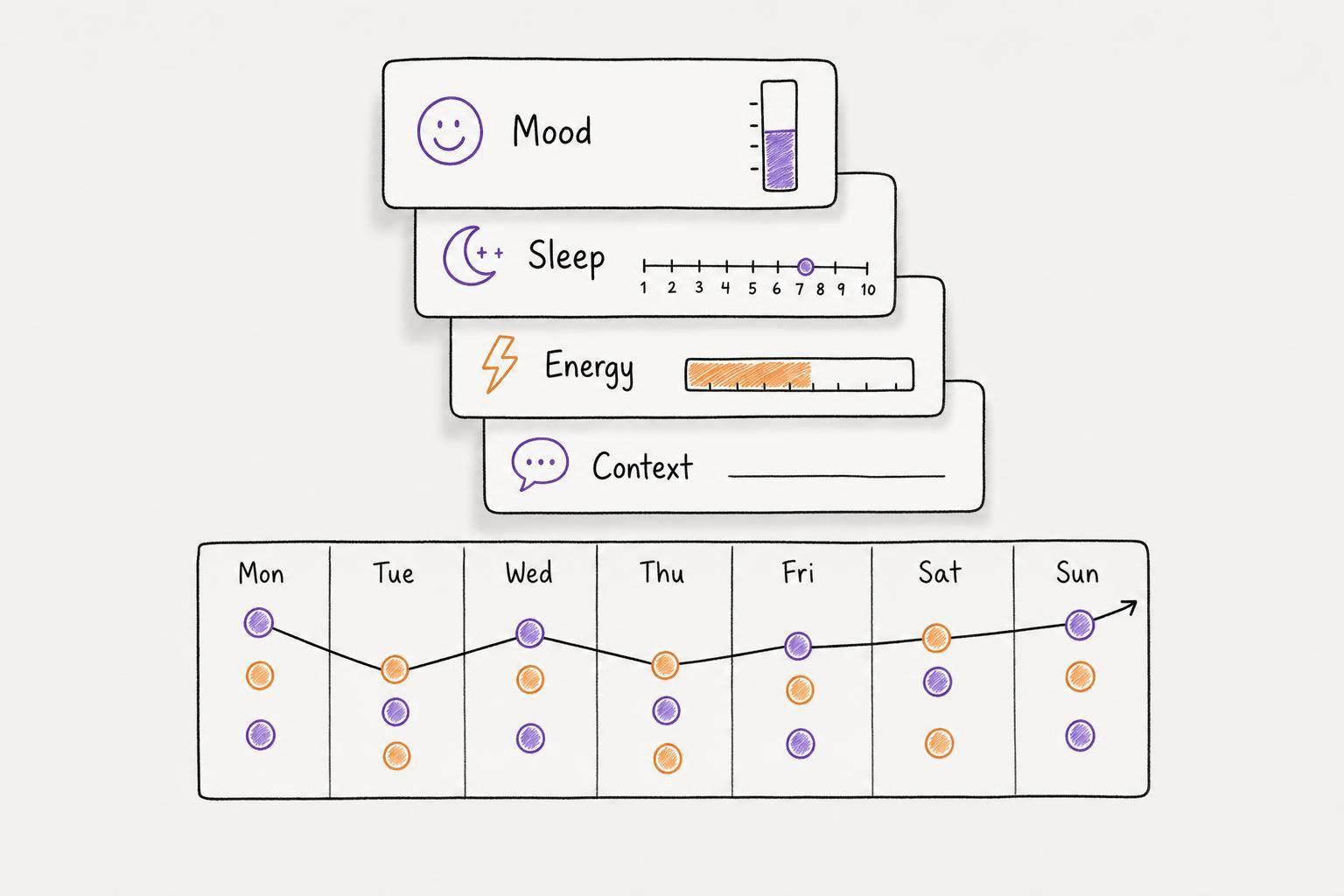
Calma can help with this kind of pattern tracking. Its voice logging, mood tracking, and visual habit grids make it easier to spot what's working and what keeps slipping.
Key Takeaways: Start Small and Stay Consistent
Use fewer, larger blocks. Protect transitions. Treat the schedule like a flexible draft. Change one thing at a time.
"Recovery is the skill. A good ADHD time blocking system is not one you never break; it is one you can return to without shame." - Taylor Brooks
FAQs
How do I start time blocking if I never stick to schedules?
Start by using your calendar as a guide, not a strict contract. Get everything out of your head with a quick brain dump, pick just three priority tasks, and split each one into smaller steps.
Then give yourself more room than you think you need. Add 25% to 50% extra time, build in 15-minute transition buffers, and resist the urge to schedule every hour of the day.
If it helps, Calma can turn voice notes into structured tasks, which can make planning feel lighter and easier on your brain.
What should I do when my whole day gets thrown off?
When your day slips off track, treat your schedule like a guide, not a contract. Trying to squeeze missed tasks into the rest of the day usually backfires. It piles on pressure and can wear you down fast.
A better move is to use a reset point, like after lunch. Pause for a minute, look at what’s still on your list, shift priorities, and adjust the time blocks you have left.
If you built in recovery buffers or flex windows, use them for spillover work. And if a task doesn’t happen at all, don’t force it. Move it to a future peak-energy block, or do a lighter version during maintenance time.
How long should my time blocks be with ADHD?
Effective time blocks for ADHD often fall between 25 and 90 minutes. The right length depends on the task and how long you can stay locked in without burning out.
For deep work, many people do best with blocks in the 50-to-90-minute range. But if getting started is the hard part, 25 to 40 minutes can feel much less intimidating. That smaller window lowers the barrier and helps you get moving.
It also helps to pad your estimates. Add a 25% to 50% buffer to the time you think something will take, so your plan doesn’t fall apart the minute real life shows up. Then leave 10 to 30 minutes between blocks for transitions and mental resets.